EasyManua.ls Logo

Realistic PRO-43 - Connecting an Earphone.8

Realistic PRO-43
36 pages
Print Icon
To Next Page IconTo Next Page
To Previous Page IconTo Previous Page
Loading...
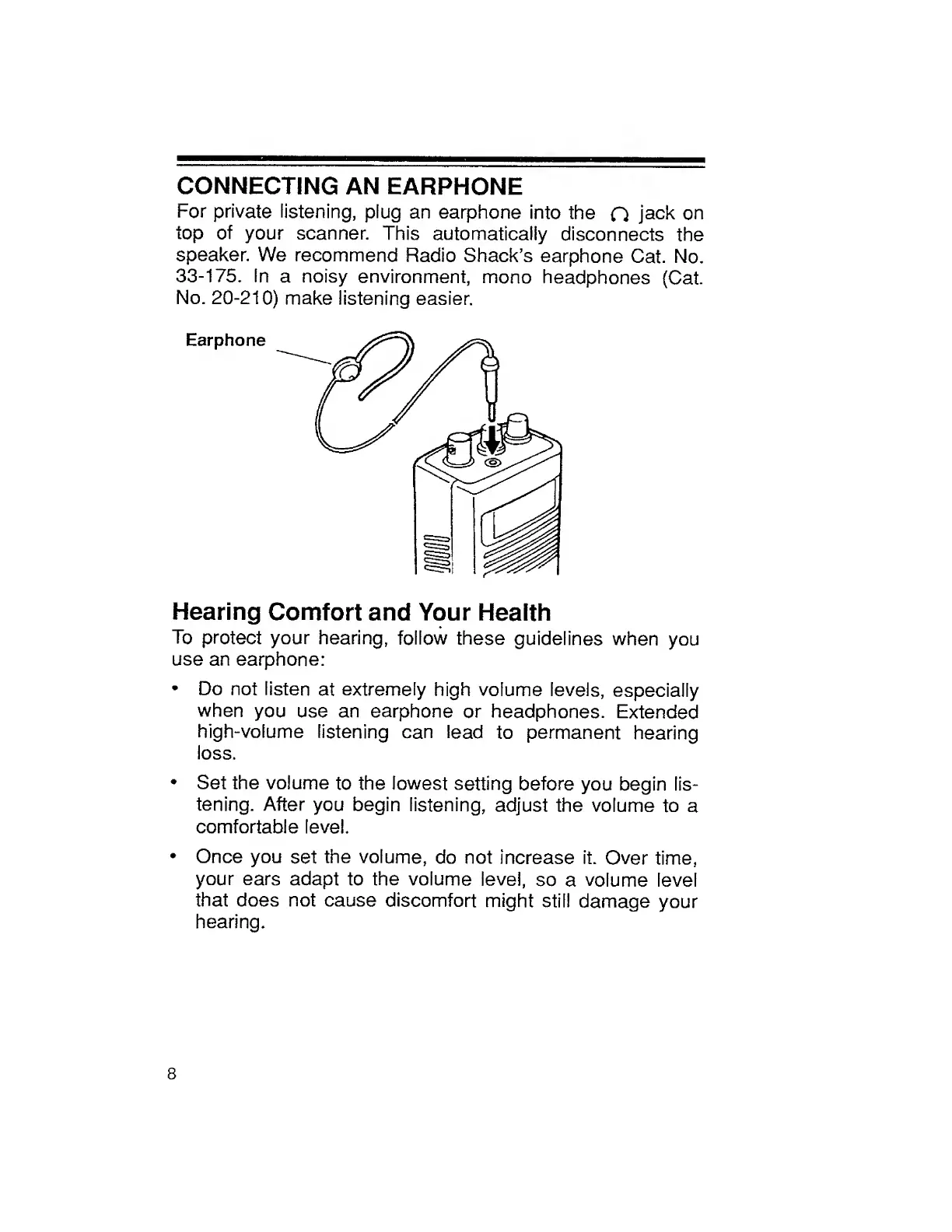
CONNECTING
AN
EARPHONE
For
private
listening,
plug
an
earphone
into
the
O
jack
on
top
of
your
scanner.
This
automatically
disconnects
the
speaker.
We
recommend
Radio
Shack’s
earphone
Cat.
No.
33-175.
In
a
noisy
environment,
mono
headphones
(Cat.
No.
20-210)
make
listening
easier.
Hearing
Comfort
and
Your
Health
To
protect
your
hearing,
follow
these
guidelines
when
you
use
an
earphone:
Do
not
listen
at
extremely
high
volume
levels,
especially
when
you
use
an
earphone
or
headphones.
Extended
high-volume
listening
can
lead
to
permanent
hearing
loss.
Set
the
volume
to
the
lowest
setting
before
you
begin
lis¬
tening.
After
you
begin
listening,
adjust
the
volume
to
a
comfortable
level.
Once
you
set
the
volume,
do
not
increase
it.
Over
time,
your
ears
adapt
to
the
volume
level,
so
a
volume
level
that
does
not
cause
discomfort
might
still
damage
your
hearing.
8

Related product manuals