EasyManua.ls Logo

Realistic PRO-43 - Searching for Active Frequencies.15

Realistic PRO-43
36 pages
Print Icon
To Next Page IconTo Next Page
To Previous Page IconTo Previous Page
Loading...
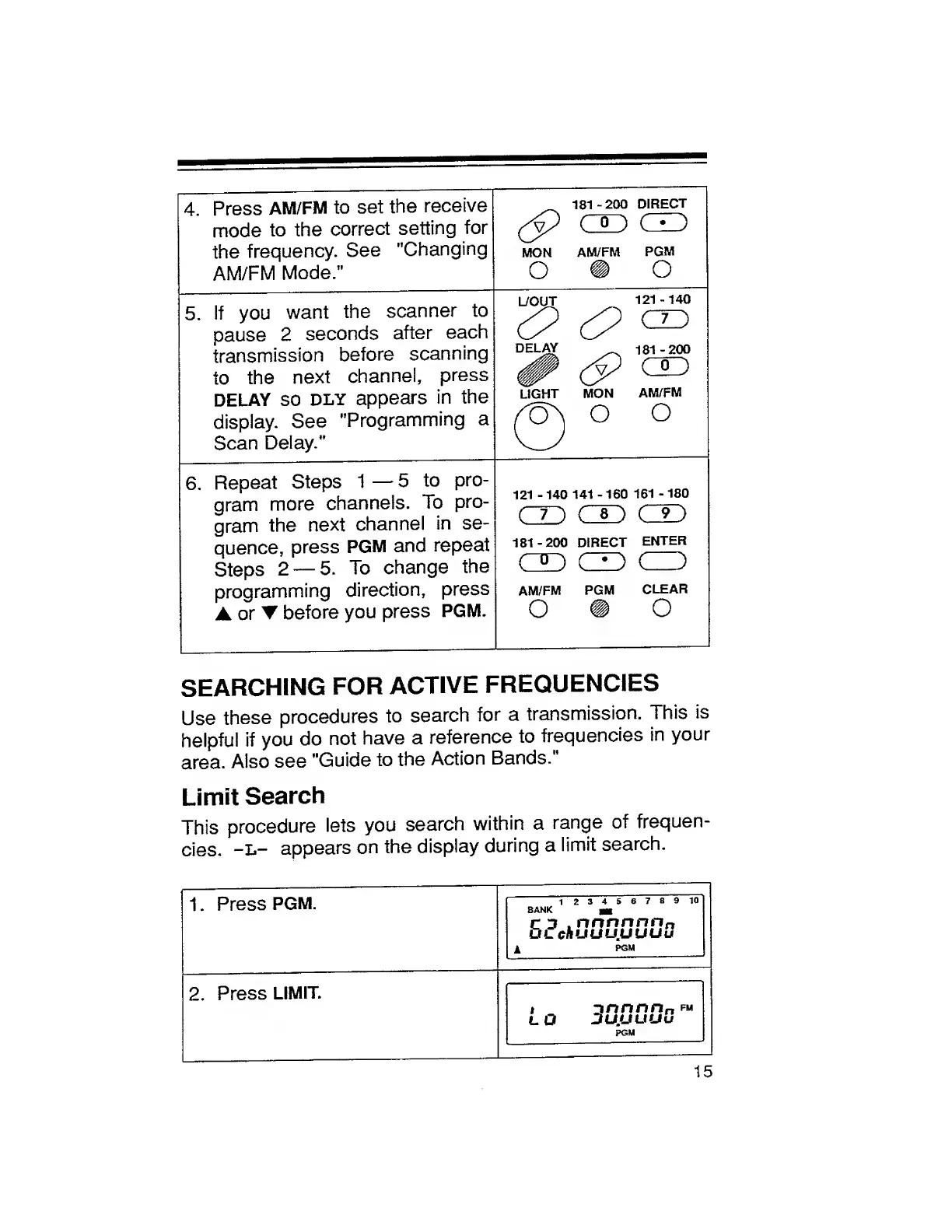
4.
Press
AM/FM
to
set
the
receive
mode
to
the
correct
setting
for
the
frequency.
See
"Changing
AM/FM
Mode."
181-200
DIRECT
(P
CJD
CO
MON
AM/FM
PGM
o
o
5.
If
you
want
the
scanner
to
pause
2
seconds
after
each
transmission
before
scanning
to
the
next
channel,
press
DELAY
so
dly
appears
in
the
display.
See
"Programming
a
Scan
Delay."
L/OUT
121-140
C
O
®
DELAY
181-200
JP
(p
CO
LIGHT
MON
AM/FM
0
o
o
6.
Repeat
Steps
1
5
to
pro¬
gram
more
channels.
To
pro¬
gram
the
next
channel
in
se¬
quence,
press
PGM
and
repeat
Steps
2
5.
To
change
the
programming
direction,
press
A
or
before
you
press
PGM.
121
-
140
141
-
160
161
-
180
m
co
co
181-200
DIRECT
ENTER
m
co
co
AM/FM
PGM
CLEAR
O
O
SEARCHING
FOR
ACTIVE
FREQUENCIES
U
s
e
these
procedures
to
search
for
a
transmission.
This
is
helpful
if
you
do
not
have
a
reference
to
frequencies
in
your
area.
Also
see
"Guide
to
the
Action
Bands."
Limit
Search
This
procedure
lets
you
search
within
a
range
of
frequen¬
cies.
-L-
appears
on
the
display
during
a
limit
search.
1
.
Press
PGM.
1
23456789
10
bank
m
C
3
.nnnnnn
a
UL
cflUUUUUUu
l
PGM
2.
Press
LIMIT.
i
ztnnnn
n
fm
L
O
DU.UUUu
PGM
15

Related product manuals