EasyManua.ls Logo

Realistic PRO-43 - Programming Frequencies

Realistic PRO-43
36 pages
Print Icon
To Next Page IconTo Next Page
To Previous Page IconTo Previous Page
Loading...
USING
THE
KEY
LOCK
Once
you
program
your
scanner,
you
can
protect
it
from
ac¬
cidental
program
changes
by
moving
KEY
LOCK
to
LOCK,
in
this
position,
the
only
controls
that
operate
are
SCAN,
MAN¬
UAL,
LIGHT,
VOLUME,
and
SQUELCH.
When
you
want
to
change
the
scanner’s
programming,
move
the
switch
to
KEY.
PROGRAMMING
THE
SCANNER
Follow
these
steps
to
store
frequencies
in
channels.
_
1
.
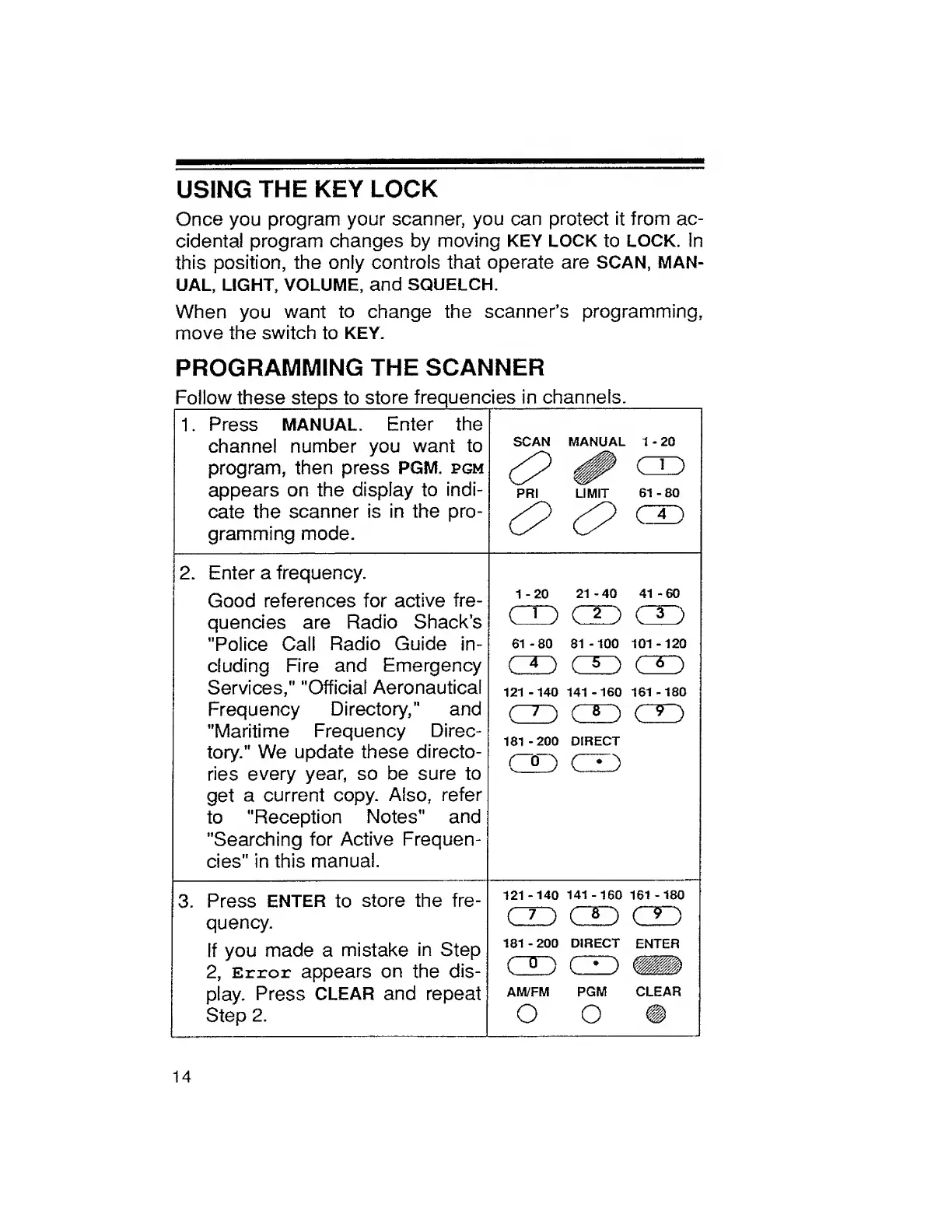
Press
MANUAL.
Enter
the
channel
number
you
want
to
program,
then
press
PGM.
pgm
appears
on
the
display
to
indi¬
cate
the
scanner
is
in
the
pro¬
gramming
mode.
SCAN
MANUAL
1
-
20
PRI
LIMIT
61-80
H
H
CD
2.
Enter
a
frequency.
Good
references
for
active
fre-
1-20
21
-40
41
-60
quencies
are
Radio
Shack’s
/->
ro
r''
CaJ
"Police
Call
Radio
Guide
in-
61
-80
81
-100
101
-120
eluding
Fire
and
Emergency
m
oh
on
Services,"
"Official
Aeronautical
121-140
141-160
161-180
Frequency
Directory,"
and
on
on
on
"Maritime
Frequency
Direc-
181
-200
DIRECT
tory."
We
update
these
directo-
ries
every
year,
so
be
sure
to
v_
j
v-
y
get
a
current
copy.
Also,
refer
to
"Reception
Notes"
and
"Searching
for
Active
Frequen-
cies"
in
this
manual.
3.
Press
ENTER
to
store
the
fre-
121
-140
141
-160
161
-
180
quency.
(D
OH
OH
If
you
made
a
mistake
in
Step
181
-200
DIRECT
ENTER
2,
Error
appears
on
the
dis-
OH
CD
Nil
play.
Press
CLEAR
and
repeat
AM/FM
PGM
CLEAR
Step
2.
O
O
14

Related product manuals