EasyManua.ls Logo

Realistic PRO-43 - EXTERNAL POWER AND CHARGING; Using an AC Power Source; Using a DC Power Source

Realistic PRO-43
36 pages
Print Icon
To Next Page IconTo Next Page
To Previous Page IconTo Previous Page
Loading...
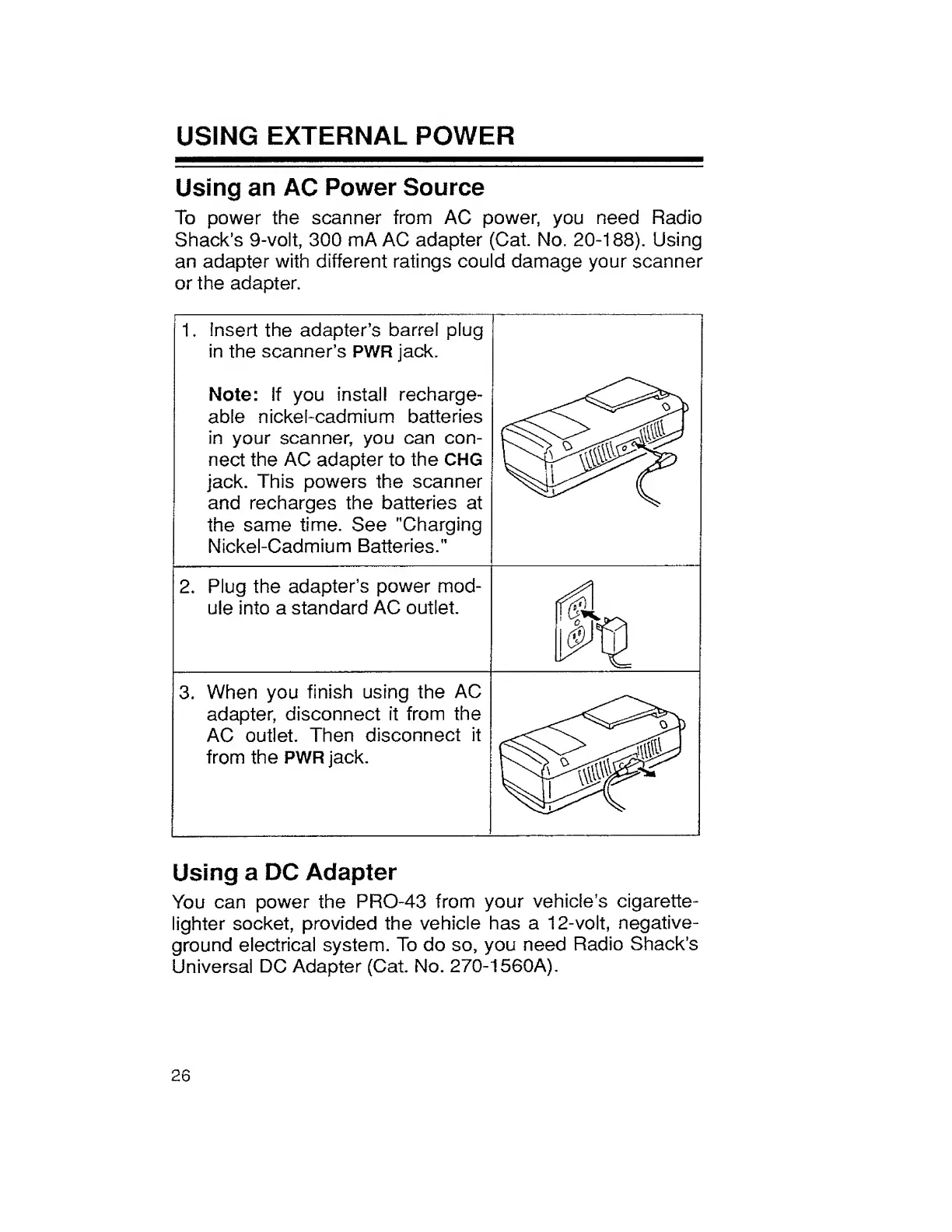
USING
EXTERNAL
POWER
Using
an
AC
Power
Source
To
power
the
scanner
from
AC
power,
you
need
Radio
Shack’s
9-volt,
300
mA
AC
adapter
(Cat
No.
20-188).
Using
an
adapter
with
different
ratings
could
damage
your
scanner
or
the
adapter.
1.
Insert
the
adapter’s
barrel
plug
in
the
scanner’s
PWR
jack.
Note:
If
you
install
recharge¬
able
nickel-cadmium
batteries
in
your
scanner,
you
can
con¬
nect
the
AC
adapter
to
the
CHG
jack.
This
powers
the
scanner
and
recharges
the
batteries
at
the
same
time.
See
"Charging
Nickel-Cadmium
Batteries."
1
2.
Plug
the
adapter’s
power
mod¬
ule
into
a
standard
AC
outlet.
3.
When
you
finish
using
the
AC
adapter,
disconnect
it
from
the
AC
outlet.
Then
disconnect
it
from
the
PWR
jack.
|g
H
Using
a
DC
Adapter
You
can
power
the
PRO-43
from
your
vehicle’s
cigarette-
lighter
socket,
provided
the
vehicle
has
a
12-volt,
negative-
ground
electrical
system.
To
do
so,
you
need
Radio
Shack’s
Universal
DC
Adapter
(Cat.
No.
270-1560A).
26

Related product manuals