EasyManua.ls Logo

Realistic PRO-43 - Page 27

Realistic PRO-43
36 pages
Print Icon
To Next Page IconTo Next Page
To Previous Page IconTo Previous Page
Loading...
Notes:
*
If
you
install
rechargeable
batteries
in
the
PRO-43,
you
can
connect
the
adapter
to
the
CHG
jack.
This
powers
the
scanner
and
recharges
the
batteries.
See
"Charging
Nickel-Cadmium
Batteries."
if
the
scanner
does
not
operate
properly
when
you
use
an
adapter,
unplug
the
adapter
from
the
cigarette-lighter
socket
and
remove
ashes
and
other
debris.
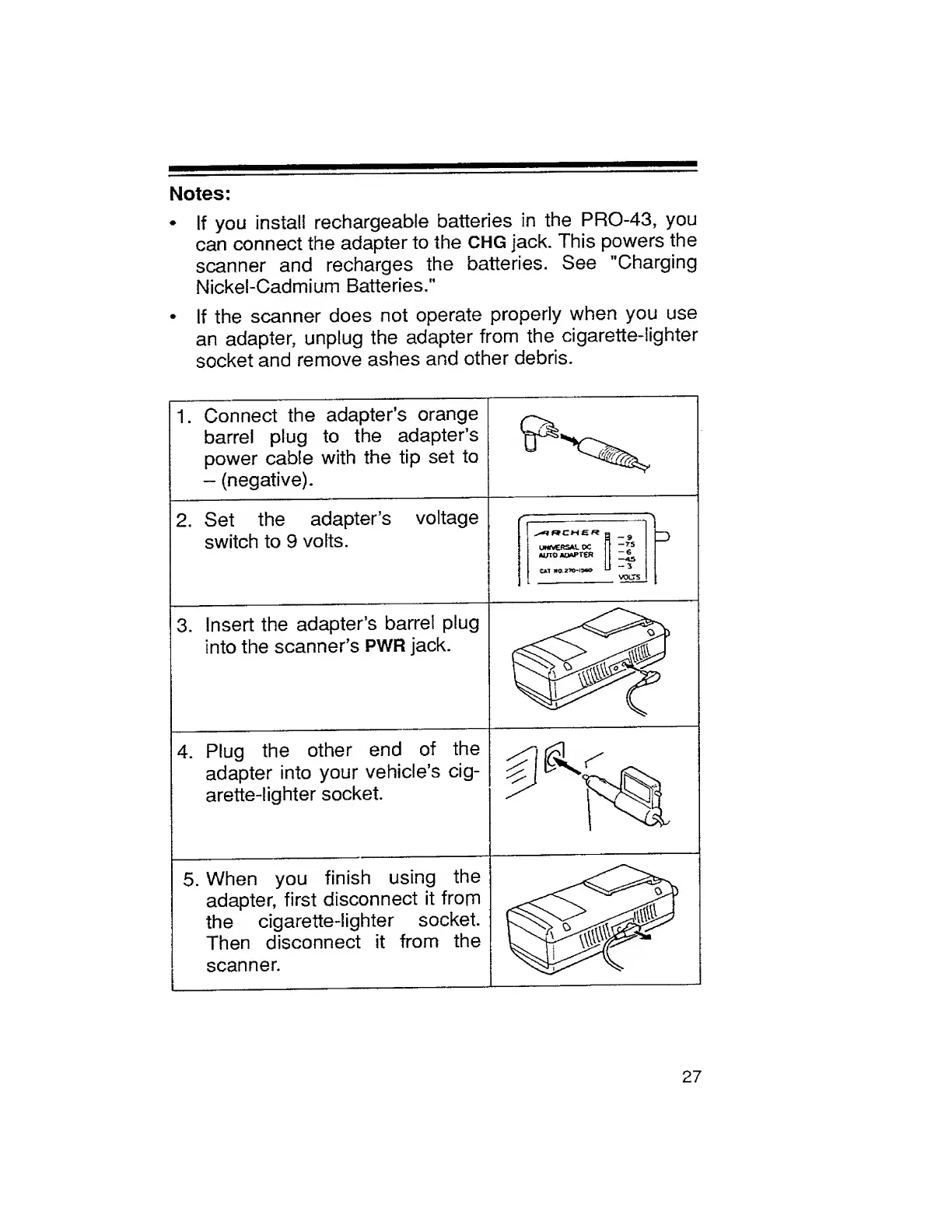
1.
Connect
the
adapter’s
orange
barrel
plug
to
the
adapter’s
power
cable
with
the
tip
set
to
-
(negative).
2.
Set
the
adapter’s
voltage
switch
to
9
volts.
/
--
re
0-9
Z)
UWft€RSAL
DC
AUTO
ADAPTER
^
CAT
WO.
2TO-15WO
U
3
VOLTS
3.
Insert
the
adapter’s
barrel
plug
into
the
scanner’s
PWR
jack.
\
4.
Plug
the
other
end
of
the
adapter
into
your
vehicle’s
cig¬
arette-lighter
socket.
5.
When
you
finish
using
the
adapter,
first
disconnect
it
frorn
the
cigarette-lighter
socket.
Then
disconnect
it
from
the
scanner.
5
27

Related product manuals