EasyManua.ls Logo

Realistic PRO-43 - Page 6

Realistic PRO-43
36 pages
Print Icon
To Next Page IconTo Next Page
To Previous Page IconTo Previous Page
Loading...
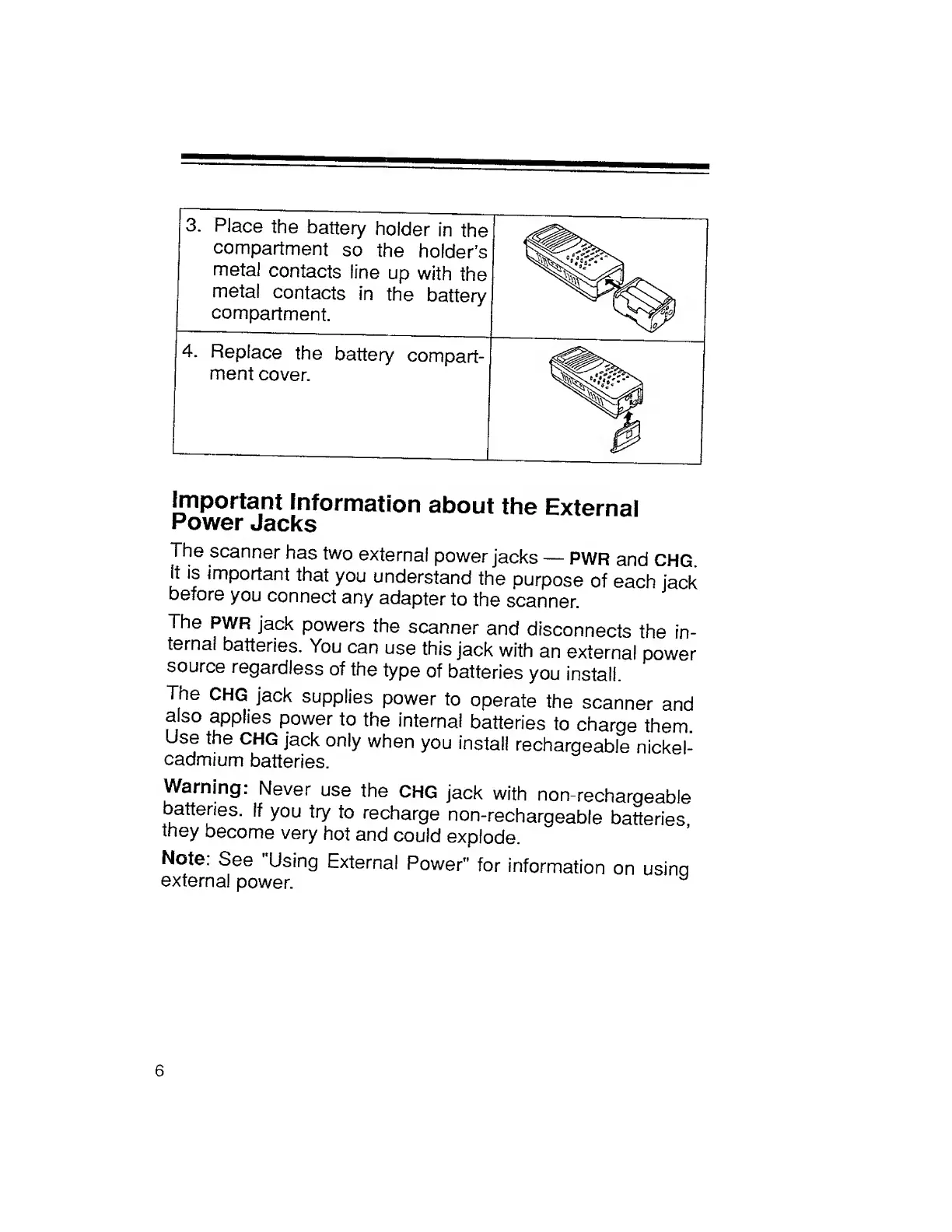
3.
Place
the
battery
holder
in
the
compartment
so
the
holder’s
metal
contacts
line
up
with
the
metal
contacts
in
the
battery
compartment.
4.
Replace
the
battery
compart-
ment
cover.
Important
Information
about
the
External
Power
Jacks
The
scanner
has
two
external
power
jacks
PWR
and
CHG.
It
is
important
that
you
understand
the
purpose
of
each
jack
before
you
connect
any
adapter
to
the
scanner.
The
PWR
jack
powers
the
scanner
and
disconnects
the
in¬
ternal
batteries.
You
can
use
this
jack
with
an
external
power
source
regardless
of
the
type
of
batteries
you
install.
The
CHG
jack
supplies
power
to
operate
the
scanner
and
also
applies
power
to
the
internal
batteries
to
charge
them.
Use
the
CHG
jack
only
when
you
install
rechargeable
nickel-
cadmium
batteries.
Warning:
Never
use
the
CHG
jack
with
non-rechargeable
batteries.
If
you
try
to
recharge
non-rechargeable
batteries
they
become
very
hot
and
could
explode.
Note.
See
Using
External
Power"
for
information
on
usina
external
power.
6

Related product manuals