EasyManua.ls Logo

Realistic PRO-50 - A Look at the Keyboard

Realistic PRO-50
31 pages
Print Icon
To Next Page IconTo Next Page
To Previous Page IconTo Previous Page
Loading...
A
LOOK
AT
THE
KEYBOARD
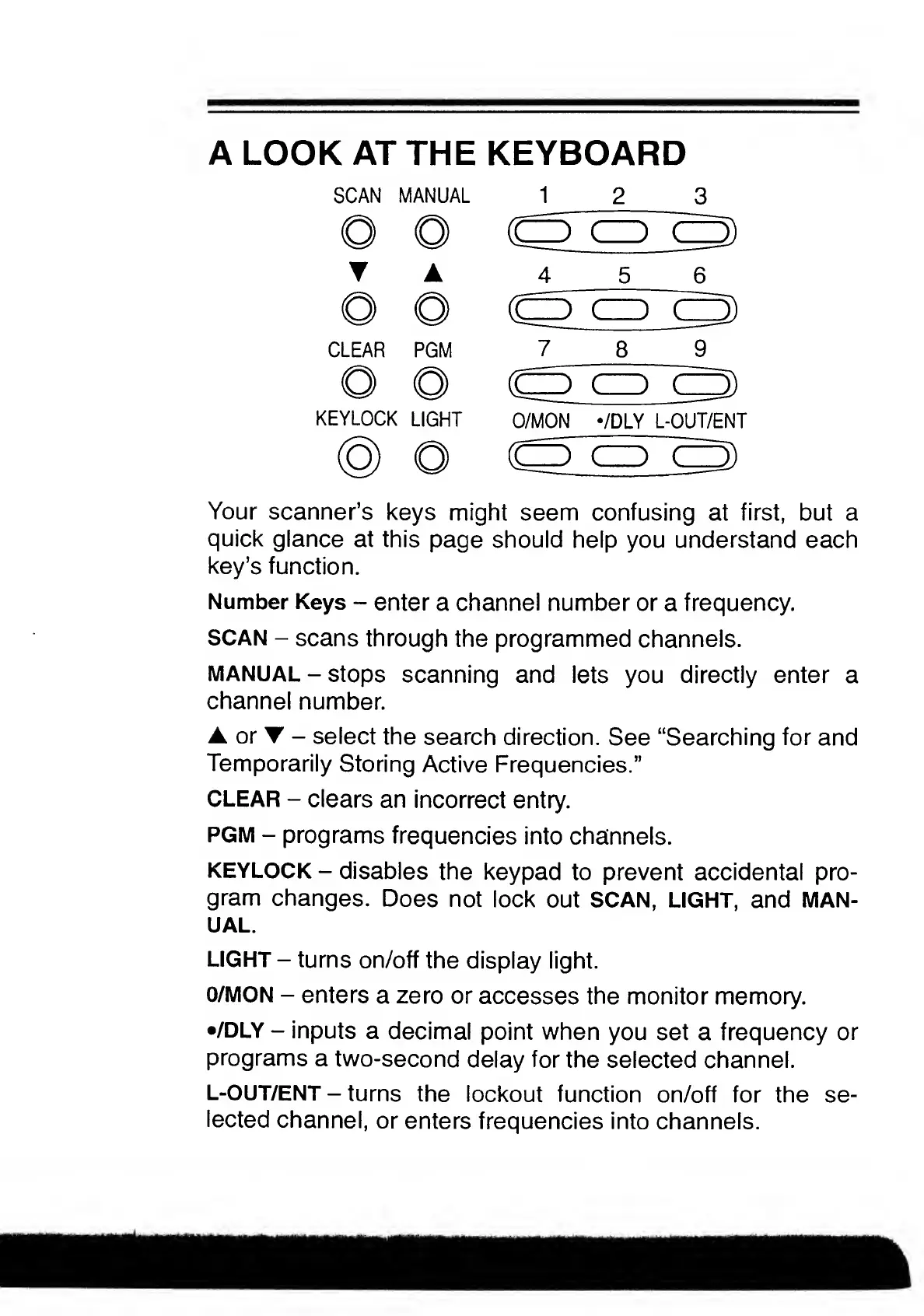
SCAN
MANUAL
1
2
3
A
4
5
6
CLEAR
PGM
7
8
9
KEYLOCK
LIGHT
O/MON
*/DLY
L-OUT/ENT
Your
scanner’s
keys
might
seem
confusing
at
first,
but
a
quick
glance
at
this
page
should
help
you
understand
each
key’s
function.
Number
Keys
-
enter
a
channel
number
or
a
frequency.
SCAN
-
scans
through
the
programmed
channels.
MANUAL
-
stops
scanning
and
lets
you
directly
enter
a
channel
number.
A
or
-
select
the
search
direction.
See
“Searching
for
and
Temporarily
Storing
Active
Frequencies.”
CLEAR
-
clears
an
incorrect
entry.
PGM
-
programs
frequencies
into
channels.
KEYLOCK
-
disables
the
keypad
to
prevent
accidental
pro¬
gram
changes.
Does
not
lock
out
SCAN,
LIGHT,
and
MAN¬
UAL.
LIGHT
-
turns
on/off
the
display
light.
O/MON
-
enters
a
zero
or
accesses
the
monitor
memory.
•/DLY
-
inputs
a
decimal
point
when
you
set
a
frequency
or
programs
a
two-second
delay
for
the
selected
channel.
L-OUT/ENT
-
turns
the
lockout
function
on/off
for
the
se¬
lected
channel,
or
enters
frequencies
into
channels.

Related product manuals