EasyManua.ls Logo

Realistic PRO-50 - Connecting the Antenna

Realistic PRO-50
31 pages
Print Icon
To Next Page IconTo Next Page
To Previous Page IconTo Previous Page
Loading...
Caution:
Use
this
procedure
only
when
you
are
sure
the
scanner
is
not
working
properly.
This
procedure
clears
all
in¬
formation
you
have
programmed
into
the
scanner.
To
initialize
the
scanner:
1.
Turn
on
the
scanner.
2.
Press
and
hold
CLEAR
and
then
press
the
reset
switch
at
the
right
of
the
PWR
jack
using
a
pointed
object,
such
as
a
straightened
paper
clip.
Release
CLEAR
after
the
dis¬
play
reappears.
CONNECTING
THE
ANTENNA
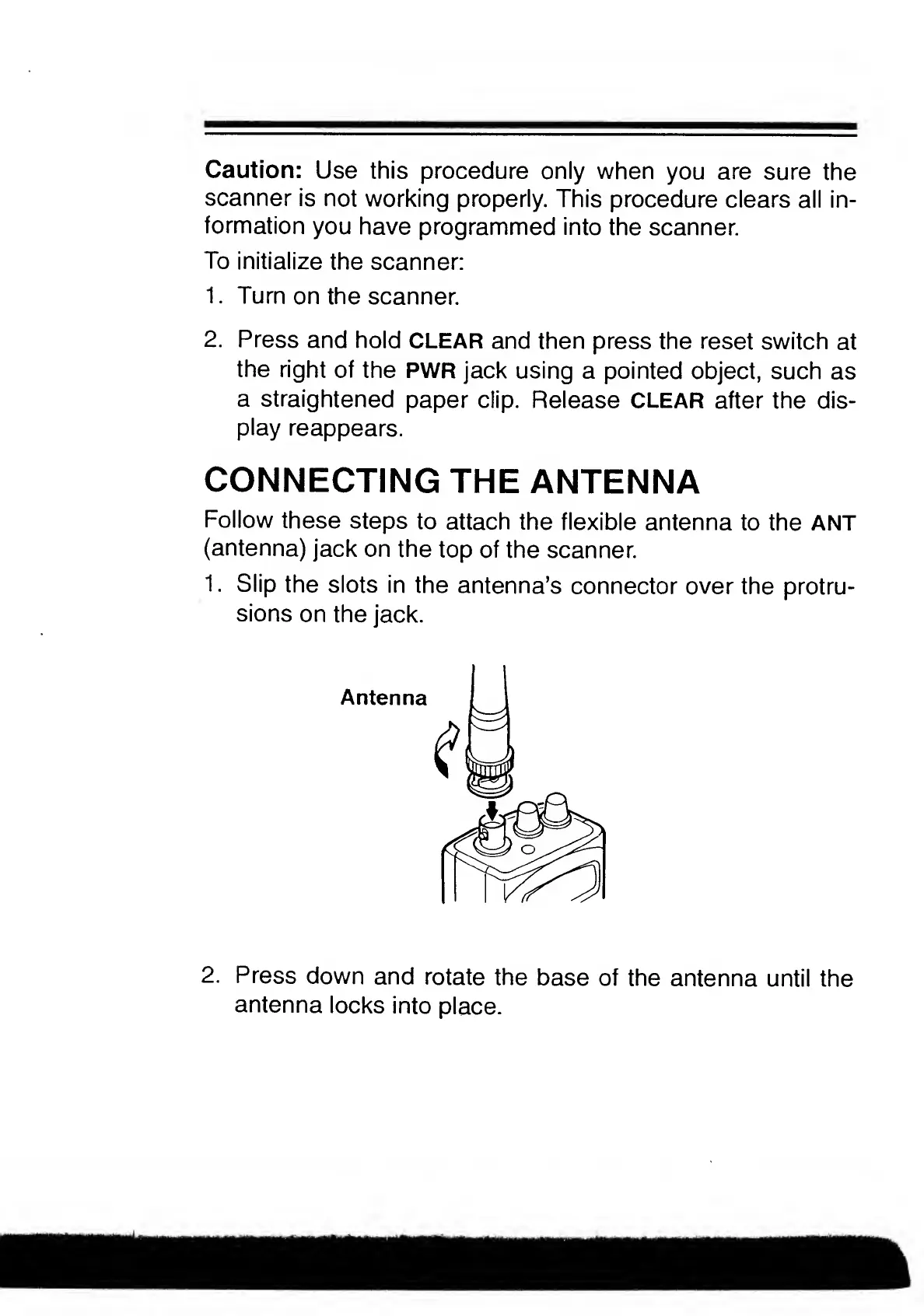
Follow
these
steps
to
attach
the
flexible
antenna
to
the
ANT
(antenna)
jack
on
the
top
of
the
scanner.
1.
Slip
the
slots
in
the
antenna’s
connector
over
the
protru¬
sions
on
the
jack.
Antenna
2.
Press
down
and
rotate
the
base
of
the
antenna
until
the
antenna
locks
into
place.

Related product manuals