EasyManua.ls Logo

Realistic PRO-50 - Resetting and Initializing the Scanner

Realistic PRO-50
31 pages
Print Icon
To Next Page IconTo Next Page
To Previous Page IconTo Previous Page
Loading...
2.
Remove
the
battery
holder
from
the
battery
compartment
and
install
six
AA
batteries,
as
indicated
by
the
polarity
symbols
(+
and
-)
marked
on
the
battery
holder
and
in¬
side
the
battery
compartment.
3.
Place
the
battery
holder
in
the
compartment.
Note:
The
battery
holder
only
fits
one
way
in
the
compart¬
ment.
4.
Replace
the
battery
compartment
cover.
Note:
When
B
flashes,
immediately
replace
all
six
batteries.
Or,
if
you
are
using
rechargeable
nickel-cadmium
batteries,
recharge
all
six
batteries.
RESETTING/INITIALIZING
THE
SCANNER
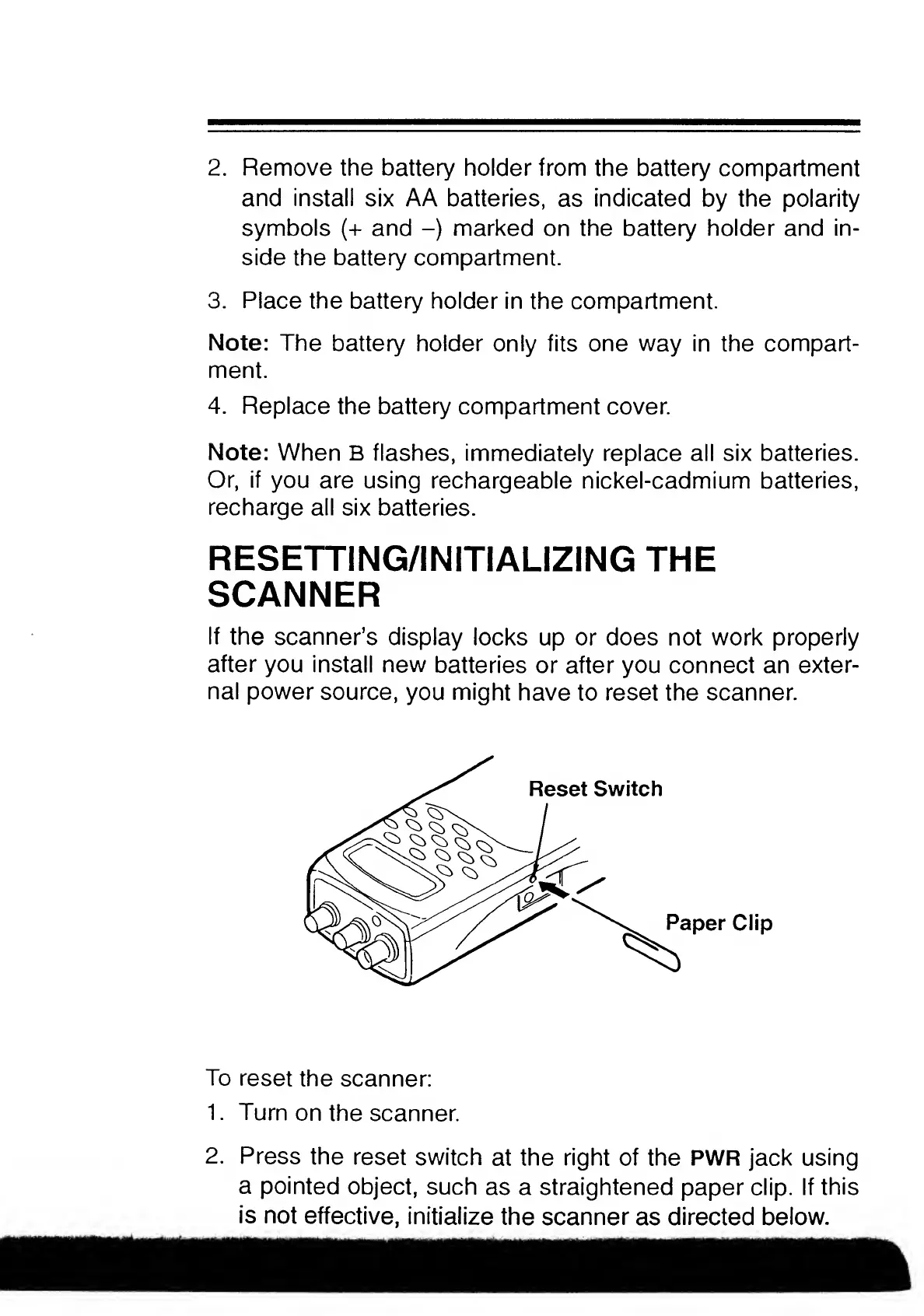
If
the
scanner’s
display
locks
up
or
does
not
work
properly
after
you
install
new
batteries
or
after
you
connect
an
exter¬
nal
power
source,
you
might
have
to
reset
the
scanner.
To
reset
the
scanner:
1.
Turn
on
the
scanner.
2.
Press
the
reset
switch
at
the
right
of
the
PWR
jack
using
a
pointed
object,
such
as
a
straightened
paper
clip.
If
this
is
not
effective,
initialize
the
scanner
as
directed
below.

Related product manuals