EasyManua.ls Logo

Realistic PRO-50 - Preparation; Power Sources; Installing Batteries

Realistic PRO-50
31 pages
Print Icon
To Next Page IconTo Next Page
To Previous Page IconTo Previous Page
Loading...
PREPARATION
POWER
SOURCES
You
can
power
your
scanner
from
any
of
three
sources:
Internal
batteries
Your
vehicle’s
battery
(using
an
optional
DC
adapter)
Standard
AC
power
(using
an
optional
AC
adapter)
For
information
on
using
power
sources
other
than
internal
batteries,
see
“Using
an
Optional
Adapter.”
Installing
Batteries
You
can
operate
your
scanner
from
six
AA
batteries.
For
the
longest
battery
life
and
optimum
performance,
we
recom¬
mend
alkaline
batteries.
Or,
you
can
use
rechargeable
nickel-cadmium
batteries.
Caution:
The
PRO-50
has
a
built-in
charging
circuit
that
lets
you
recharge
nickel-cadmium
batteries
inside
the
battery
compartment.
Flowever,
you
must
not
use
this
circuit
when
you
have
installed
non-rechargeable
batteries.
Be
sure
to
read
“Using
an
Optional
Adapter”
and
“Charging
Nickel-Cadmium
Batteries.”
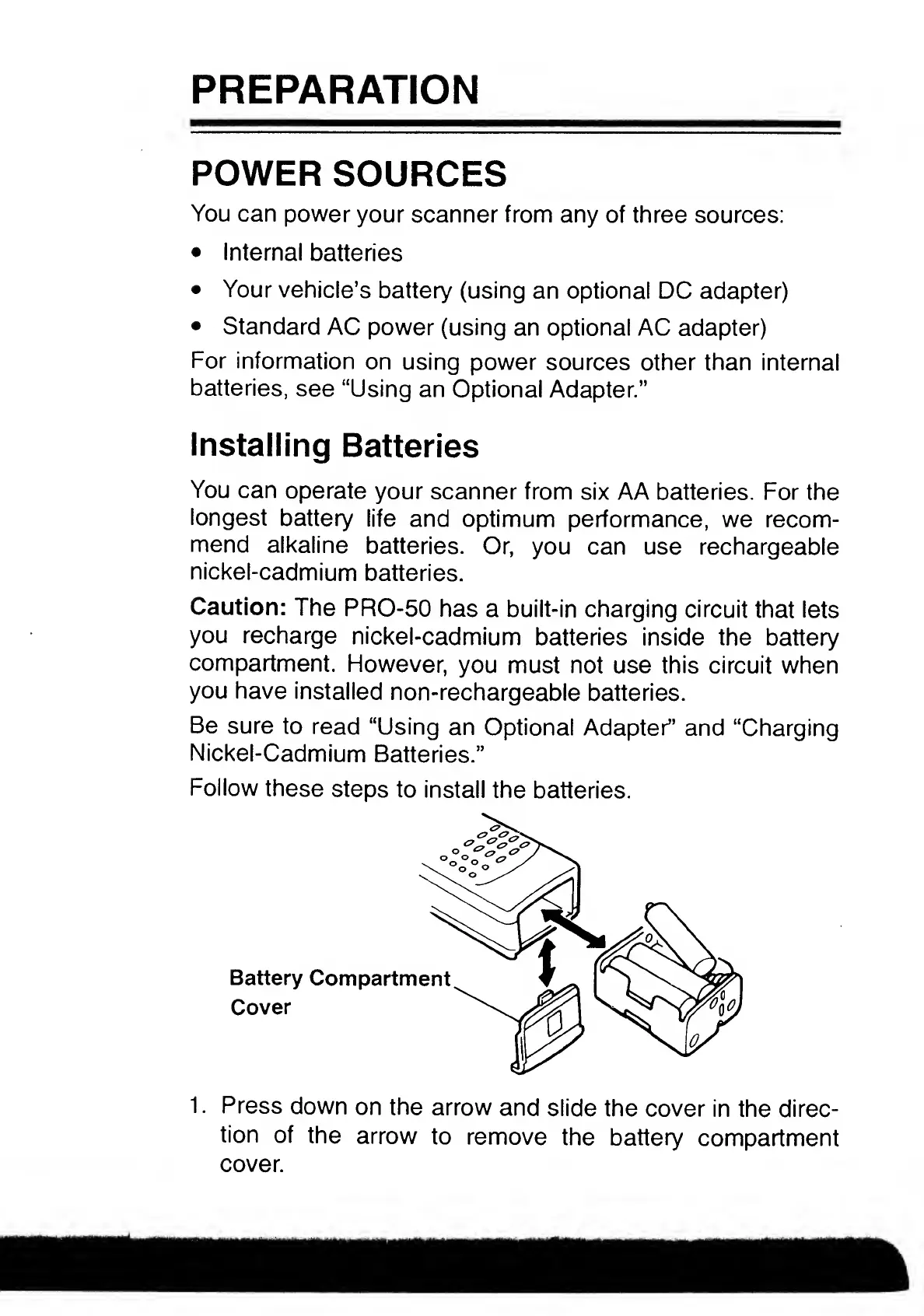
Follow
these
steps
to
install
the
batteries.
1.
Press
down
on
the
arrow
and
slide
the
cover
in
the
direc¬
tion
of
the
arrow
to
remove
the
battery
compartment
cover.

Related product manuals