Real Clean System I v 2.1
Real Tech Inc. 11
6 Start Up and Operation
6.1 Start Up
Once plumbing and electrical connections have been made, you need to enable the cleaning system and enter
settings for cleaning configuration. This is accomplished through the M Series Analyzer’s Operator Interface.
Section 8 gives more detail on menu selections.
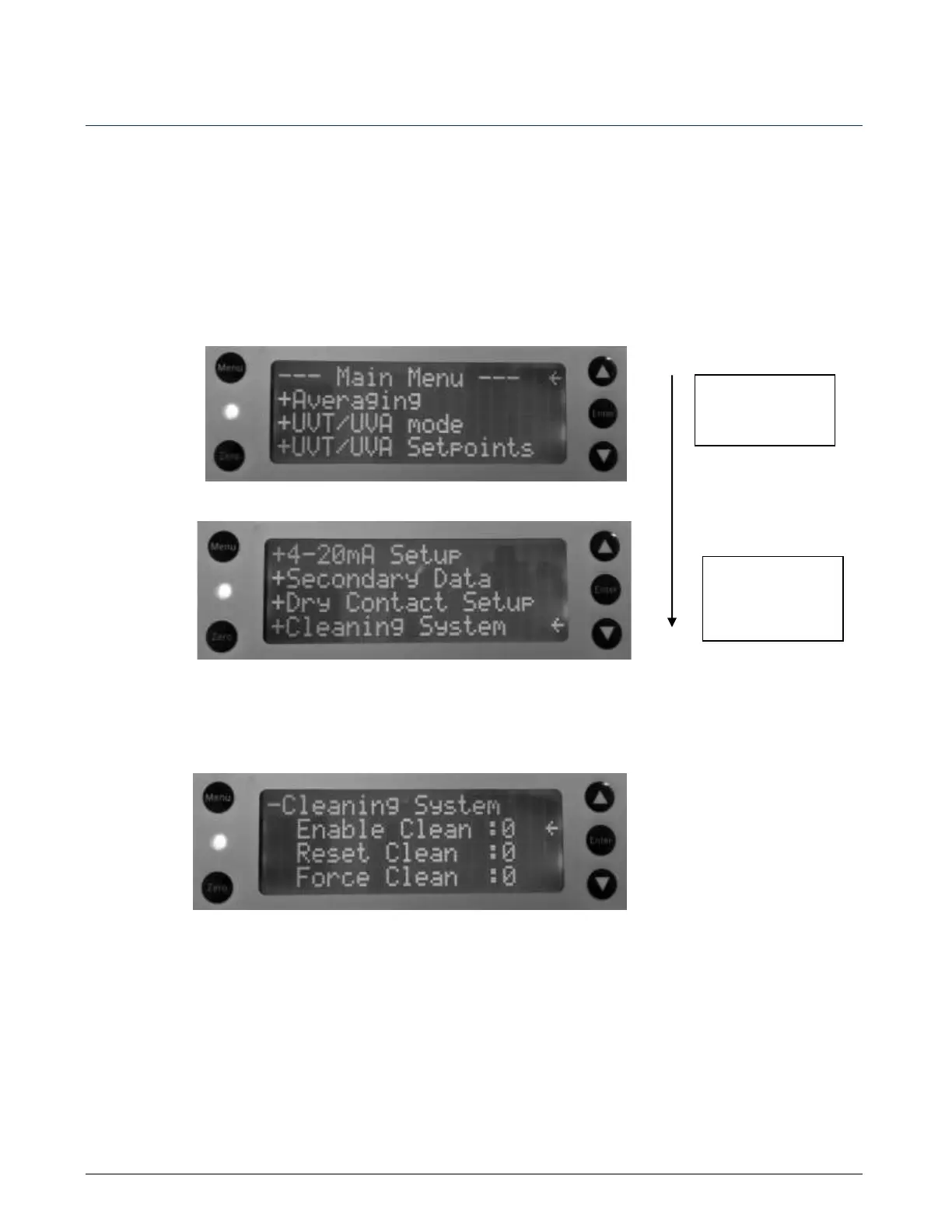
From the main menu, press the down arrow button to scroll to the +Cleaning system menu. Access the Main
Menu page by pressing the Menu button. You may need to press the button more than once to have the screen
displayed.
1. To enable the cleaning system, scroll down to ‘Enable Clean’ and press Enter to enable the cleaning
system. The 0 turns to 1, which signifies the item has been selected and therefore, enabled.



 To Next Page