Real Clean System I v 2.1
Real Tech Inc. 12
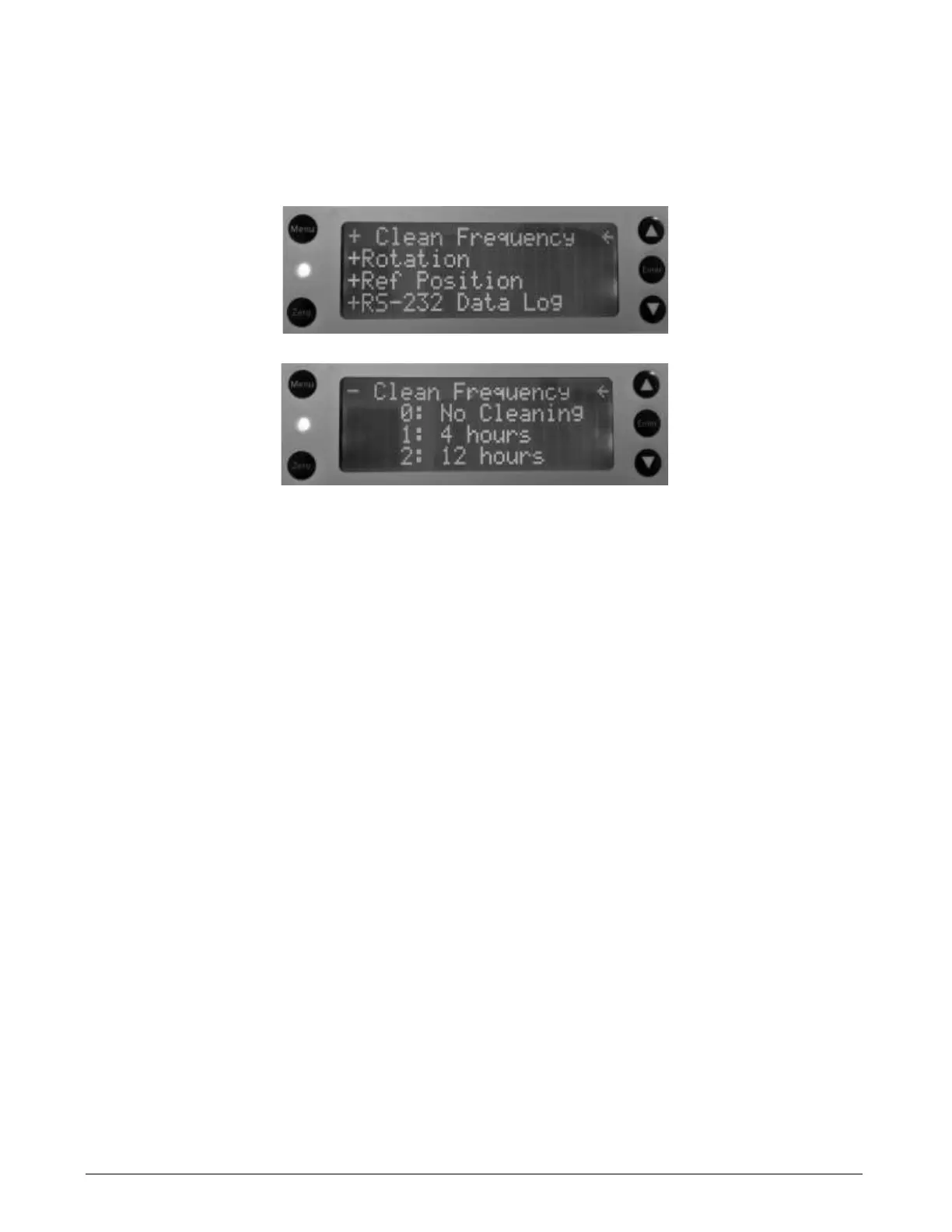
2. Scroll down from the last entry until the +Clean Frequency menu is displayed. Expand the menu by
pressing the Enter button. Seven selections are available. The default is 4: 3 days. De-select a
frequency by scrolling to it, and then pressing Enter to remove the checkmark. Conversely, select an
option by scrolling the arrow to it, and then press Enter to place a checkmark beside it.
Implementing these two settings is the minimum you need for set up. The system is ready for use. For all other
functions, refer to Section 8, Cleaning Configuration. If the system encounters any problems, associated alarms
or warnings are displayed on the Operator Interface of the M Series Analyzer.
To turn the Real Clean System off, disable the device by removing the checkbox opposite Enable Clean
(reverse of step 1).
6.2 Operation
The system consists of a 3-way stainless solenoid valve, a peristaltic pump, and a 1L chemical cleaner storage
container. The cleaning process is initiated automatically on a preselected time interval or can be manually
triggered.
The cleaning process consists of the following steps:
1. Solenoid shuts off the process water flow to the analyzer flow cell (LED turns on).
2. Solenoid opens flow from peristaltic pump to the analyzer flow cell.
3. Peristaltic pump turns on and pumps cleaning solution into the analyzer flow cell.
4. The pump turns off and the system waits to allow the chemical cleaning solution to remove fouling and
staining present on the walls of the quartz flow cell.
5. The pump turns on in the opposite direction to re-capture the cleaning chemical.
6. Solenoid valve opens the water flow from the process to purge out the cleaning solution (LED turns off).
The process is now complete.
During the cleaning cycle, the measured UVA/UVT value shown on the M series instrument is held to the last
value measured before the cycle started and released after the purge time is complete.



 To Next Page