RTL87x2x Quick Start User Guide
Copyright 2023 Realtek Semiconductor Corporation.
All Rights Reserved. 8
8. Upperstack Image
This file is directly provided by Realtek. Implement BLE upper stack.
9. Stack Patch Image / BT Host Image
This file is directly provided by Realtek. Support for stack-related features in BT Controller.
(This Image was renamed BT Host Image after BEE4, BEE2/SBEE2/BEE3/BEE3+ is Upperstack Image)
10. APP Image
BLE application developed by the developer, compiled by Keil engineering.It is processed by tools such as
fromelf.
The FSBL/Boot Patch/ROM Patch Image/System Patch Image/Uppperstack Image(BT Host Image)/BT Stack Patch
Image is directly provided by Realtek. Users can download the above information through Anchor, if there is no
Anchor account, please apply for registration from the agent/PM/FAE, or download them directly from RealMCU
website: https://www.realmcu.com
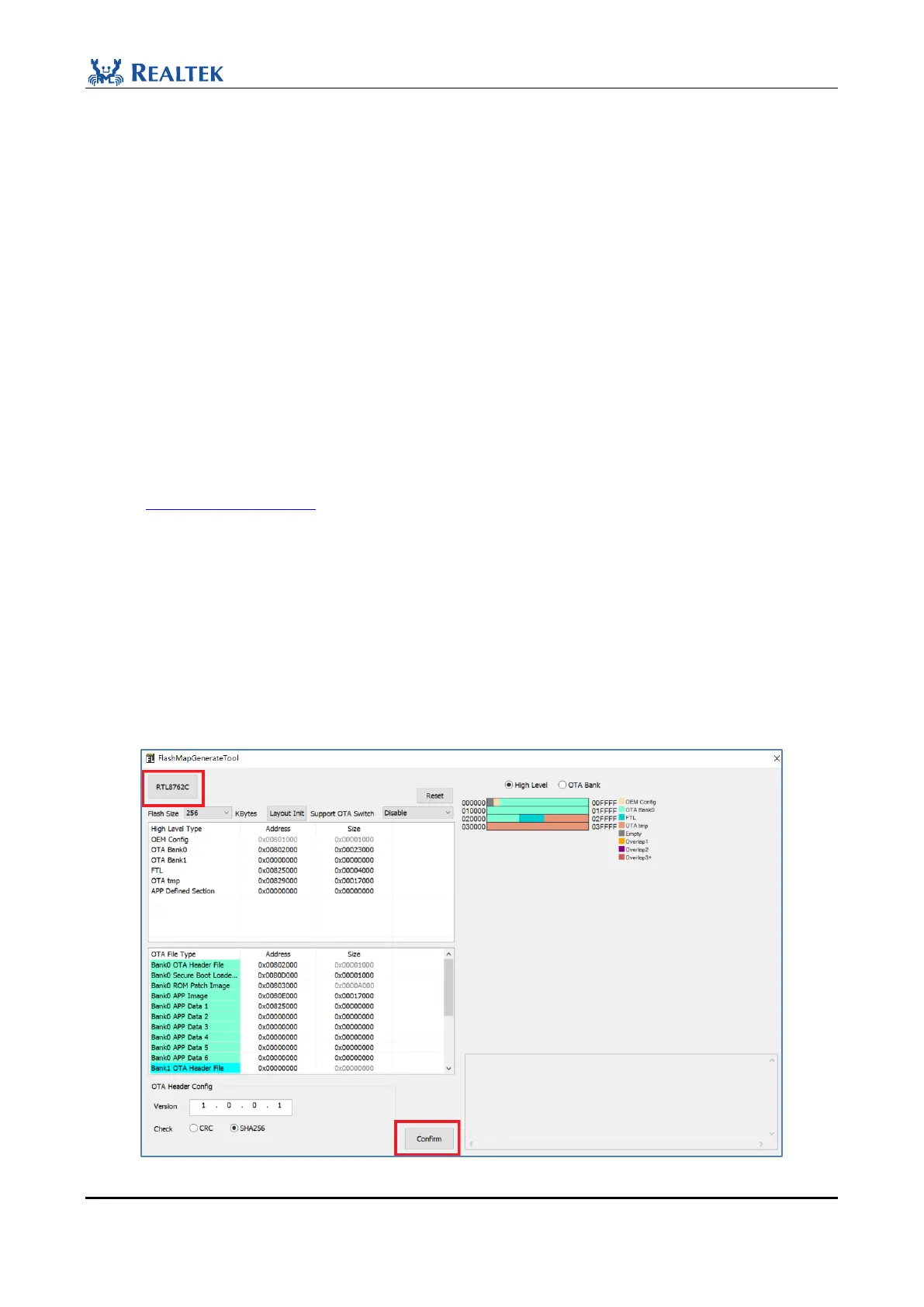
2.3.2 Generate Flash map
Method 1: Use MP Tool and tap Flash Map Tool to generate flash map.ini.
File path: BeeMPTool_kits_vx.x.x.x\BeeMPTool\FlashMap\flash map.ini.
Method 2: Generate flash map.ini using FlashMapGenerateTool, which is contained in MPPackTool file.
File path: MPPackTool_vx.x.x.x\flash map.ini.
Figure 2-9 Generate Flash map


 To Next Page