RTL87x2x Quick Start User Guide
Copyright 2023 Realtek Semiconductor Corporation.
All Rights Reserved. 13
2.3.6 Start to download
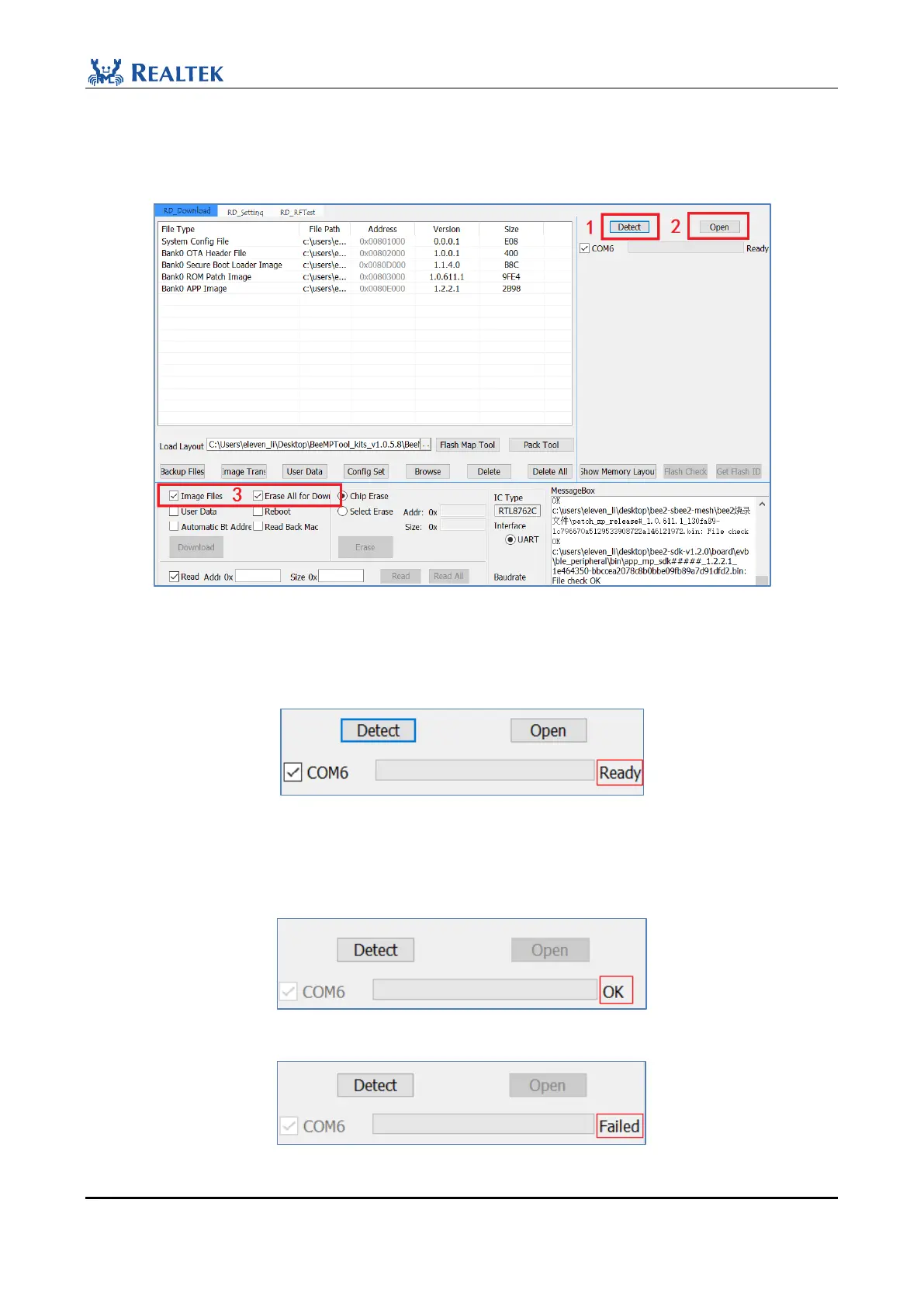
Once the files are ready, they can be burned. The burning interface is shown in Figure 2-17.
Figure 2-17 Download steps
1. Click the "Detect" button on the interface. If the COM interface can be detected, the Ready interface will be
displayed.Otherwise, the corresponding COM port is not displayed.
Figure 2-18 Detect Ready
2. Click the "Open" button on the interface. If the COM port can be opened normally, OK is displayed, otherwise,
it will be Failed.
Figure 2-19 Open OK
Figure 2-20 Open Failed



 To Next Page