RTL87x2x Quick Start User Guide
Copyright 2023 Realtek Semiconductor Corporation.
All Rights Reserved. 14
If Failed is displayed, you can check it in the following ways:
1) Check whether Log pin (P0_3) on the EVB board is connected to GND. Press Reset or power on the EVB
again.For details about grounding the BEE4 EVB Log, refer to Chapter 2.2.
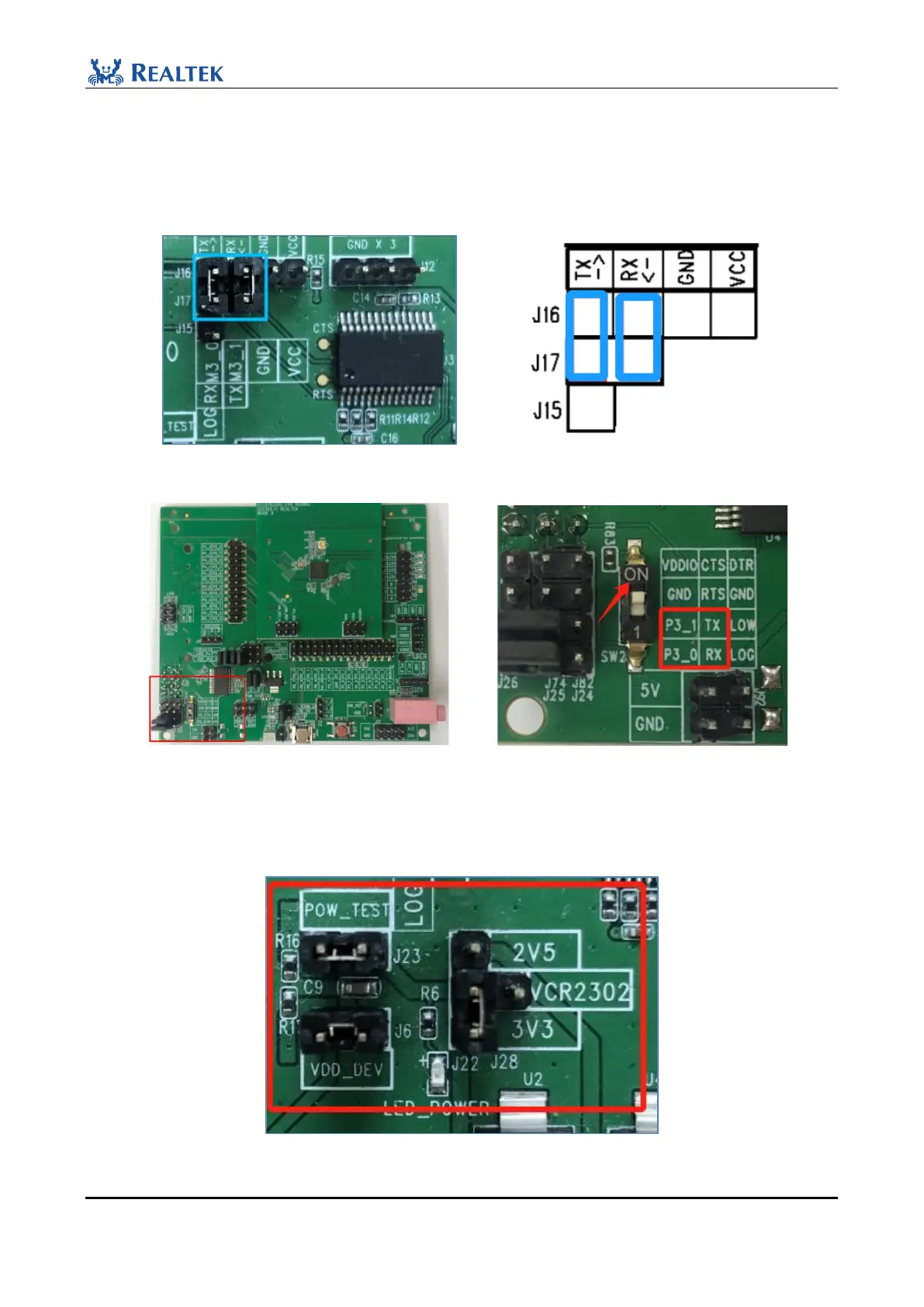
2) Check whether the jumper caps (J16&J17) in the blue box are connected correctly.
Figure 2-21 J16&J17 Connection
Figure 2-22 BEE4 EVB Uart Connection
3) Confirm whether the jumper caps at the three places in the red box are correctly connected and power is
normally supplied to the sub-board.
Figure 2-23 Normal power supply for sub-board



 To Next Page