RTL87x2x Quick Start User Guide
Copyright 2023 Realtek Semiconductor Corporation.
All Rights Reserved. 10
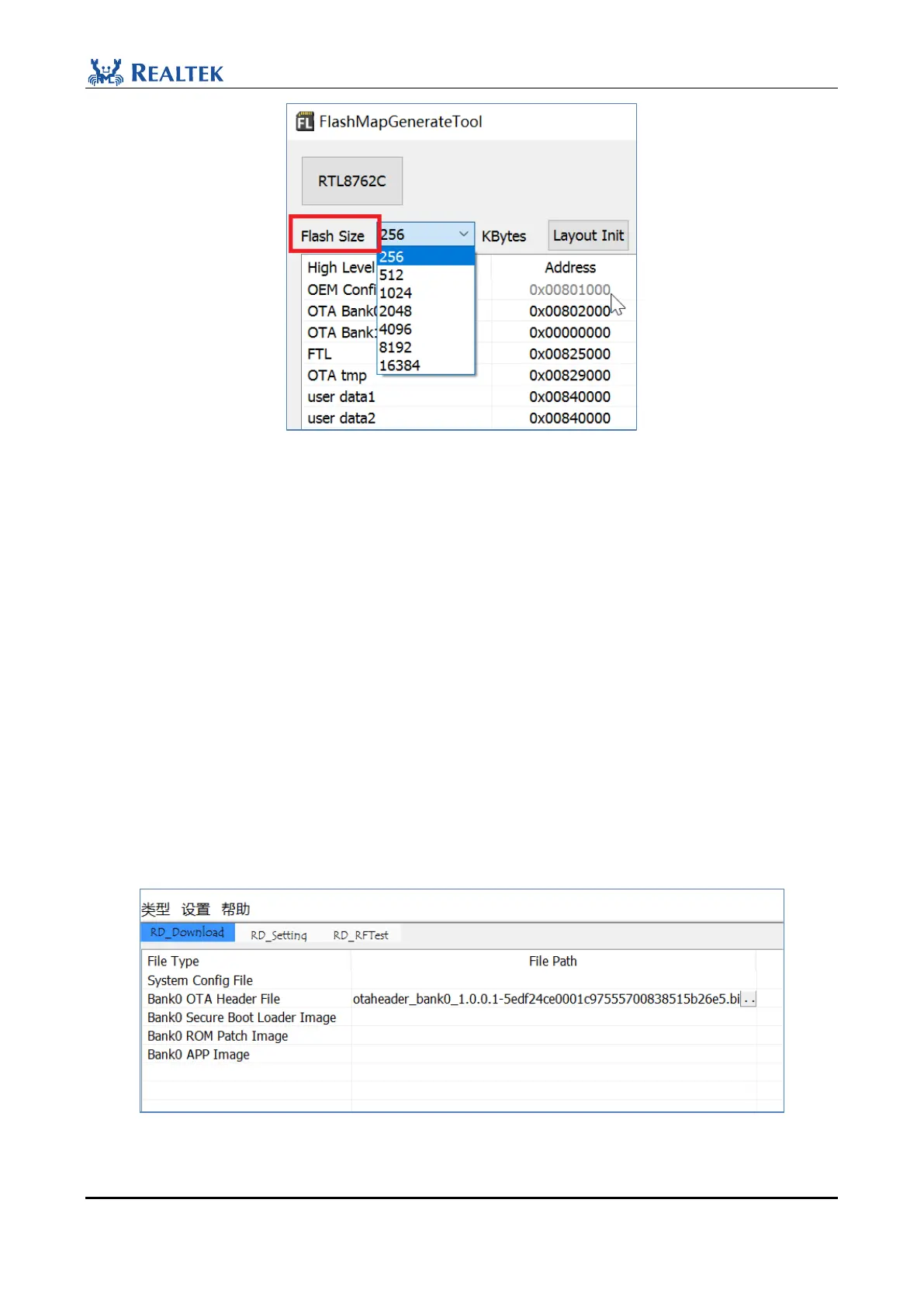
Figure 2-12 Flash Size
4. Copy the flash_map.h file which is generated in the same directory to the corresponding project directory.
Take the ble_peripheral project as an example. File path: SDK\board\evb\ble_peripheral\flash_map.h.
NOTE:
This example is just a simple process of generating flash map.ini, which needs to be allocated according to the actual
situation of the project in engineering application. If you have any questions, you can communicate with FAE for
confirmation.
2.3.3 Generate OTA header File
Method 1: Use MP Tool and click "FlashMapTool" on the interface to generate flash map.ini. OTA Header
File will be generated simultaneously: BeeMPTool_kits_vx.x.x.x\BeeMPTool\OTAHeader, MPTool will be
directly loaded into the corresponding file area, as shown below.
Figure 2-13 OTA Header File Path



 To Next Page