RTL87x2x Quick Start User Guide
Copyright 2023 Realtek Semiconductor Corporation.
All Rights Reserved. 11
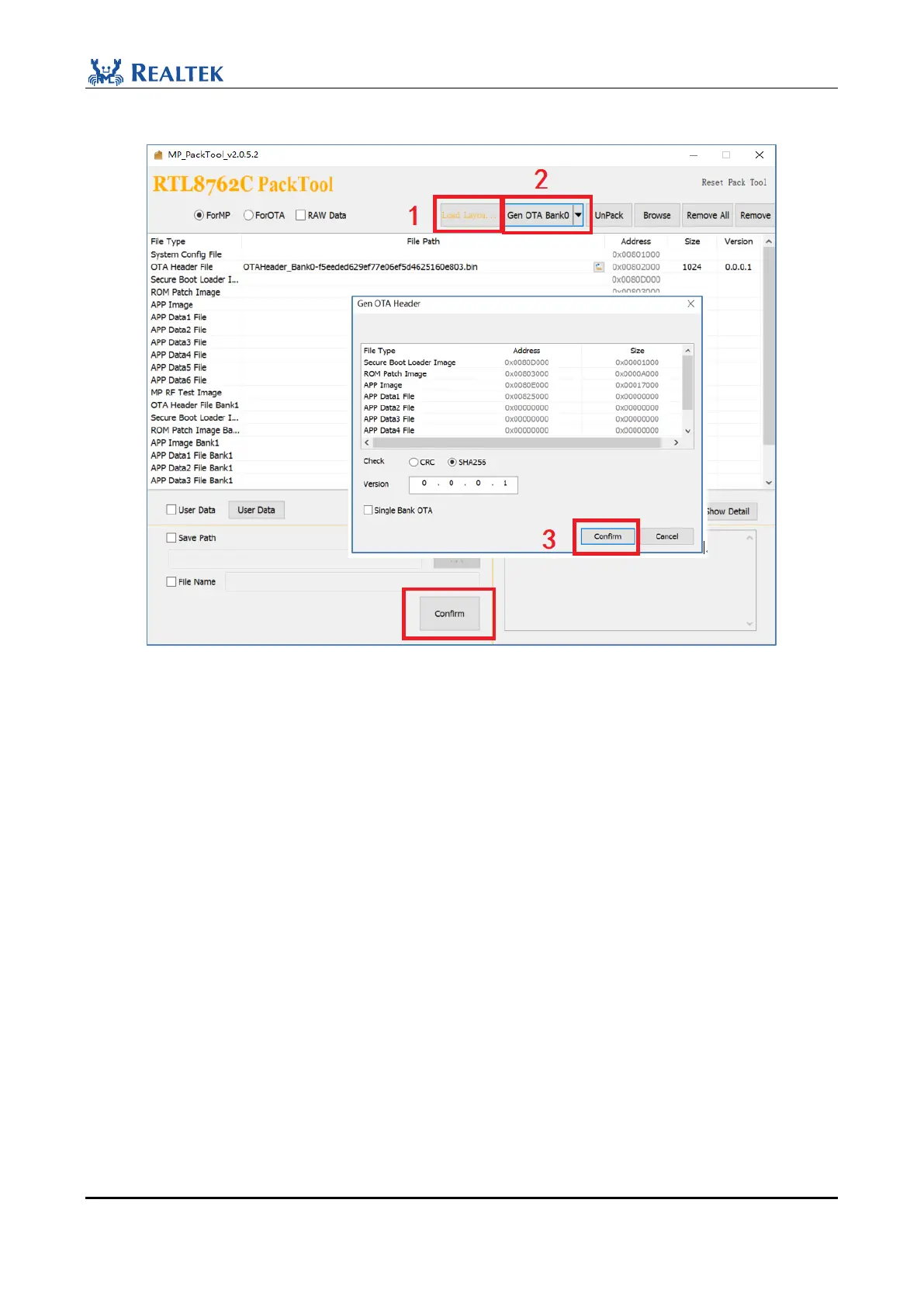
Method 2: Use MPPackTool in MPPackTool to generate OTA Header files.
Figure 2-14 Generate OTA Header Files
1. Click "Load Layout" (default font is black) to import the flash map.ini file. After the file is successfully imported,
"Load Layout…" is displayed.
2. Click " Gen OTA Bank0".
3. In the displayed dialog box, click Confirm.
4. The generated OTA Header File path is MPPackTool_vx.x.x.x\OTAHeaderxxxxxxxxx.bin.
2.3.4 Generate App image
All projects in the SDK can be compiled and run using the Keil Microcontroller Development Kit(MDK). So before
you start software development, get Keil and install it. In general, it is not recommended to build a new project, but
rather to open an existing example project and add functional code on top of it.
The following uses ble_peripheral project of RTL8762C as an example. Path: bee2-SDk-vx.xx\board\evb\
ble_peripheral. If the compilation succeeds, a bin file with md5 verification is generated in the bin folder of the
corresponding project. If the compilation fails, refer to section 2.4 of Bee2-SDk-vx.x\doc\RTL8762C SDK User
Guide to check whether the KEIL Settings are correct.



 To Next Page