RTL87x2x Quick Start User Guide
Copyright 2023 Realtek Semiconductor Corporation.
All Rights Reserved. 17
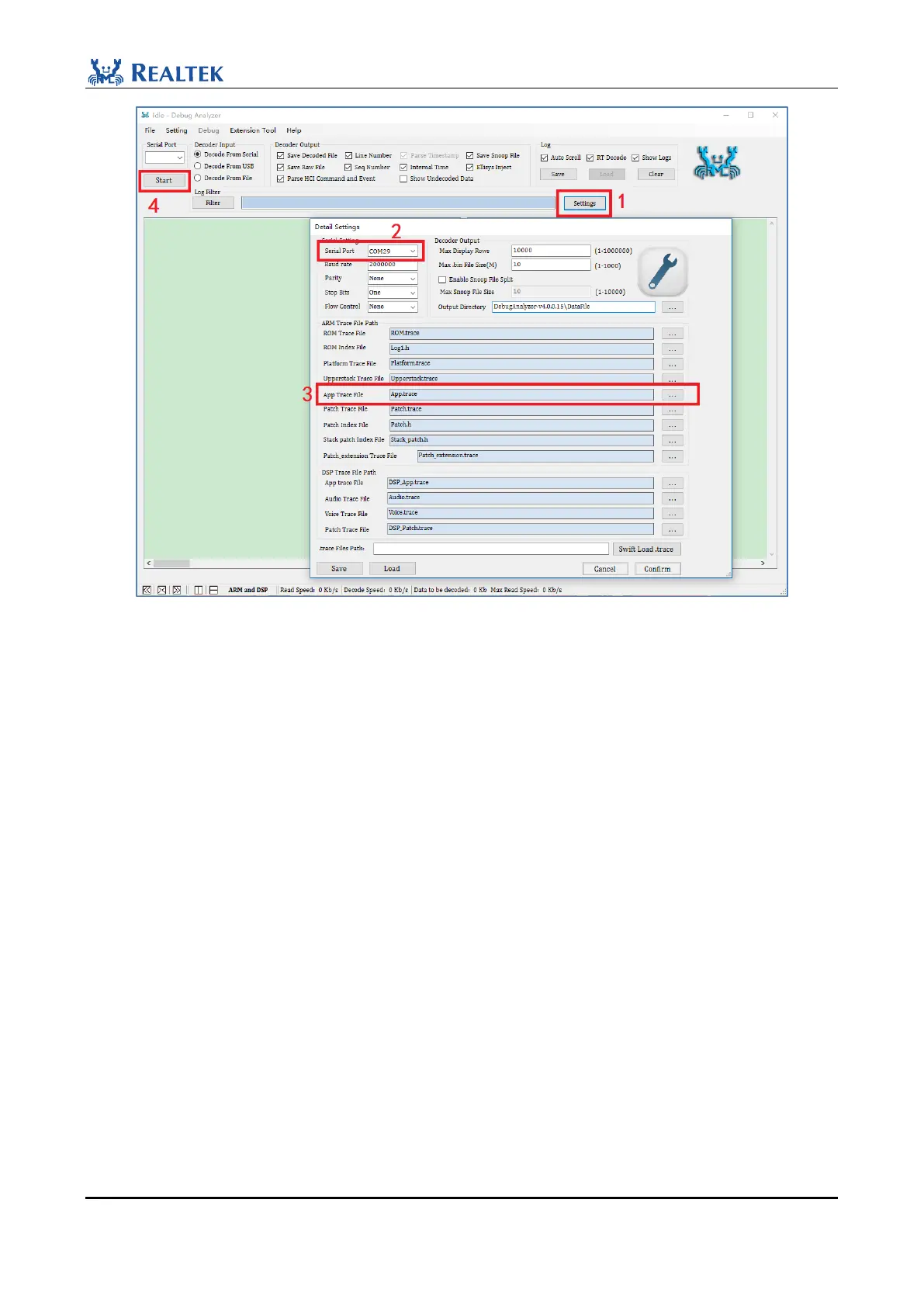
Figure 2-29 Print Logs steps
The steps are as follows:
1. Tap " Settings " to enter the Detail Settings screen
2. Check whether the Serial Port is correct
3. Click and load "App Trace File": Bee2-sdk-vx.x\ board\evb\ble_peripheral\bin\App.trace, will be updated at the
end of each compilation. Users need to load the file corresponding to app.bin to properly parse the Log. Check
the file and click Confirm to exit the parameter setting screen
4. Click "Start" to display Log (each Start and Stop operation will generate a new log file).
As shown in Figure 2-30.(ble_peripheral is used as an example)



 To Next Page