RTL87x2x Quick Start User Guide
Copyright 2023 Realtek Semiconductor Corporation.
All Rights Reserved. 3
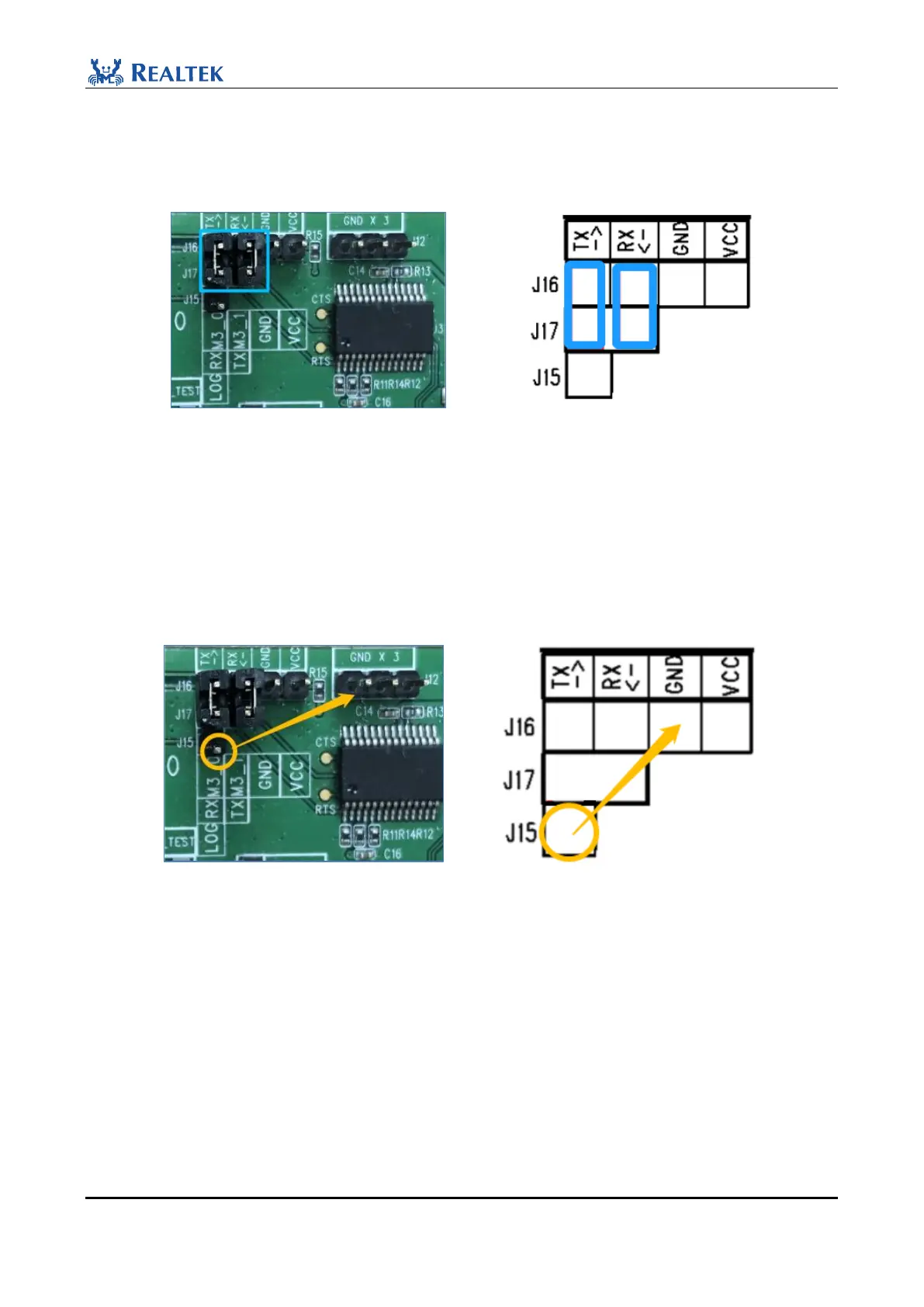
2. When downloading images, the two jumper caps in the blue box need to be connected (This connection
represents a connection between UART port of RTL87x2x and FT232, so that the PC can communicate with
RTL87x2x successfully. FT232 is a USB to UART chip.)
Figure 2-3 Download images jumper connection
3. When downloading images, before powering on the EVB board, connect the LOG pin (P0_3 by default, the pin
marked with yellow circle in the figure) to GND, the ic will read the status of P0_3 after powering on. If it is
high, the ic will run the Flash Code to enter the Normal Mode. If the value is Low, then Bypass Flash runs Rom
Code to enter MP Mode. After the burning is complete, disconnect the LOG from GND and press the red RESET
button to reset and start the EVB board.
Figure 2-4 Connect GND
For more details about the EVB board, please refer to RTL8762C Evaluation Board User Manual in the SDK \ doc
directory.
NOTE:
In order to reduce the programming time, the baud rate of the serial port will be increased from 115200bps to about
1M baud rate during the programming process. If users use own USB to serial port board, please make sure to use
the authentic FT232 conversion board. For other serial port chips, it is advised to lower the baud rate. The baud rate
is generally smaller than or equal to 115200bps.



 To Next Page