10
7. Assembly of the Optional Leg Stand - Cont.
Stand Assembly
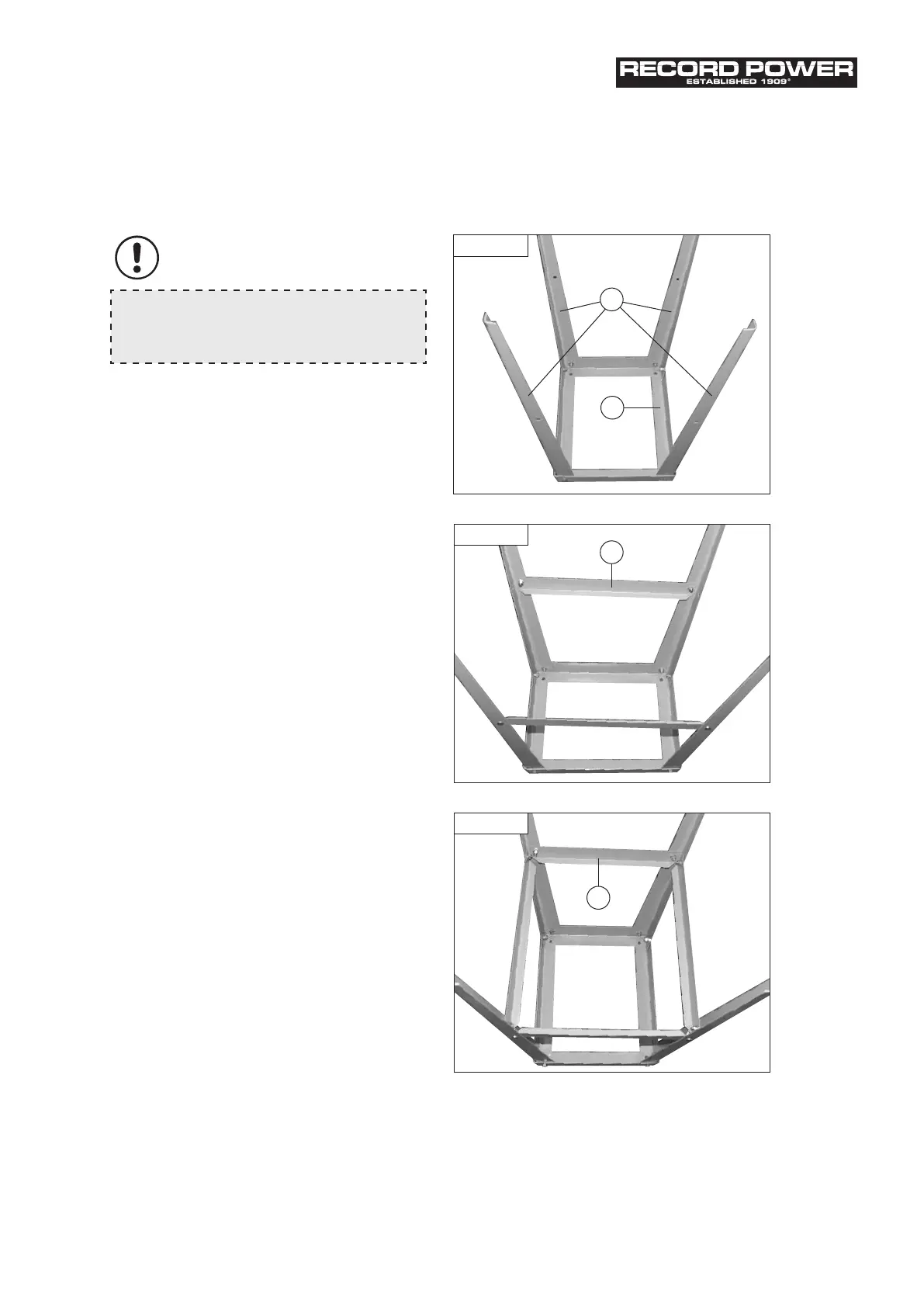
1. Locate the four legs (D) and secure them to the upper
frame (A) using the nuts, bolts and washers supplied.
Ensure that the tops of the legs are located on the
inside of the top frame, Fig 7.1.
2. The locating holes a third of the way down each leg
are for securing the long mid brace supports (B). Fix the
long mid brace supports to the frame using the short
nuts, bolts and washers (G), Fig 7.2.
3. Finally, fit the two short mid brace support (C) to the
shorter sides of the stand, Fig 7.3.
Note:
When assembling the legstand do not fully tighten
the nuts and bolts until the assembly is complete.
A
D
B
C
Fig. 7.1
Fig. 7.2
Fig. 7.3


 To Next Page