17
6. Assembly Instructions - cont.
Fig.6.32
Motor plate
and pivot pin
CL4-CAM Headstock Assembly
Please note: The CL4-CAM is packaged
with the motor plate attached. This will
need to be removed and fitted to the
VSLK unit.
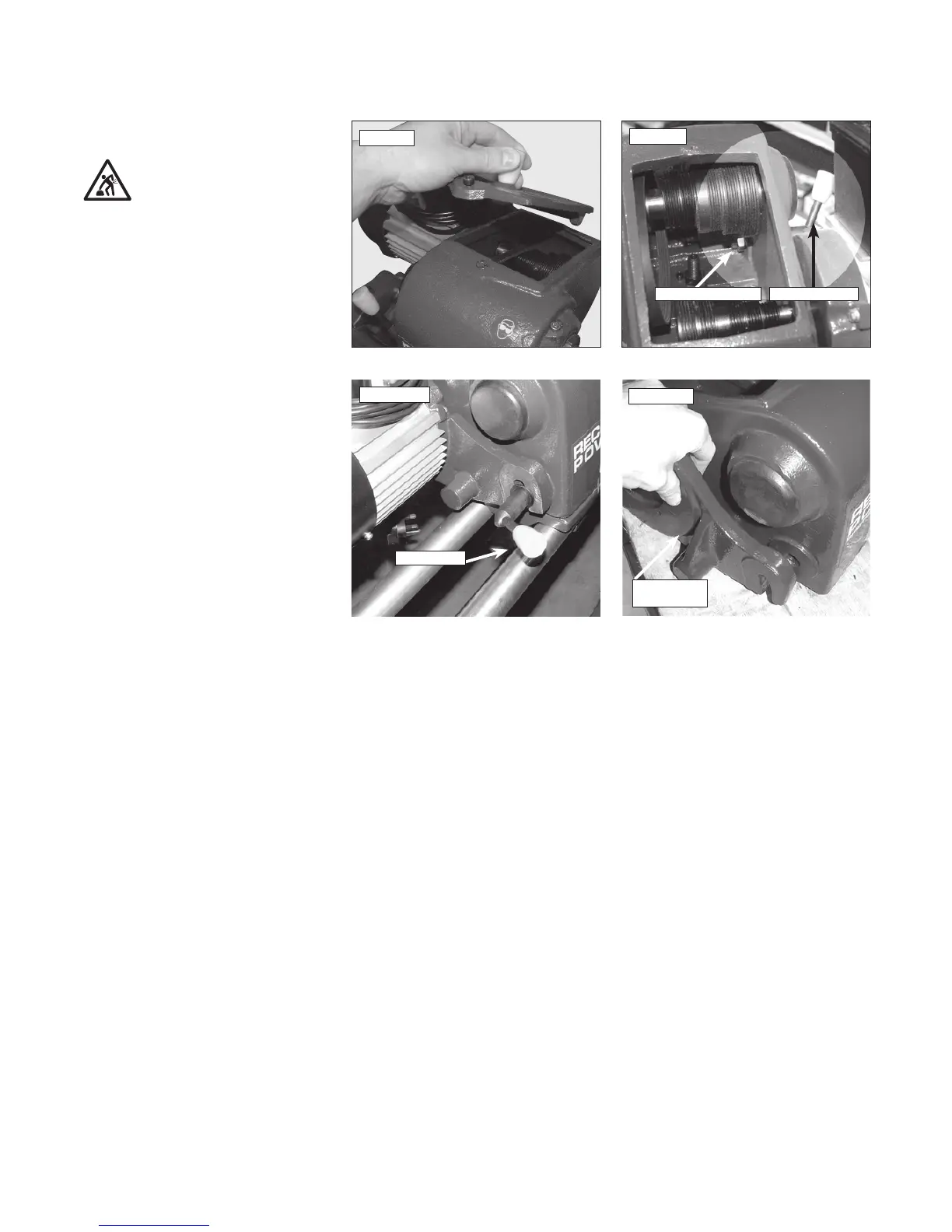
1. Remove headstock cover, Fig.6.29 and slacken
the belt tensioner Fig.6.30.
2. Completely remove the belt tensioning lever by
holding the nut on the inside of the head stock
securely whilst unscrewing the lever, Fig 6.31
After removal, keep both the nut and lever safe
for re-assembly.
3. Lift motor plate casting from the lathe
headstock Fig.6.32.
Fig.6.30
Tension lever
Fig.6.31
Belt tension lever nut Belt tension lever
Fig.6.29



 To Next Page