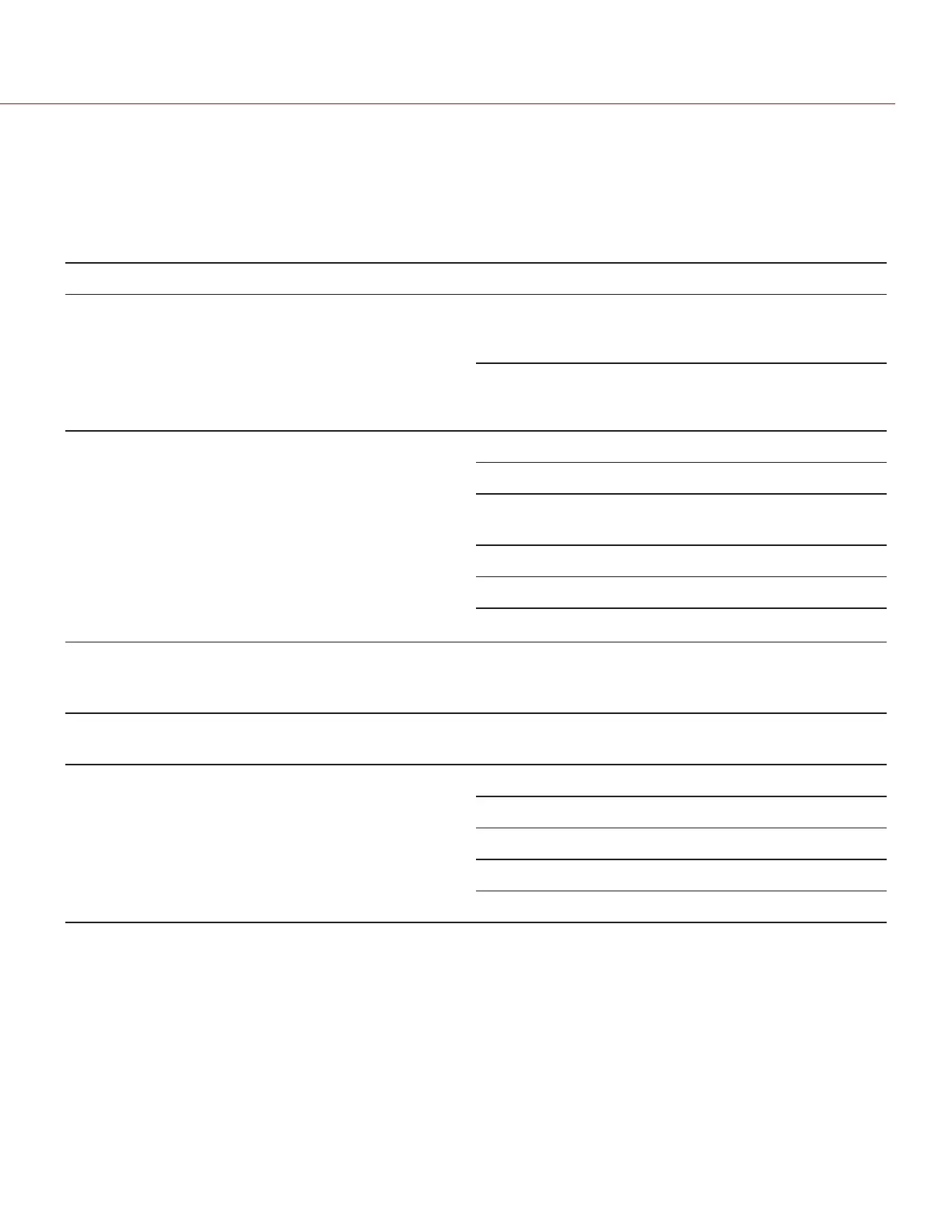
REAR SSD MODULE CONNECTORS
The Rear SSD Module mounts to a Module Adaptor or a +1 Adaptor Module on the back of the camera. The side of
the Rear SSD Module features a slot for inserting a REDMAG 1.8" SSD.
WARNING: DO NOT attempt to insert any media type except for the REDMAG 1.8" SSD, or any foreign objects, into
the SSD slot, as that may damage the Rear SSD Module or camera system.
CONNECTOR DESCRIPTION COMPATIBLE PARTS PARTNUMBERS
SEARAY™
connector (front)
Connects to complementary
SEARAY connector on the Module
Adaptor facilitates communication
between camera and Rear SSD
Module
Module Adaptor 720-0008
+1 Adaptor Module 720-0018
SEARAY connector
(rear)
Connects to complementary
SEARAY connector on RED rear
modules
Battery Module (Dual 720-0005
Battery Module (Quad) 720-0006
RED
®
Quickplate (Short)
Module
790-0343
REDVOLT XL Module 740-0031
Pro I/O Module 720-0004
REDMOTE
®
770-0006
1/4-20 mounting
holes (top)
Five (5) 1/4-20 mounting holes for
mounting the RED TOUCH or other
RED products
N/A N/A
Lock (bottom) Use T20 TORX
®
driver to lock (CW)
and unlock (CCW) the module
T20 TORX driver N/A
REDMAG 1.8" SSD
slot (side)
Slot for inserting a REDMAG 1.8"
SSD
REDMAG 1.8" SSD (48GB) 750-0044
REDMAG 1.8" SSD (64GB) 750-0025
REDMAG 1.8" SSD (128GB) 750-0021
REDMAG 1.8" SSD (256GB) 750-0026
REDMAG 1.8" SSD (512GB) 750-0037
C O PYRIGHT © 2 017 R ED.C OM , LLC 955- 0047, REV- AH| 24
RED DSMC MEDIA OPERATION GUIDE


 To Next Page