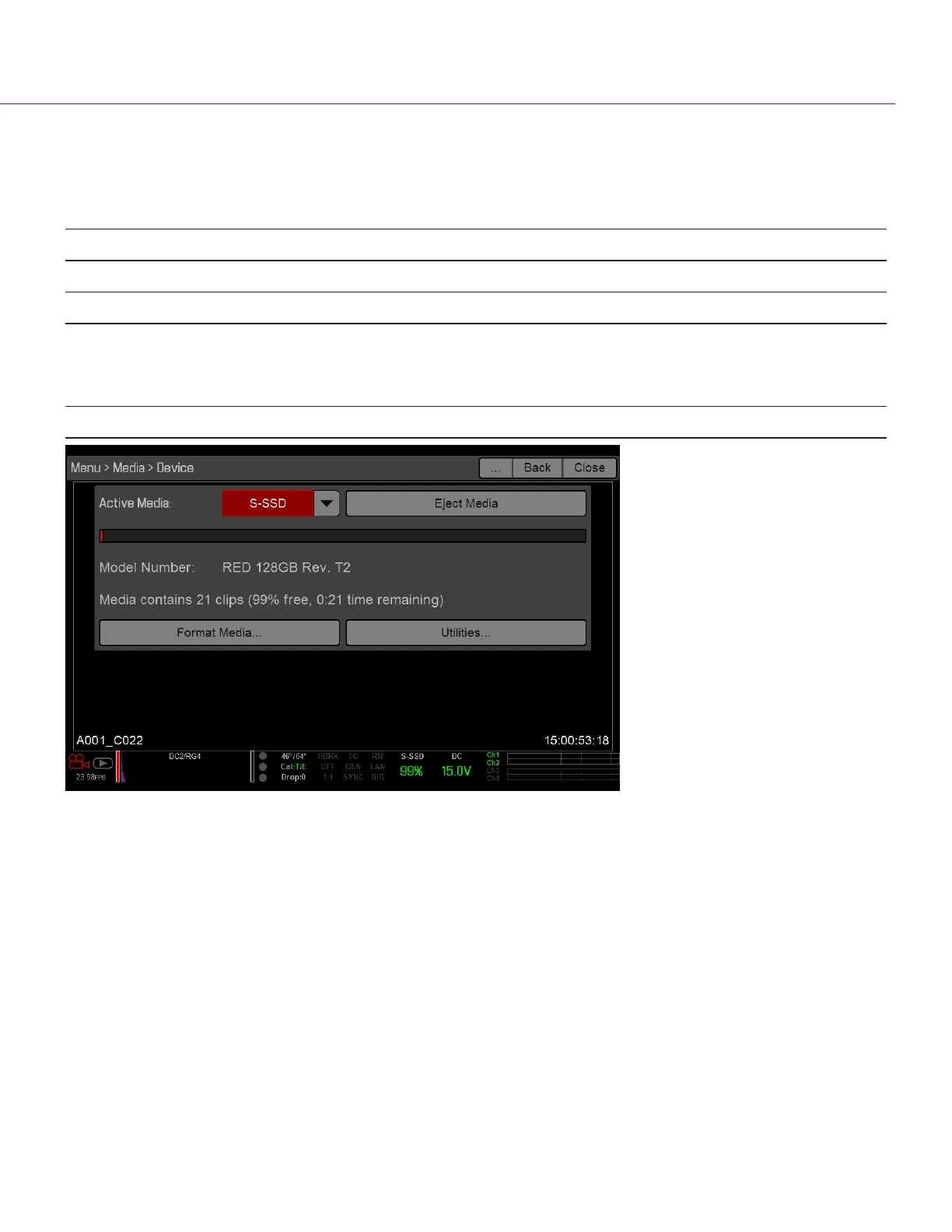
IDENTIFY SSD TYPE IN-CAMERA
To see the media type and storage capacity, go to Menu > Media > Device.
The SSD name uses the format described in the table below:
NAME DESCRIPTION EXAMPLE
RED Identifies the SSD as a RED product RED
Storage Capacity Storage capacity of the SSD 512GB
SSD Type Identifies whether the SSD is a RED MINI-MAG or a REDMAG 1.8" SSD:
RED MINI-MAG: “MINI-MAG” displays
REDMAG 1.8" SSD: Nothing displays
MINI-MAG
Version/ Revision Identifies the firmware version of the SSD V1 REV. T2
Figure: Model Number:RED MINI-MAG
C O PYRIGHT © 2 017 R ED.C OM , LLC 955- 0047, REV- AH| 62
RED DSMC MEDIA OPERATION GUIDE


 To Next Page