FORMAT (ERASE) MEDIA VIA COMPUTER AS FAT32
RED
®
recommends that you only format your SSD via computer if the SSD cannot mount to the camera. This section
explains how to format an SSD as FAT32 on a computer.
NOTE: If the media was formatted using a secure format, you cannot format the media using an external source. You
must format the media in-camera. For more information on formatting the media in-camera, go to "Format Media In-
Camera" on page43.
FORMAT MEDIA (MAC OS X) AS FAT32
NOTE: A Mac
®
can format an SSD as MS-DOS (FAT) only when the SSD is already formatted as FAT32 or MS-DOS
(FAT).
IMPORTANT: Ensure that data is backed up before formatting media, since formatting erases all data on the SSD.
1. Connect the RED MINI-MAG or REDMAG 1.8" SSD to your computer. For more information, go to "OffloadMedia"
on page52.
2.
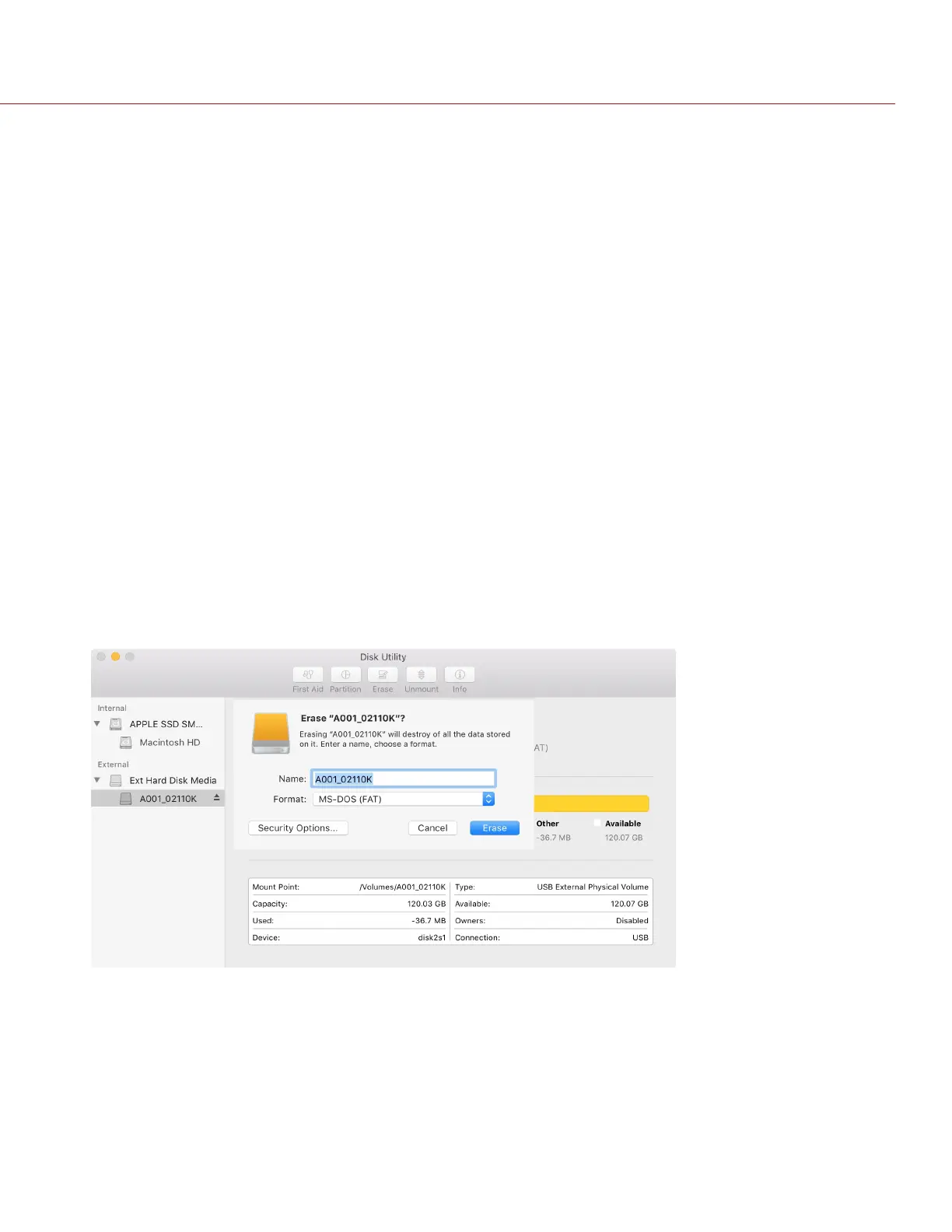
Open Disk Utility.
3. Select a drive.
4.
Click the Erase icon.
5.
Select MS-DOS (FAT) from the Format drop-down menu.
IMPORTANT: Before performing the next step, double-check that this is the correct SSD from which you want to
erase data.
NOTE: The camera will overwrite any name that you add to the SSD.
6.
Click Erase.
Figure: Erase Verification Screen
C O PYRIGHT © 2 017 R ED.C OM , LLC 955- 0047, REV- AH| 46
RED DSMC MEDIA OPERATION GUIDE


 To Next Page