EasyManua.ls Logo

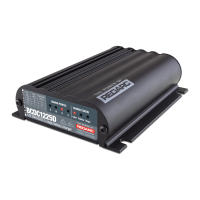
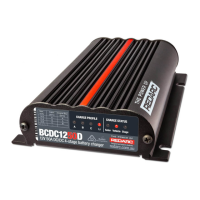
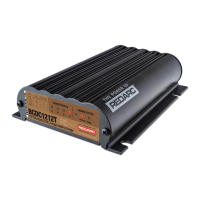
Redarc BCDC1225 Series - User Manual

Redarc BCDC1225 Series
40 pages
Print Icon
To Next Page IconTo Next Page
Loading...
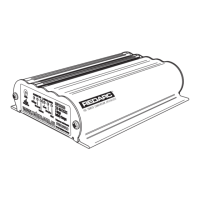
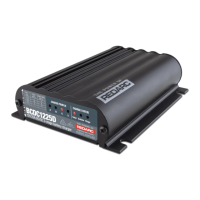
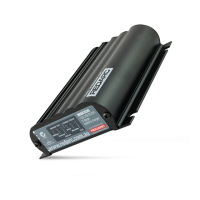
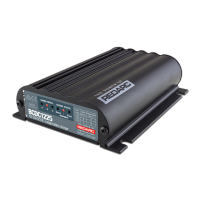
Multi-stage 12V
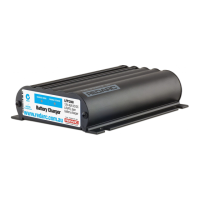
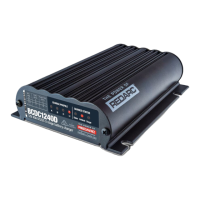
In-vehicle Battery Charger
OWNERS GUIDE
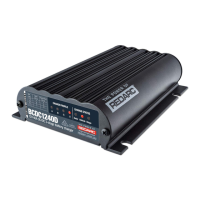
BCDC1225-XXX
BCDC1240-XXX
This is a user guide only!
For information on how to troubleshoot or modify the unit installation or to change the
battery please contact REDARC using the contacts details listed on the back cover.

Other manuals for Redarc BCDC1225 Series

Questions and Answers

  • J
    Julie MclaughlinAug 6, 2025
    Why is the Vehicle LED off on my Redarc Battery Charger?
    • J
      James AndersonAug 6, 2025
      If the 'Vehicle' LED is off even when your BCDC is connected to the vehicle, first, ensure the vehicle is running. Then, verify the voltage on the RED wire exceeds the required turn-on threshold for your setup. Finally, inspect all wiring to the Vehicle battery, paying special attention to the Ground (BLACK wire).
  • G
    ginaandersonAug 12, 2025
    What to do if the Solar LED is off on my Redarc BCDC1225 Battery Charger?
    • M
      Melinda MccannAug 13, 2025
      If the ‘Solar’ LED is OFF on your Redarc Battery Charger, even with a solar panel connected, check the following: * Make sure the sun is shining; low sunlight means low power. * Ensure the solar panel isn't shaded. * Verify the voltage at the YELLOW wire (close to the charger) is above 9V. * Inspect all wiring to the Solar Panel, especially the Ground (BLACK wire). * Confirm you're using an unregulated solar panel.
  • G
    Gabriel TurnerAug 20, 2025
    How to fix a flashing Charge Profile LED on a Redarc BCDC1225?
    • J
      Jon LarsonAug 20, 2025
      If the ‘Charge Profile’ LED is flashing on your Redarc Battery Charger, check these items: * Ensure the Vehicle (RED wire) and/or Solar (YELLOW wire) are electrically connected. * Verify the Ground (BLACK wire) is connected to the Auxiliary battery and Chassis Earth, and/or the Solar Panel negative terminal/wire. * Confirm the Auxiliary battery is above 0.1V. * Inspect all wiring to the Auxiliary battery, particularly the Ground (BLACK wire). * Check that all fuses are intact and properly connected.
  • A
    April MontgomeryAug 28, 2025
    What to do if no LEDs are on on my Redarc BCDC1225 Battery Charger?
    • M
      Monica ZamoraAug 29, 2025
      If there are no LEDs ON at all on your Redarc Battery Charger, check the following: * Ensure the Auxiliary battery is above 0.1V. * Inspect all wiring to the charger and battery, especially the Ground (BLACK wire). * Verify that all fuses are intact and properly connected.

Summary

Product Function Overview

Charge Status and Stage LEDs

Indicates available inputs and charge process stages (Boost, Absorption, Float) via LED sequences.

Display Panel and Profile Indicators

Details the front panel LEDs for charge profile and status, and how profile LEDs indicate charging state.

Charging Process Stages

Explains the three-stage charging cycle: Boost, Absorption, and Float, for optimal battery charging.

Technical Specifications and Settings

Turn ON;OFF Voltage Thresholds

Defines critical voltage levels for charger activation and deactivation across different input sources.

Frequently Asked Questions

Addresses common user queries regarding voltage operation, low-voltage charging, and dual power sources.

Troubleshooting and Error Codes

LED Error Code Indicators

Details specific LED flashing sequences that signal various fault conditions and their causes.

No LEDs Illuminated Troubleshooting

Provides steps to diagnose issues when no LEDs are active, indicating potential connection or hardware faults.

Flashing Charge Profile LED

Guides users on diagnosing invalid input or output conditions when the charge profile LED flashes.

Solar or Vehicle LED Status Issues

Troubleshooting for scenarios where Solar or Vehicle LEDs remain off, indicating input or priority problems.

Support and Product Information

Technical Assistance Contact

Provides contact details for product and technical support in Australia, UK, and Europe.

Redarc BCDC1225 Series Specifications

General IconGeneral
Input Voltage9 - 32VDC
Output Voltage12V DC
Output Current25A
TypeDC to DC Battery Charger
Output Power375W
EfficiencyUp to 96%
Battery ChemistryAGM, Gel, Calcium, LiFePO4
Dimensions120mm x 165mm x 37mm
Protection FeaturesOver Temperature, Reverse Polarity

Related product manuals