济南红帆科技有限公司
Redsail Tech Co., Ltd
h t t p : / / w w w . e a s y c u t . c n
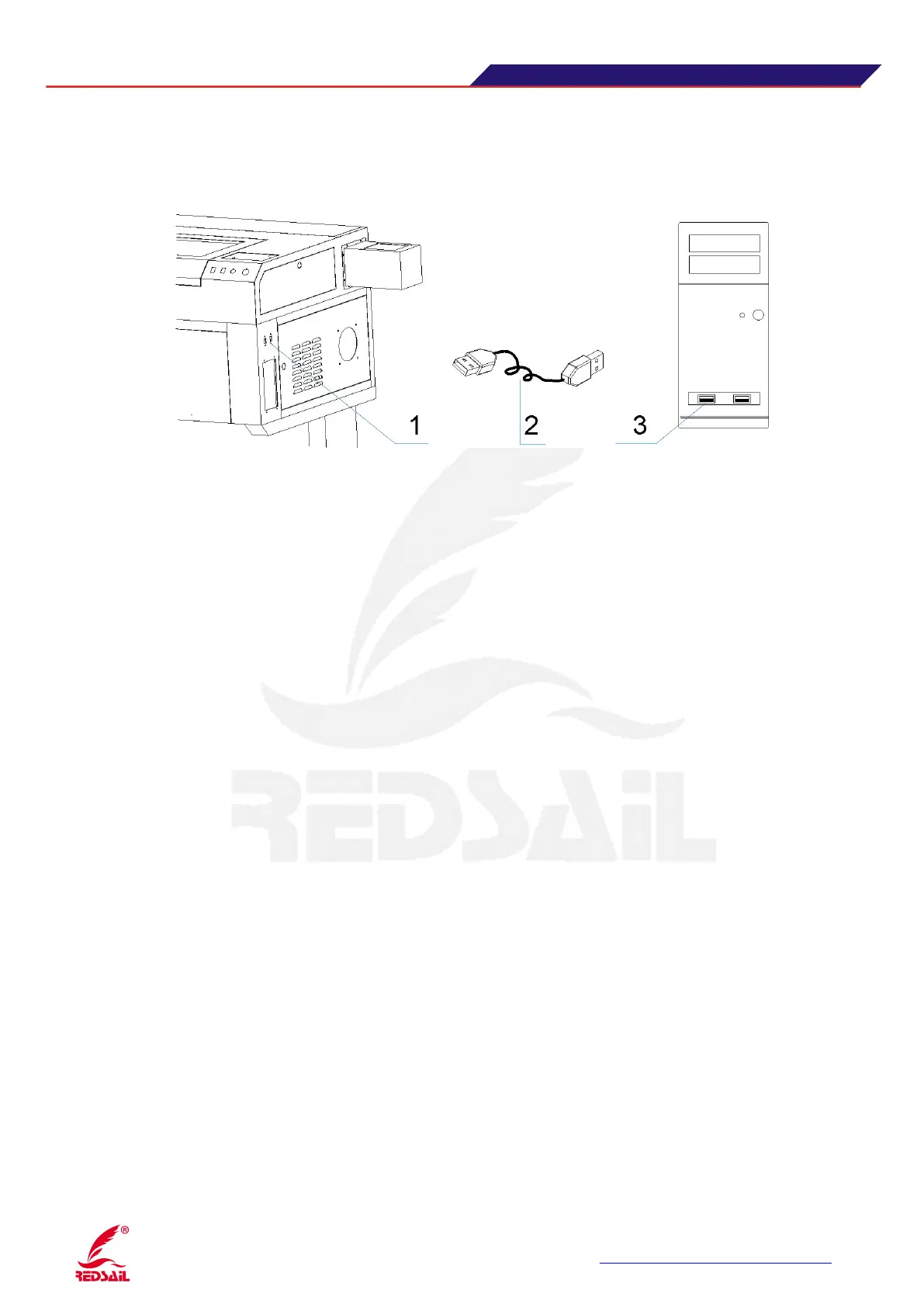
3.7 Connect a USB data cable
Find out the USB data cable in packing box, connected the USB data lines to the device control card
USB port and computer USB port.(As Figure 7)
( Figure 7)
Notes: 1. The USB interface device 2, USB data cable 3, the computer USB port
The device system can support offline working. Methods: the software by downloading
graphics parameters transferred to U disk, then U disk into the USB mouth ( Figure 6),
prompted by the control panel, you can transfer data directly to the control card device, the
download is complete, for offline functionality.
Four equipment use operating instructions
4.1·how to Install and use software
Before you install the software, insert the device power is turned on (before the device
is turned on, check the device power supply is normal, circulating water pump laser tube
is normal, connect the USB cable), copy the contents of the disc device to the computer to
make the backup. Referring to the "System Operation Manual" installation procedure,
the control software installed on the computer.
Before operating the machine, please read "System Operation Manual" to learn
more about the role of system software and control panel inside of the functional check
and operation control part of the equipment is operating normally.
4.2 how to Adjust optical path of the device
After the each attachment device connected, set the water tank power switch (in front of the tank)
to open until after the laser tube inside the water cycle is normal, and then switch to turn the device
(including leakage protection, emergency stop switch and the main power switch) .
Adjust optical path
:
The important step in using laser engraving machine is adjust optical path .


 To Next Page