济南红帆科技有限公司
Redsail Tech Co., Ltd
h t t p : / / w w w . e a s y c u t . c n
Laser cutting machine, must the optical path is adjusted ok ,can carving or cutting samples, the
optical path adjustment directly affects the laser engraving, the quality of cutting material.
Step
:
The first step: the laser power is adjusted to the below 50% ,make that the laser power not too
strong. second step: laser tube and the first lens reflex optical path adjustment:
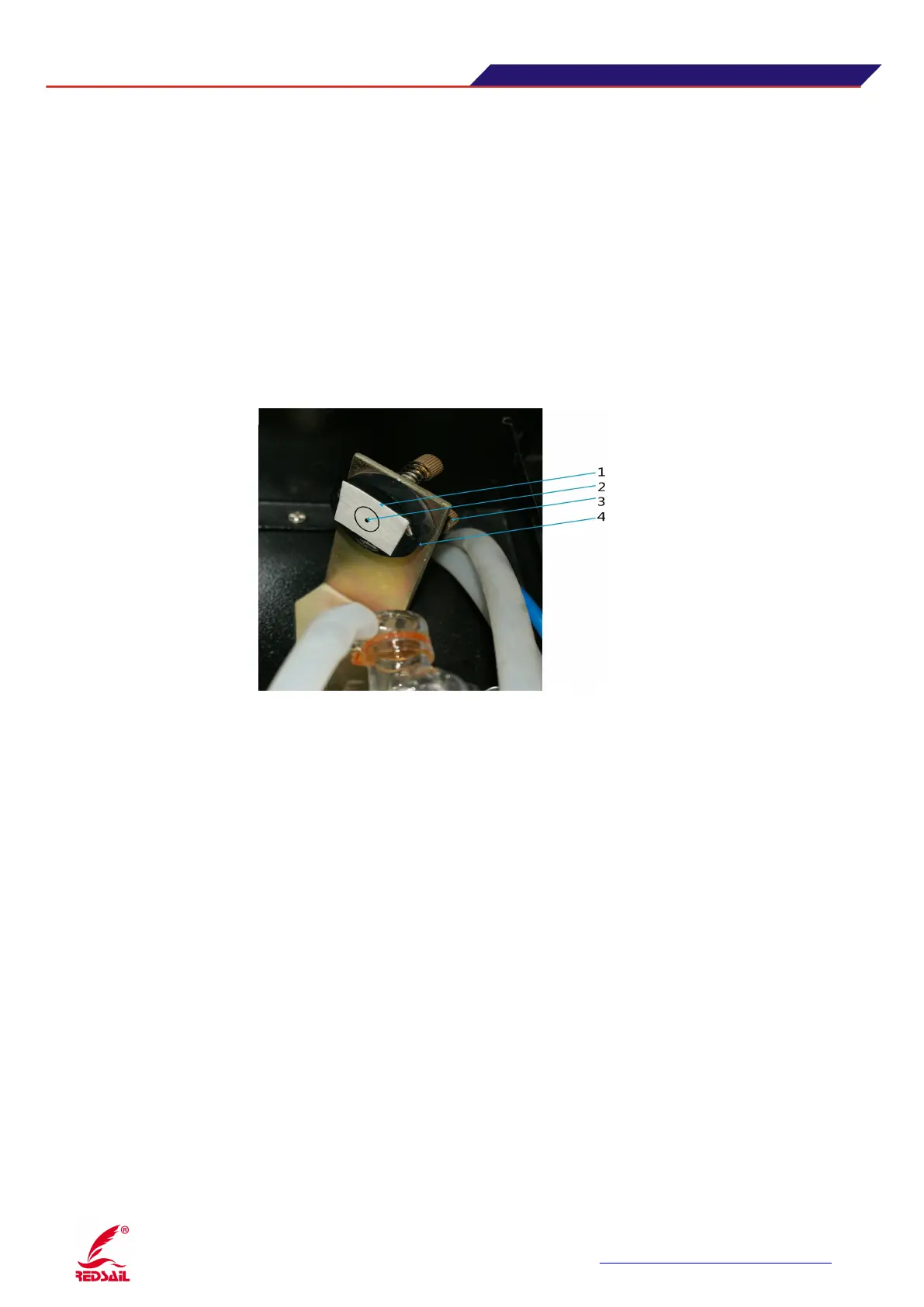
put The dimming paper (paper tape) on front of the first lens , click on "burst / Pulse" button of panel
( tap it immediately released, can be seen laser hit spots in the dimming paper ), look at the spot falls
in the middle position of the first lens. If you are hit in the middle, complete this step; if not hit the
lens or missed, you need to adjust the primary mirror frame (or laser tube) the location and height, to
enable it to meet the above criteria. (See Figure 8)
1. Masking paper 2. Test light spot 4. adjustment screw 3. The mirror frame
2. The third step: Adjustment of Optical path between the first lens reflex and the second lens reflex.
:
First, put the lens dimming paper (paper tape) onto front of the second mirror frame, and use the arrow
keys to move to the upper left corner of the rail position, click the "burst / Pulse" button to see the
location of the laser spot. Then move the rail to the lower left corner, the same press "burst / Pulse"
button to see if these two spots (upper left and lower left corner) position are coincident. If the spot
overlaps is located near the center of the lens ,this mean the optical path between of first lens with the
second lens is correct; if not, you will need to make adjustments coincide with screws behind the first
reflecting lens on the primary mirror frame, the two points moved together, and then adjust the left
and right upper and lower primary mirror frame (X direction) position so that the first lens reflex
reflected light hit on the second mirror (center). (See Figure 9)


 To Next Page