济南红帆科技有限公司
Redsail Tech Co., Ltd
h t t p : / / w w w . e a s y c u t . c n
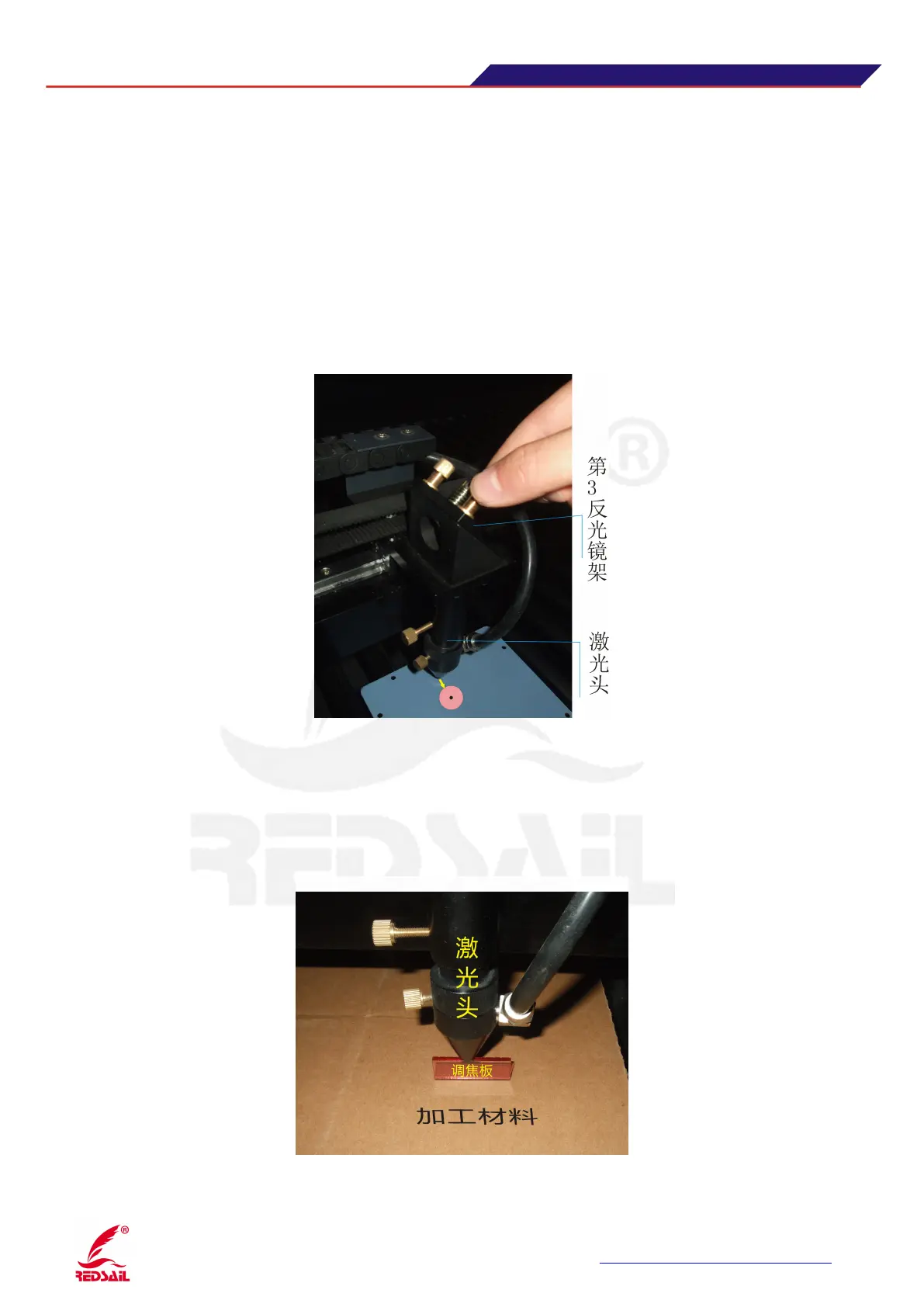
Step Five: the optical path adjustment between the third reflective lens and the focusing lens
Put the dimmer paper into the below of laser head, then press the“Pulse” button, check if the spot hit
the middle of dimming paper。If it happened to be in the middle, the light path is positive; if the spot
not in the center position,you need move the laser head.(there are three screws in the laser head,you
can adjust the laser head by these three screws
)
to achieve adjust the optical path, make the spot hit to
the center of dimming paper。(Figure11)
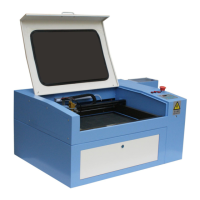
Step Six: Laser processing
After adjust the light path, use the focus plate measuring the focal length, after that, the
article can be processed。(Figure12)


 To Next Page