11
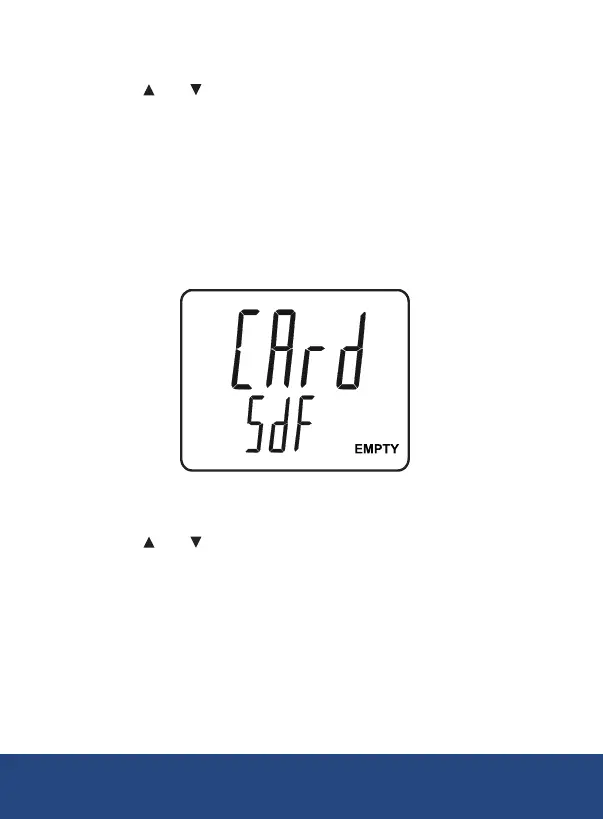
Formatting the SD Card (Sd F)
1.
Press the and
2. Press the ENTER button to conrm selection.
3. Press the ENTER button again to re-conrm.
4. The meter will format the SD card and automatically return to the
Setup menu when formatting is complete.
Note: At any time, you can press the ESC
and resume normal operation. It is recommended that new SD cards
should be formatted prior to rst use. If the formatting process fails or if
no card is inserted, the meter will display:
Setting the Time and Date (dAtE)
1. Press the and buttons
2. Press the ENTER button to conrm selection.
3. Repeat steps 1 and 2 for month, day, hour, minute and seconds as
indicated by (mm/dd/h/m/s).
4. Press the SET button to save the time stamp and jump to
Note: At any time, you can press the ESC
and resume normal operation. The internal clock will keep accurate time
when the meter is powered off. When new batteries are installed the clock
will have to be reset.
continued...
REED Instruments
1-877-849-2127 | info@reedinstruments.com | www.reedinstruments.com



 To Next Page