13
Setting Data Decimal Format (dEC)
Numeric formats vary in different countries. By default the meter is set to
bASIC mode where a decimal point is used to separate units, (i.e. 20.00).
The European format uses a comma (i.e. 20,00) to separate units. To
appears on the LCD.
1. Press the
and buttons to select between bASIC and Euro.
2. Press the ENTER button to conrm selection.
3. Press the SET
Note: At any time, you can press the ESC
and resume normal operation.
Selecting the Temperature Unit of Measure (t-CF)
1. Press the
and buttons to select between °C and °F.
2. Press the ENTER button to conrm selection.
3. Press the SET
Note: At any time, you can press the ESC
and resume normal operation.
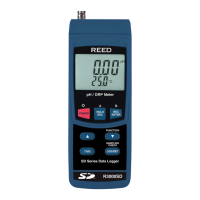
Setting pH manual Temperature Compensation Value
Ph measurements are more accurate when the temperature of the solution
being tested is known. This can be achieved by applying a manual or
automatic temperature compensation factor to the measurement. Please follow
the steps below to manually set the pH temperature compensation value.
1. Press the
and buttons to select the select the temperature of the
solution being tested in °C or °F. By default, the meters temperature
compensation factor is set to 25°C or 77°F.
2. Press the ENTER button to conrm selection.
3. Press the SET
Note: At any time, you can press the ESC
and resume normal operation.
continued...
REED Instruments
1-877-849-2127 | info@reedinstruments.com | www.reedinstruments.com



 To Next Page