12
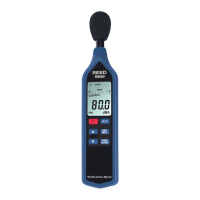
According to OSHA's noise standard, specically, 29 CFR 1910.95, the
dosimeter must be set up to record noise exposure using the
following criteria:
• Exchange rate: 5dB
• Frequency weighting: A
• Response: Slow
• Criterion level: 90dBA (Hearing Conservation) or 90dBA (Administrative
and Engineering Controls).
• Threshold: 80dBA (Hearing Conservation) or 90dBA (Administrative and
Engineering Controls).
The Dosimeter allows for testing to begin immediately which is referred to
as a Test Duration (DUR) or with programmable beginning and end times
(BEG & END). Both modes are described in the following 2 sections.
Noise Exposure (%DOSE) - Test Duration Mode
1. Press the FUNC. button until you see SPL on the LCD.
2. Press and hold the button to select the desired Response Time.
3. Set the Criterion Level (Lc), Exchange Rate (ER), and Threshold Level
(Lt) (see Setup Mode section for details).
Note: At start up, the meter's default settings are Lc
90, Lt 70,
ER 3.
4. Press the FUNC. button to enter the %DOSE mode. By default, the
meter will be set to test duration (DUR).
5. Press and hold the button to set the duration time required
for testing.
6. Use the and buttons to select between the following
duration times:
24Hr 12Hr
10
Hr
8
Hr
4
Hr
2Hr 1Hr 30 minutes 15 minutes 10 minutes
5
minutes
1
minute
7. Press the ENTER button to conrm selection and return to the
main screen.
Note: Make sure you have enough memory to complete your noise survey
(see Clear Stored Data in Setup Mode section for details).
8. The meter can be placed in a pant or shirt pocket.
continued...
www. .com
information@itm.com1.800.561.8187



 To Next Page