19
Checking Memory Space (SPC)
When "SPC" appears on the LCD, the upper part of the display will
indicate the remaining datapoints available to record.
Clearing Stored Data (CLrE)
Follow steps 1 through 5 when "CLrE" appears on the LCD.
1. Use the and buttons to select between Yes (Clear data) or
No (Abort).
2. Press the ENTER button to conrm selection.
Note: If "No" is selected, the meter will skip to the next parameter.
3. If "Yes" is selected, press the ENTER button again to re-conrm.
4. The meter will clear all stored data and automatically skip to the next
parameter when complete.
5. When all parameters have been set up, press the ESC button to exit
the Setup mode and resume normal operation.
Verify Set Time, Date and Sampling Rate
During normal operation press the TIME button to display the year,
month, day, hour, minutes, and selected sampling rate.
Calibration Procedure
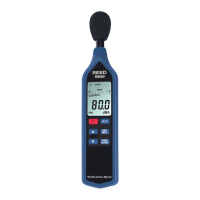
In order to calibrate the R8085, an external calibrator that can provide a
94.0dB signal is required (REED R8090). If the meter has been exposed
to extreme conditions or has not been used in a long period of time the
meter should be calibrated by following steps 1 through 11 below.
1 Power on the meter.
2 Press the FUNC. button to ensure you are in SPL mode.
3. Select "80 - 100dB" (Hi) range.
4. Select "FAST" time weighting.
5. Select "A" weighting.
6. Insert Microphone into the sound calibrator's microphone adapter.
7. Power on the sound calibrator (R8090).
Note: If the measured value is not within "94 ±0.2" dB, adjust the meter's
calibration by entering calibration mode.
continued...
www. .com
information@itm.com1.800.561.8187



 To Next Page