20
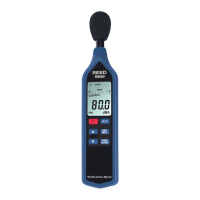
8. Press and hold the HOLD and RUN/PAUSE buttons simultaneously
for approx. 3 seconds to enter calibration mode.
9. When in calibration mode, the current sound level measurement will
appear on the lower and upper part of the LCD display.
10. Press the and buttons to adjust the upper display until it
matches the output of the calibrator (94.0dB).
11. Once the calibration is complete, press ENTER button to save the
calibration value into the memory which will ash conrming it has
been saved.
12. Press the FUNC. button to exit the calibration mode and resume
normal operation.
Data Stream Output
Using Terminal application, a data stream can be viewed from the RS-232
output, Connect the RS-232/USB cable between the product and
terminal/PC and use the following setting to view the data stream.
Terminal Settings:
• Bits per second: 9600
• Data bits: 8
• Parity: None
• Stop bits: 1
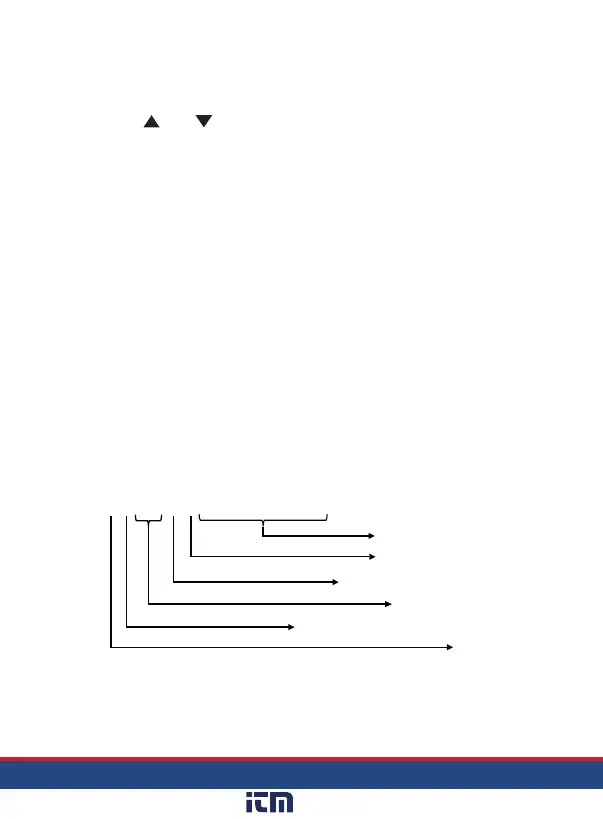
41170100000715 = +71.5 dB
Reading
Decimal Place 0-3
Positive (+) = 0, Negative (-) = 1
dB =
17, % = 03
SPL = 1, Dose = 2
4
continued...
www. .com
information@itm.com1.800.561.8187



 To Next Page