21
Cosmetic Care & Maintenance
ELECTRONICS
Avoid using any abrasive type cleaners on the main body
or the screen surface of the equipment. This would include
ammonia, alcohol based chemicals such as mineral spirits,
acetone, and acid products. Wipe with a soft rag to avoid
scratching surfaces.
As with any electronic equipment, do not use a hard direct
spray from a hose nozzle. Keep the cover on when not in
use. Below are a few general notes on your electornics.
The electronic equipment manuals should be read
individually for specific maintenance information.
The chartplotter is a sealed unit. Check the following
periodically:
1. Examine cables for signs of wear, corrosion ,cuts or
nicks.
2. Check to see that all connections are tight and the vessel
DC connection is secure and corrosion free.
3. Check the cartridge cover for correct fit.
4. Refer to the troubleshooting information as needed.
AVOID BODILY INJURY!
THE CHARTPLOTTER CONTAINS HIGH
VOLTAGE AND CIRCUITRY ONLY
ACCESSIBLE TO QUALIFIED SERVICE
TECHNICIANS. DO NOT REMOVE
THE REAR COVER AS A SHOCK
HAZARD EXISTS!
!
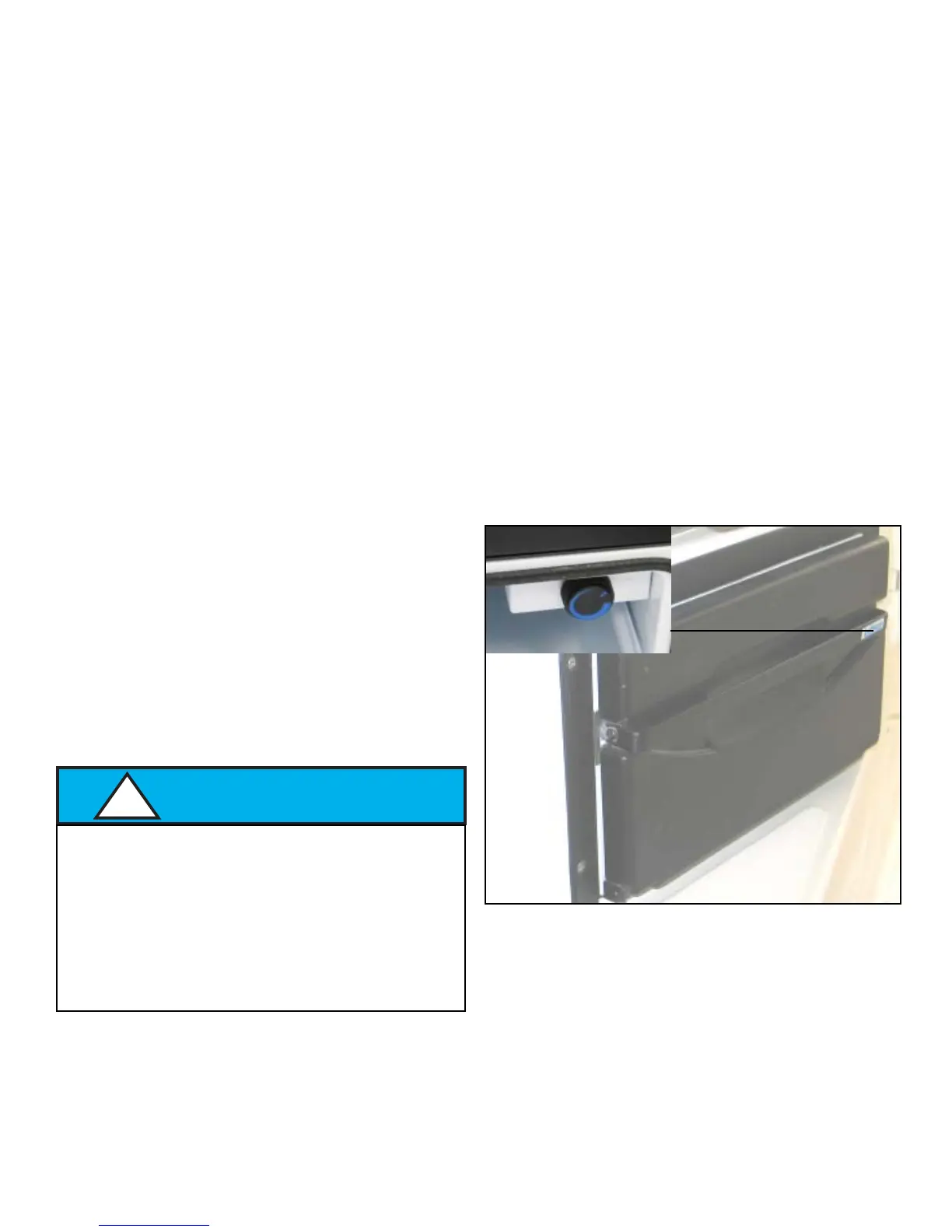
TYPICAL COCKPIT REFRIGERATOR
If equipped the cockpit refrigerator is located across from
the helm seat. It features a pull-out drawer style door that
lends itself to cockpit entertainment. The refrigerator tray
is completely removable for cleaning and cools up to a
case of beverages and foods within easy reach. To remove
the tray pull it completely forward and lift the rear of the
tray from the rollers.
The thermostat is located at the starboard forward side of
the unit. To activate turn clockwise to the desired position.
As with most thermostats give the refrigerator awhile to
adjust itself to a change in the thermostat setting.
TURN TO RIGHT
TO LOWER TEMP.



 To Next Page