30
2007 − 2015 Reliable Controls
®
Corporation. All rights reserved.
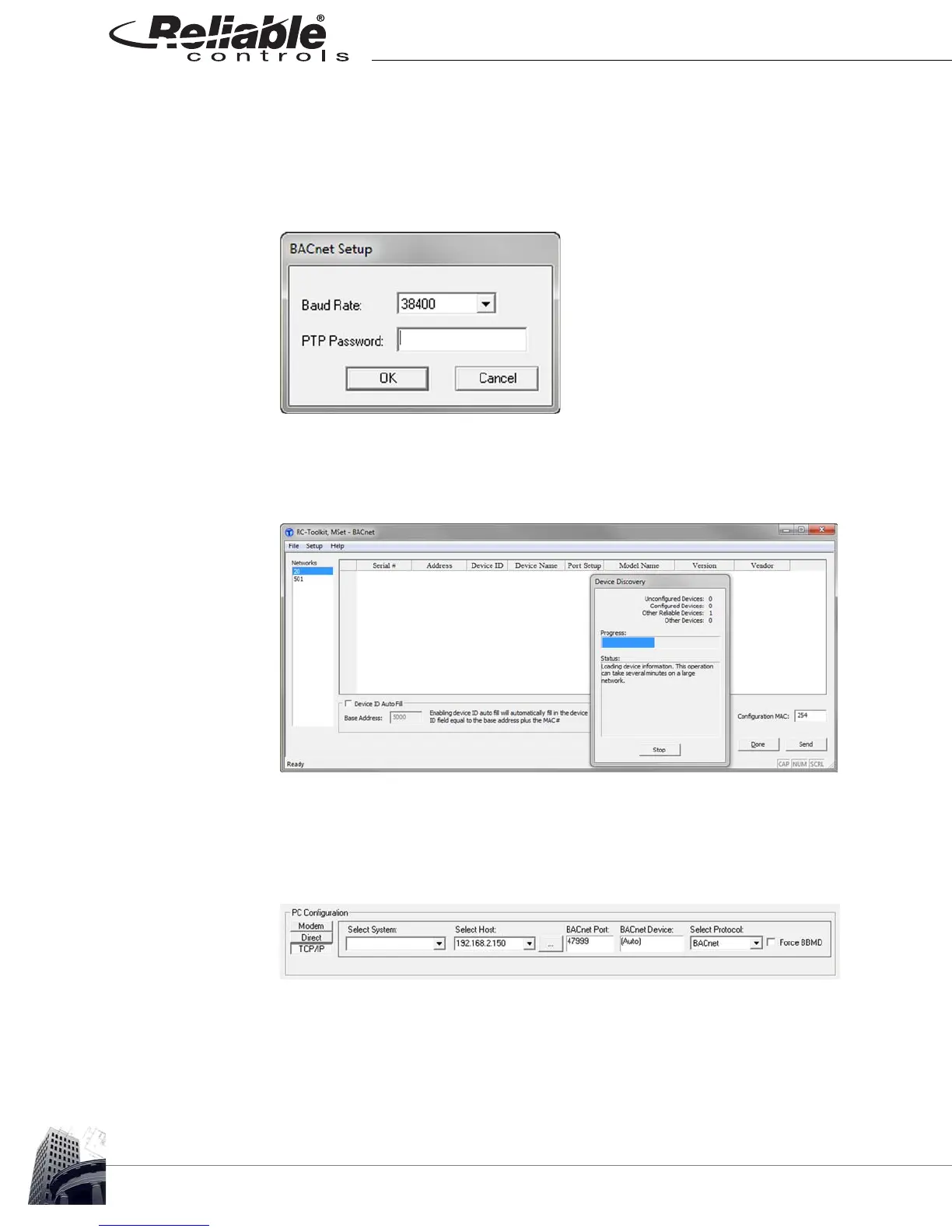
7 The BACnet Setup dialog box opens, displaying the default Baud Rate for
Reliable Controls PC/Modem ports, 38400 Baud. Unless the PC/Modem port
settings in the controller have been modified, use the default Baud Rate, and no
PTP password is required.
FIGURE 25: BACNET SETUP DIALOG BOX
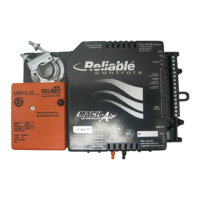
8 The MSet - BACnet dialog box opens, with the Networks frame populated with
accessible BACnet network numbers containing BACnet devices that respond
to the RC-Toolkit discovery process. Proceed to Step 11.
FIGURE 26: MSET-BACNET DIALOG BOX DURING DEVICE DISCOVERY
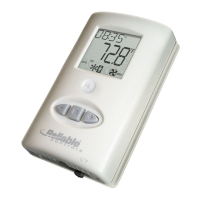
9 For TCP/IP connections, either select a pre-configured System, or enter the Host
IP address and Port for the target MACH-Pro(Web)Com. For controllers running
version 8 firmware, the BACnet device field should be left at the default setting of
(Auto), and the protocol must be set to BACnet.
FIGURE 27: PC-CONFIGURATION FOR TCP/IP CONNECTIONS


 To Next Page