22
Review Your Data
4
Reviewing Your Test Result
Averages
The meter uses all of your blood glucose
results from the past 7, 14, 30, or 90 days
to calculate a single number. This number
is called the average, and helps you to
understand your blood glucose results
over a given period of time.
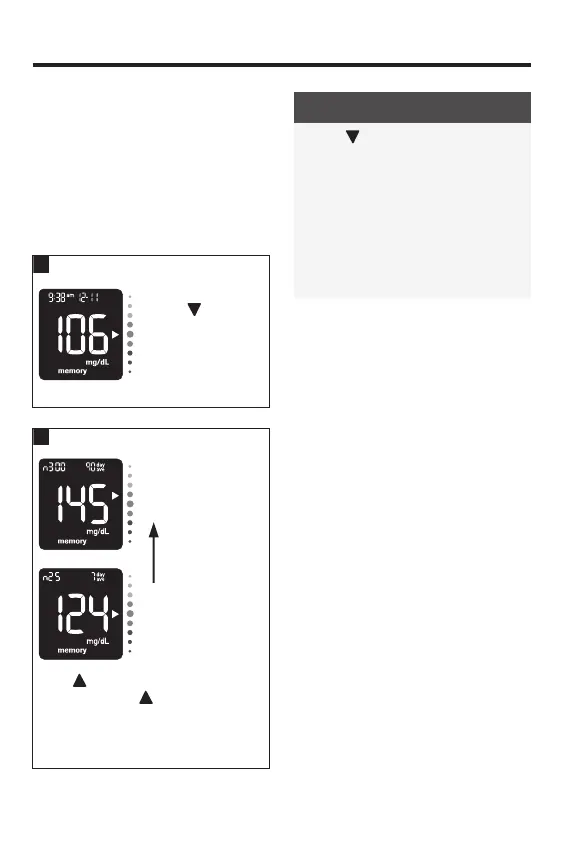
With the meter o,
press
to turn the
meter on. The most
recent blood
glucose result
appears on the
display.
90-day average
7-day average
Press to see the 7-day average.
Continue to press
to move through
your 7, 14, 30, and 90-day averages.
The number of test results in the
average = n.
NOTE
• Press to move back through
averages to the most recent blood
glucose result.
• If the memory contains a blood
glucose test result that is HI or LO, or
is corrupt, then the time period and
day/ave will flash to alert you that
those test results are not included in
the average.
83561_09410155001A EN ReliON.indd 2283561_09410155001A EN ReliON.indd 22 3/23/2022 11:24:11 AM3/23/2022 11:24:11 AM



 To Next Page