6
1
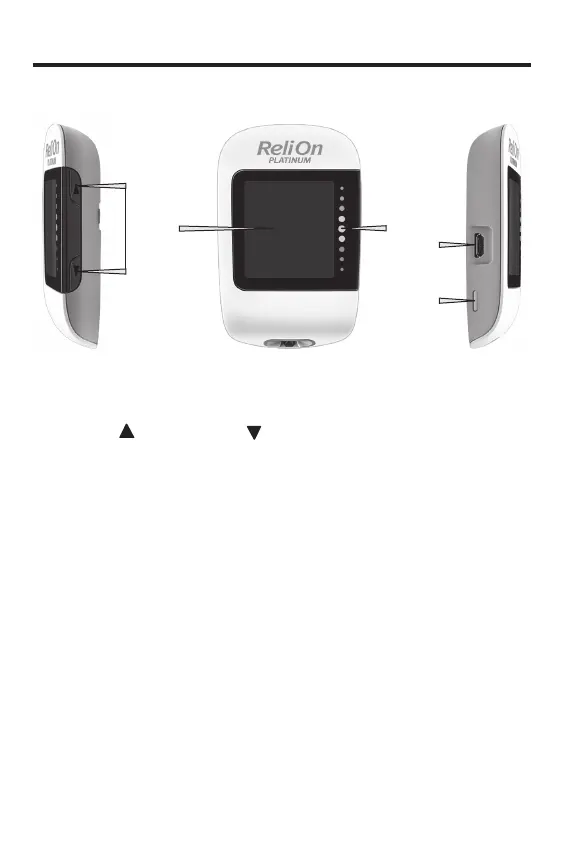
The ReliOn Platinum Meter
Right Side View Front View Left Side View
4
2
3
1
Your New System
1. Up Button and Down Button
Press to turn the meter on and o,
adjust settings, and scroll through test
results.
2. Display
Shows results, messages, and test
results stored in memory.
3. Target Range Indicator
Indicates whether your blood glucose
result falls above, within, or below a
pre-set range of values.
4. Micro USB Port
Transfers data from the meter to a
computer (PC).
5. Test Strip Ejector
Press to remove test strip.
5
83561_09410155001A EN ReliON.indd 683561_09410155001A EN ReliON.indd 6 3/23/2022 11:23:38 AM3/23/2022 11:23:38 AM



 To Next Page