24
Wireless Communication and Meter Pairing
5
NOTE
The meter may have time and date
auto-sync capability when paired with a
mobile device that may update the
meter time and date automatically. Even
if you use your meter in multiple time
zones, results are stored from newest to
oldest and not by time and date.
Transferring Data Wirelessly
If the meter is paired with a mobile device
and Bluetooth wireless technology is on,
your test results will be sent to the paired
device automatically.
Turning Bluetooth Wireless
Technology O
Turn Bluetooth wireless technology o to
disable wireless communication (flight
mode). Turning Bluetooth wireless
technology o will not unpair your meter.
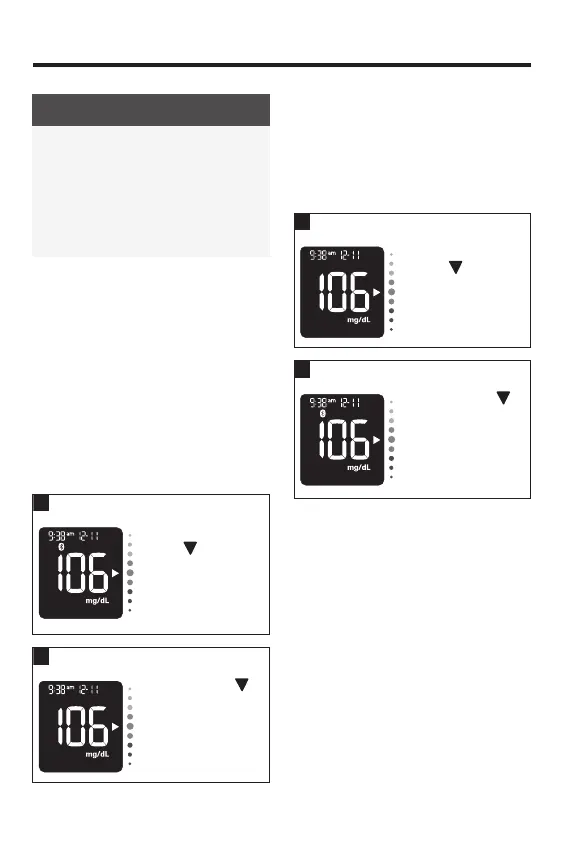
With the meter o,
press
to turn the
meter on. The last
test result appears.
Press and hold
until the Bluetooth
symbol disappears.
Turning Bluetooth Wireless
Technology On
If you have turned Bluetooth wireless
technology o, follow these steps to turn it
back on. This will enable wireless
communication with your mobile device.
1
With the meter o,
press
to turn the
meter on. The last
test result appears.
Press and hold
until the Bluetooth
symbol appears.
83561_09410155001A EN ReliON.indd 2483561_09410155001A EN ReliON.indd 24 3/23/2022 11:24:15 AM3/23/2022 11:24:15 AM



 To Next Page