operating faults ..........................................
(current page)
faults
operating faults ....................................
(current page)
2.60
ENG_UD69657_4
Aide au maintien de voie (HJB - Renault)
LANE KEEPING ASSIST (5/6)
Operating faults
When the system detects an operating
fault, the
© warning light lights up
on the instrument panel, with the mes-
sage “Front camera to check”.
Consult an approved dealer.
Adjustments (continued)
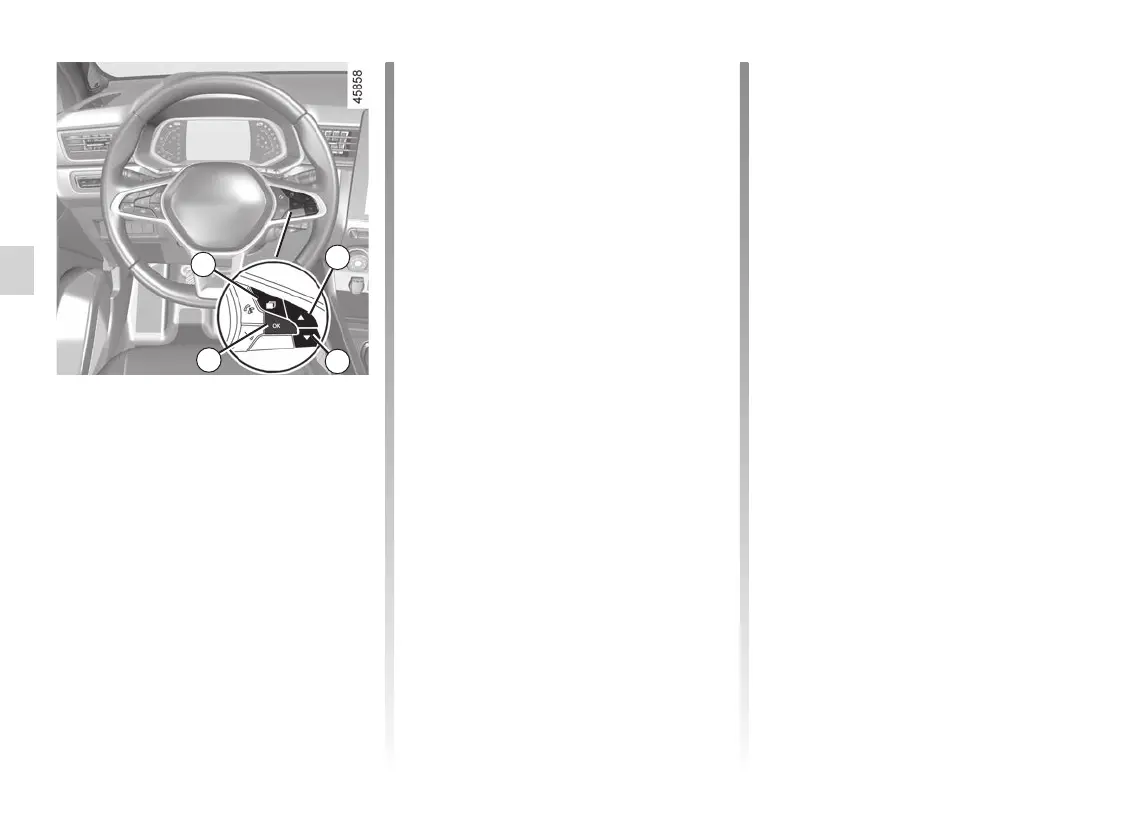
Vehicles not fitted with a multimedia
screen
– With the vehicle stopped, press the
switch 5 as many times as required
to reach the “Vehicle” tab;
– press the 6 or 7 control repeatedly to
reach the “Settings” menu. Press the
switch 8 OK;
– press the 6 or 7 control repeatedly to
reach the “DRIVING ASSIST” menu.
Press the switch 8 OK;
– press the 6 or 7 control repeatedly to
reach the “Lane Keeping sensitivity”
menu. Press the switch 8 OK;
– scroll repeatedly pressing control 6
or 7 to adjust the setting. Press the 8
OK button.
5
6
7
8














 To Next Page