2.149
ENG_UD64368_3
Stationnement assisté (HJB - Renault)
ASSISTED PARKING (3/5)
– Release the steering wheel;
– carry out manoeuvres at the front
and rear by following the instructions
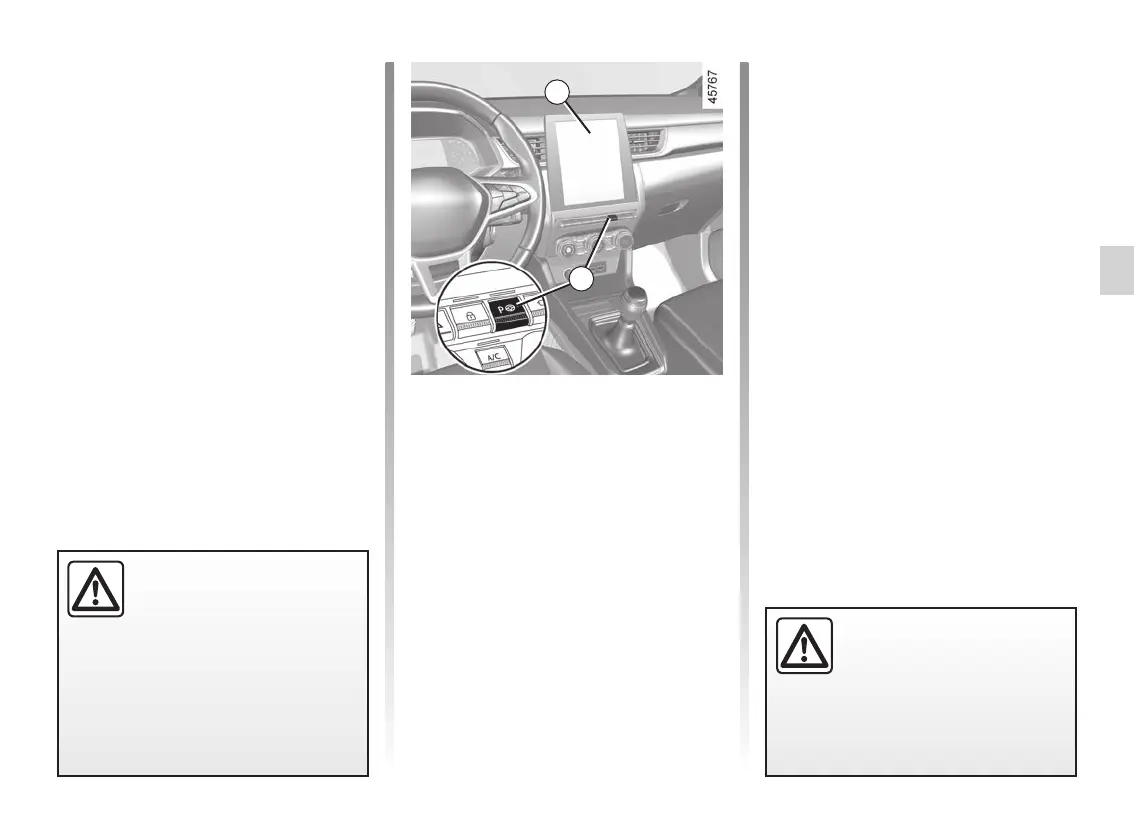
shown on the multimedia screen 1
and using the parking distance con-
trol system alerts.
Your speed should not exceed around 4
mph (7 km/h).
Once the vehicle is in a position to exit
the parking space, the
warning
light disappears from the instrument
panel and a sound signal and message
appear on the multimedia screen 1 to
confirm that the manoeuvre is com-
plete.
Exiting a parallel parking space
– Briefly press the 2 switch;
– Select the “Exit parallel parking
space” mode;
– activate the direction indicators on the
side on which you wish to pull out;
– press and hold switch 2 (approx. two
seconds).
The indicator light
lights up
on the instrument panel and a beep
sounds.
The space is then indicated on the mul-
timedia screen by a capital letter “P”.
– Stop the vehicle;
– select reverse gear.
The indicator light
lights up
on the instrument panel and a beep
sounds.
– Release the steering wheel;
– follow the instructions shown on the
multifunction screen 1.
Your speed should not exceed around 4
mph (7 km/h).
Once the warning light
on the
instrument panel goes off and a beep
sounds, the manoeuvre has been com-
pleted.
This function is an addi-
tional driving aid.
Therefore, it can under no
circumstances replace the
driver’s vigilance and responsibility
during manoeuvres (the driver must
always be ready to brake).
1
2
When manoeuvring, the
steering wheel may turn
quickly: do not put your
hands inside, and make
sure that nothing is caught inside.














 To Next Page