1.85
ENG_UD78482_3
Menu de personnalisation des réglages du véhicule (HJB - Renault)
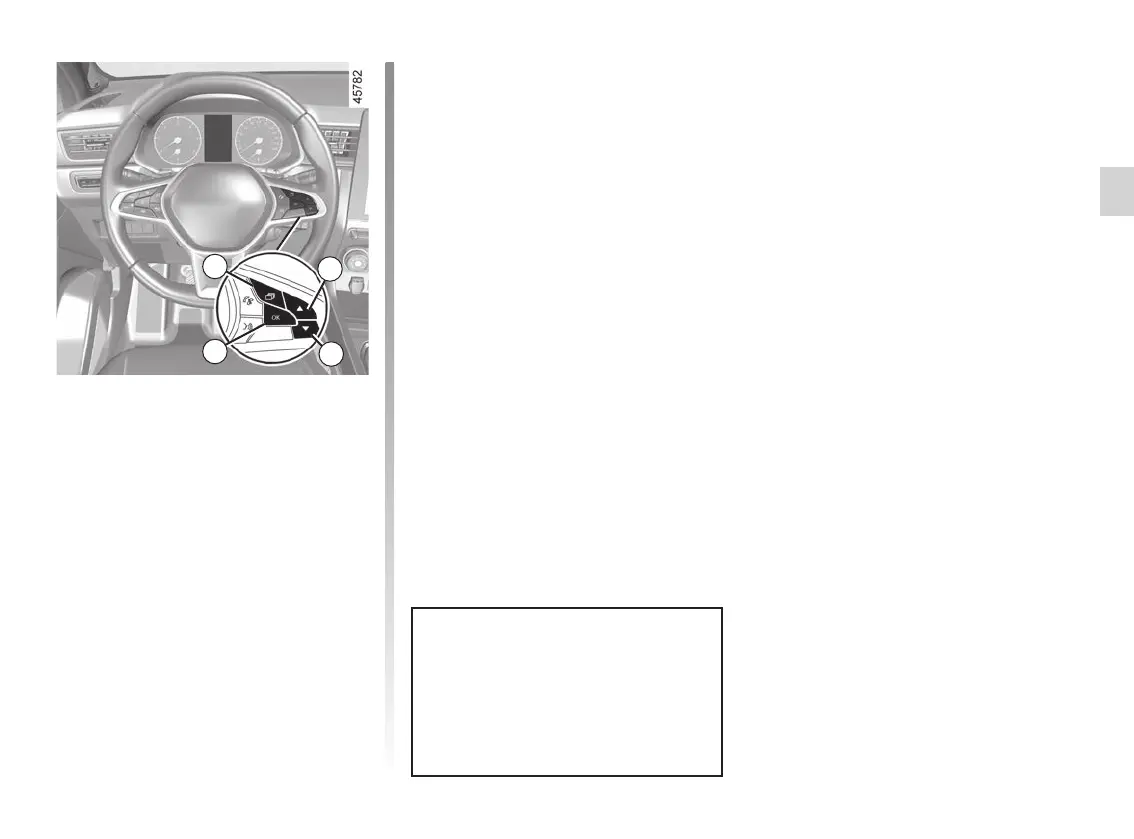
Once a line has been selected, press 6
“OK” to adjust the function.
If you select either “PARKING ASSIST”
then “VOLUME”, or “DASHBOARD”
then “LANGUAGE”, you will have to
make a further selection (sound volume
of the parking distance control or in-
strument panel language). In this case,
make your selection and confirm it by
pressing “6 OK”, the selected value is
shown by a
= in front of the line.
The vehicle settings personalisation
menu cannot be used when driv-
ing. At a speed exceeding 12 mph
(20 km/h), the instrument panel dis-
play switches automatically back to
trip computer and warning system
mode.
To exit the menu, press 4 or 5 to access
“BACK” and confirm by pressing 6
“OK”. It may be necessary to carry out
this operation more than once.
VEHICLE SETTINGS CUSTOMISATION MENU (3/3)
3
4
5
6














 To Next Page