EN
Setting Up
Setup
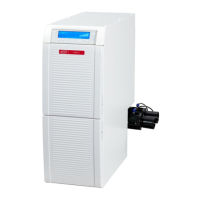
The extraction unit is a free standing appliance which must not be operated in a lying position.
If the device is to be installed in a cabinet, an opening for the exhaust air with the following dimensions
must be provided, in addition to the openings for the suction hoses:
• Circular opening: Min. 120 mm diameters.
• Rectangular opening: Min. 170 x 65 mm.
Connection
⇒ Insert the suction tube (6) into the suction port (8).
⇒ Connect the suction tube to the relevant suction point.
⇒ If necessary, shorten the suction tube.
Caution, risk of injury!
When shortening the suction tube, please ensure that the integrated wire is cut as straight as
possible.
If the diameter size does not correspond, please use an adapter to prevent a loss in suction per-
formance.
Long suction hoses, tight bends and kinks will considerably reduce the extraction force at the
extraction point.
⇒ Connect the electronic device to the power socket (12) at the back.
When connecting an electronic device to the extraction unit, please ensure that the maximum
permissible capacity for connected devices is not exceeded (Technical data).
⇒ Switch the device OFF at the On / Off switch (9).
⇒ Connect the power cable (5) to the power supply (10).
⇒ Insert the power plug into the building installed wall socket.
Operation
Switching the Unit On
The extractor is switched ON and OFF at the On / Off switch (9).
When the unit is switched on:
♦ All 4 displays light up (the display carries out a functional control),
♦ The suction unit performs an automatic lter cleaning sequence (for approx. 8 seconds, loud vibrating
noise).
Select Operating Mode: automatic / continuous operating mode
• Automatic operating mode (20):
In order to function, the extraction unit is dependent on an electronic device connected to the power
socket (12).
• Continuous operating mode (22):
The extraction unit runs continuously.
⇒ Press the operating mode key (21).
♦ To change the operating mode.
If the suction to a connected electrical appliance (e.g. a handpiece) does not react as required
(e.g. does not activate, even though a connected device is in operation) then the switch-on thresh-
old for automatic operation must be adjusted. This is also possible whilst the suction is on.
Suction Level
⇒ Press the key suction level (23).
♦ Change between the two suction levels.
The extraction unit always starts with the last set suction level.
- 3 -


 To Next Page