EasyManua.ls Logo

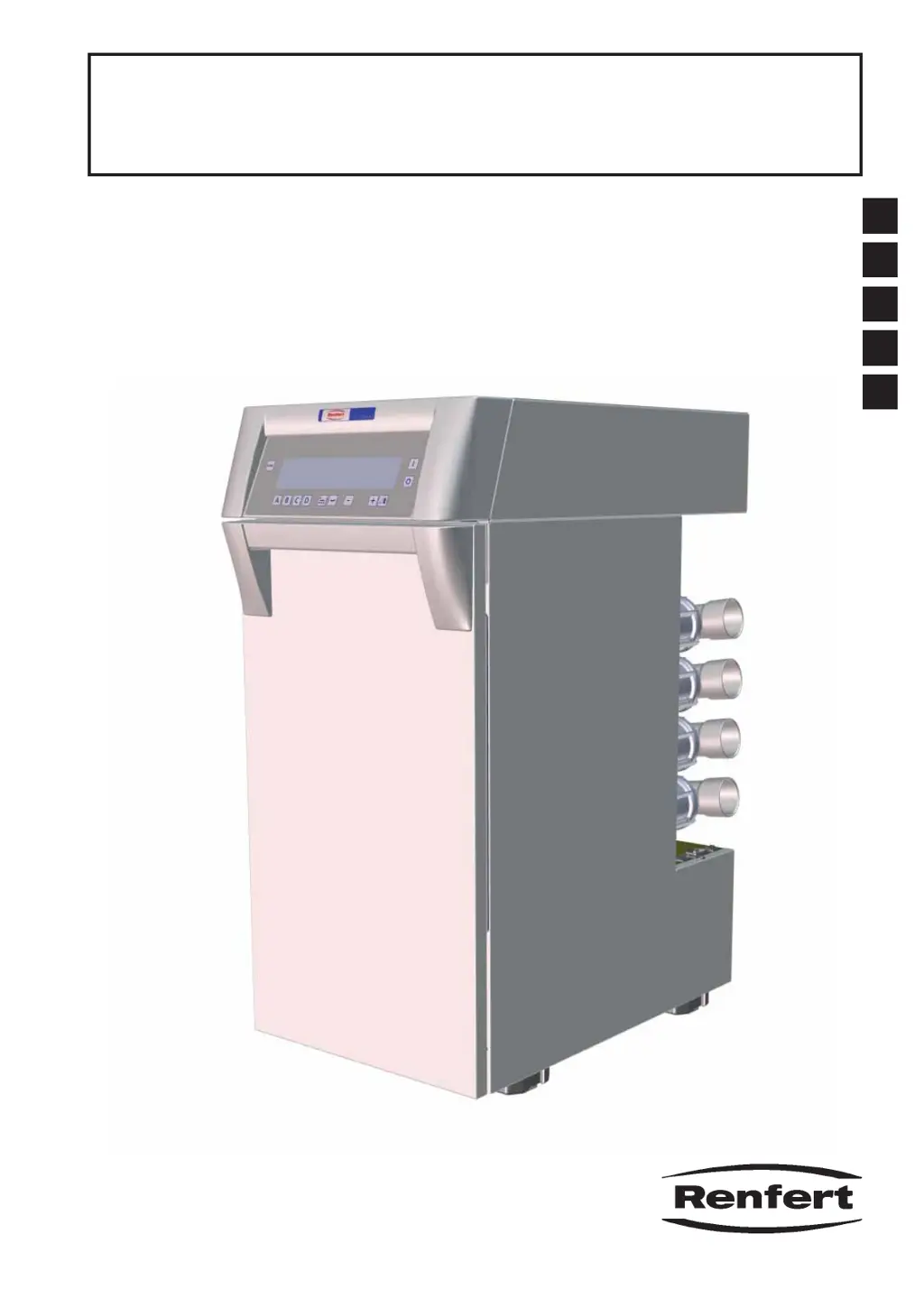
Renfert Silent V4 - User Manual

Renfert Silent V4
25 pages
Print Icon
To Next Page IconTo Next Page
Loading...
#FEJFOVOHTBOMFJUVOH
*OTUSVDUJPONBOVBM߭.PEFEtFNQMPJ
*TUSV[JPOJEߤVTP߭*OTUSVDDJPOFTQBSBFMTFSWJDJP
ES
IT
FR
EN
DE
Silent V4
Nr. 2933 0000
21-6669 12052014 / A
Made in Germany Ideas for dental technology

Table of Contents

Other manuals for Renfert Silent V4

Questions and Answers

  • L
    Laura MurrayAug 21, 2025
    What to do if the suction does not stop when the electrical appliance is switched off on my Renfert Silent V4 Medical Equipment?
    • J
      Jessica FrenchAug 21, 2025
      If the suction on your Renfert Medical Equipment doesn't stop when the connected electrical appliance is switched off, it could be due to the following reasons: 1. The electrical appliance might not be connected to the QCB. Ensure it is properly connected. 2. The on/off threshold might be set too low. Adjust the on/off threshold accordingly. 3. A connected remote control might have priority over the QCB for that suction channel. Press the mouse scroll wheel from the relevant suction channel to give the QCB priority again.
  • A
    austinjulieAug 23, 2025
    Why does my Renfert Silent V4 extraction unit require filtering at frequent intervals?
    • D
      Dustin AustinAug 25, 2025
      If your Renfert Medical Equipment extraction unit requires filtering at frequent intervals, consider these potential causes and solutions: * The diameter of the suction tube may be too narrow. Use the original suction tubes and install a suction port adapter if necessary. * The fine filter unit may be too dirty to clean. Change the fine filter adapter section. * The system may have a leak. Check to make sure that the dust drawer and the fine filter unit have been replaced correctly and that the seals are not damaged.
  • K
    Krista HartmanAug 26, 2025
    Why does suction begin on my Renfert Medical Equipment even though no appliance connected to the QCB has been activated?
    • D
      Dana RodriguezAug 26, 2025
      If the suction starts on your Renfert Medical Equipment even when no appliance connected to the QCB is activated, it may be because the on/off threshold from the suction channel is too low. Check which suction channel is open (the relevant letter will be shown in the display) and adjust the on/off threshold from that particular suction channel.
  • B
    brucewilliamsAug 28, 2025
    What to do if the suction does not start when an electrical appliance connected to the QCB is activated on my Renfert Silent V4 Medical Equipment?
    • K
      Kimberly BautistaAug 28, 2025
      If the suction on your Renfert Medical Equipment does not start when an electrical appliance connected to the QCB is activated, consider the following: 1. Ensure the extraction unit is switched on. 2. Check the fuses and replace if necessary. 3. Verify the QCB is connected to the extraction unit. 4. Adjust the on/off threshold of the suction channel if it is too high. 5. If a remote control is connected, press the mouse scroll wheel from the relevant suction channel to give the QCB priority again.
  • M
    Melanie FrancoAug 30, 2025
    What causes the dust bag to be over full on my Renfert Silent V4?
    • S
      sophia12Aug 30, 2025
      If the dust bag of your Renfert Medical Equipment is overfull, it could be due to these reasons: * The set value for the dust drawer fill level is too high. You should set a smaller value. * The dust drawer was removed for longer than 15 seconds without emptying. If you remove the dust drawer, please always empty it.
  • A
    Andrew CarrSep 1, 2025
    Why the electrical appliance connected to the QCB cannot be operated on my Renfert Silent V4 Medical Equipment?
    • J
      Jose HarperSep 1, 2025
      If the electrical appliance connected to the QCB cannot be operated on your Renfert Medical Equipment, ensure that the QCB is connected to a power supply.
  • M
    Marco SmithSep 3, 2025
    What to do if my Renfert Silent V4 Medical Equipment extractor stops suddenly and shows an error code?
    • S
      sjonesSep 3, 2025
      If your Renfert Medical Equipment extractor stops suddenly and displays an error code, it means an error has been detected. Consult the “Error Codes” table. If the instructions there don't resolve the issue, note the error code and send the device in for repair, informing the repair service of the error code.
  • R
    Robert AyalaSep 5, 2025
    Why does the dust drawer full signal light up when the drawer is not full on my Renfert Silent V4 Medical Equipment?
    • M
      matthewmaldonadoSep 5, 2025
      If the dust drawer full signal lights up on your Renfert Medical Equipment even though the drawer isn't full, the set value for the dust drawer fill level might be too low. Set a higher value for the fill level.
  • J
    Justin WatsonSep 7, 2025
    Why does the fuse in the QCB trigger when an appliance is switched on with my Renfert Medical Equipment?
    • J
      Jennifer ReyesSep 7, 2025
      If the fuse in the QCB of your Renfert Medical Equipment is triggered when switching on a connected appliance, it means the total power consumption of the activated appliances is too high. Observe the maximum connected load for the QCB.
  • S
    schwartzgregorySep 9, 2025
    Why is the letter from a suction channel blinking and the suction channel cannot be opened on my Renfert Silent V4 Medical Equipment?
    • O
      Olivia KimSep 9, 2025
      If the letter from a suction channel is blinking and the suction channel cannot be opened on your Renfert Medical Equipment, it's because in single-use mode, only one suction channel can be open at a time. If another channel is already open, close it first before opening the desired one. Alternatively, select multi-use mode, but ensure all suction channels are closed before doing so.

Summary

Introduction and Safety Information

1.1 Symbols

Explains the meaning of symbols used in the manual for clear understanding.

2.1 Intended Use and Improper Use

Defines authorized applications and prohibits misuse to ensure safe operation.

2.3 Ambient Conditions for Safe Operation

Specifies environmental requirements for safe and optimal device performance.

2.5 Hazard and Warning Information

Details critical warnings and potential hazards associated with the device.

2.6 Authorized Persons

Identifies personnel qualified to operate and maintain the equipment.

Product Description and Setup

3.1 General Description

Provides an overview of the extraction unit's purpose and capabilities.

3.2 Components and Functional Elements

Identifies and explains the key parts and features of the Silent V4.

3.3 Scope of Delivery

Lists all items included in the product package for verification.

3.4 Accessories

Details optional accessories available to enhance device functionality.

4.1 Unpacking and 4.2 Setup

Guides users through the initial unpacking and physical placement of the unit.

4.3 Electrical and Compressed Air Connections

Provides instructions for safely connecting the device to power and compressed air.

4.5 Connection to the Extraction Point

Explains how to connect suction hoses to the extraction unit.

4.6 Quattro Control-Box Installation

Details the installation process for the Quattro Control-Box accessory.

Operation and Programming

5.1 Switching the Unit On

Covers the procedure for powering the unit on and entering stand-by mode.

5.2 Suction Performance

Explains how to adjust suction levels for optimal performance.

5.3 Turbo Level

Details how to activate the turbo function for enhanced suction.

5.4 Operation Modes

Describes different modes for operating suction channels, including automatic and manual.

5.5 Filter Cleaning Procedures

Outlines the automatic and manual procedures for cleaning the fine filter unit.

5.6.1 Self Diagnosis

Explains how to initiate and interpret the device's self-diagnostic function.

5.6.4 Switch On Threshold

Details how to program automatic start-up thresholds for suction channels.

5.6.5 Switch Off Threshold

Details how to program automatic shut-down thresholds for suction channels.

5.6.6 Operating Hours Counter

Describes how to read and reset the unit's operating hours counter.

Maintenance, Troubleshooting, and Support

6.1 Emptying the Dust Drawer

Provides step-by-step instructions for safely emptying the dust drawer.

6.2 Changing the Fine Filter

Guides users through the process of replacing the fine filter for optimal suction.

6.3 Safety Fuses

Explains the location and function of safety fuses for the unit and QCB.

7.1 Error Codes

Lists common error codes and their corresponding corrective actions for fault resolution.

8.1 Silent V4 Specifications

Presents detailed technical specifications for the Silent V4 extraction unit.

8.2 Quattro Control-Box Specifications

Provides detailed technical specifications for the Quattro Control-Box accessory.

9. Warranty

Outlines the warranty terms and conditions for the product.

10. Disposal Information

Provides guidance on the proper disposal of the unit and its consumables.

Renfert Silent V4 Specifications

General IconGeneral
BrandRenfert
ModelSilent V4
CategoryMedical Equipment
LanguageEnglish

Related product manuals