- 16 -
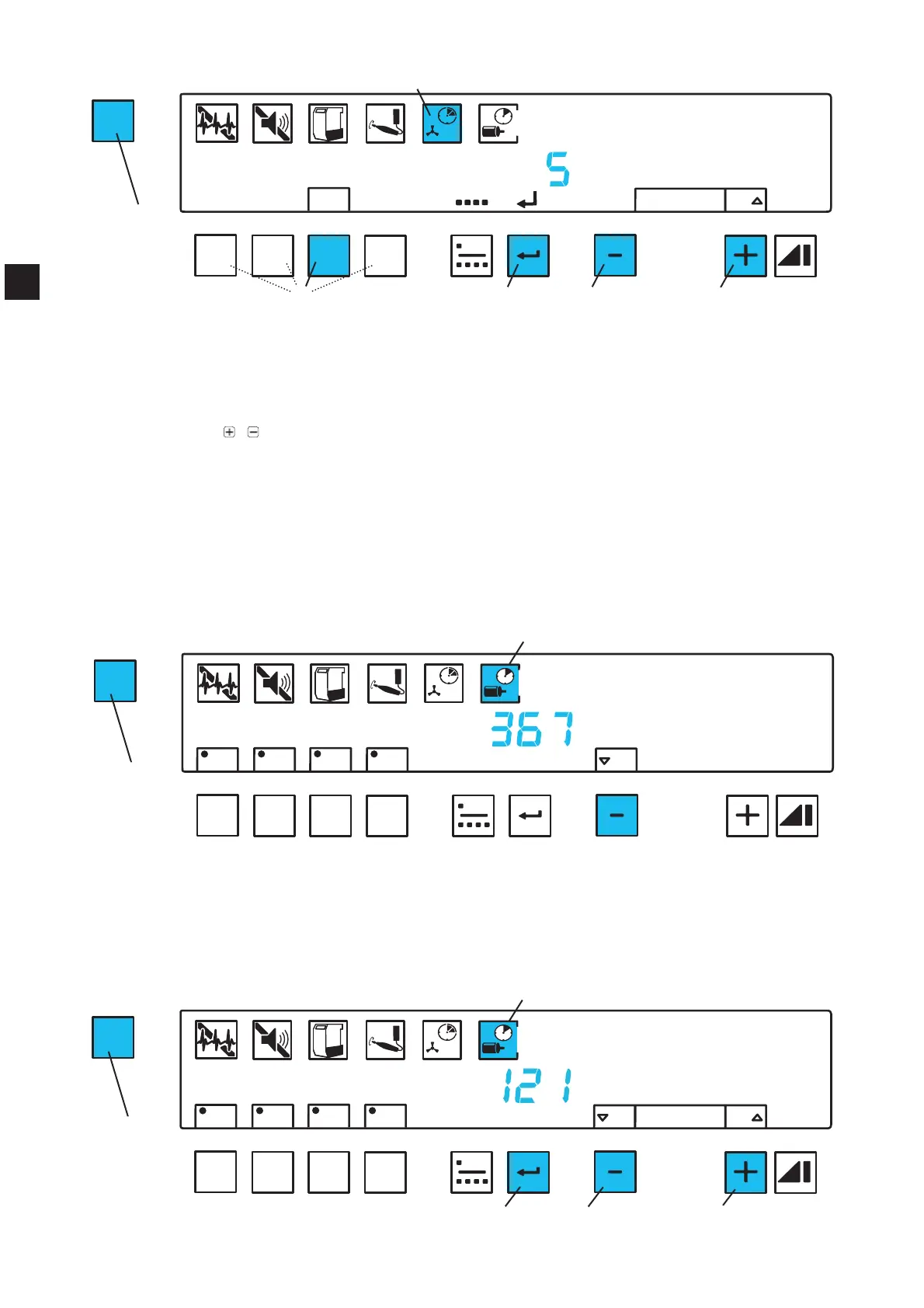
Press menu key (30) 5 x.
Ƈ The switch off time symbol (35) blinks.
Ƈ The letters A, B, C, D blink.
Press the suction channel key (42) of the channel which is to be set.
Ƈ The letter of the suction channel to be set is shown in the display.
Ƈ In the display, the set switch off time for the suction channel is shown in seconds.
Using the
/ keys (46, 48) alter and set the required switch off time.
Press the enter key (45).
Using the suction channel key (42), select the next suction channel or leave this mode by pressing
the menu key (30).
5.6.6 Operating Hours Counter
The operating hours counter records the turbine running time.
7RWDORSHUDWLQJKRXUVFDQQRWEHUHVHWWR]HUR
3DUWLDORSHUDWLQJKRXUVFDQEHUHVHWWR]HURHJDIWHUWKHWXUELQHKDVEHHQFKDQJHG,WDOVRUHFRUGV
how often the operating hours counter has been reset.
Read total operating hours:
Press menu key (30) 6 x.
Ƈ The operating hours symbol (36) blinks.
Ƈ “Total” is displayed (36).
Ƈ The total amount of operating hours is displayed.
To leave the mode press menu key (30) 2 x.
Reset partial operating hours:
MENU
A
B
C
D
OFF
ON
total
reset
C
ON
resetdefault
Fig. 19
35
42
30
45 46
48
MENU
A
B
C
D
OFF
ON
total
A
B
C
D
Fig. 20
36
30
MENU
A
B
C
D
OFF
ON
reset
A
B
C
D
resetdefault
Fig. 2
36
46
45
48
30
EN


 To Next Page