- 13 -
5.6 Programming
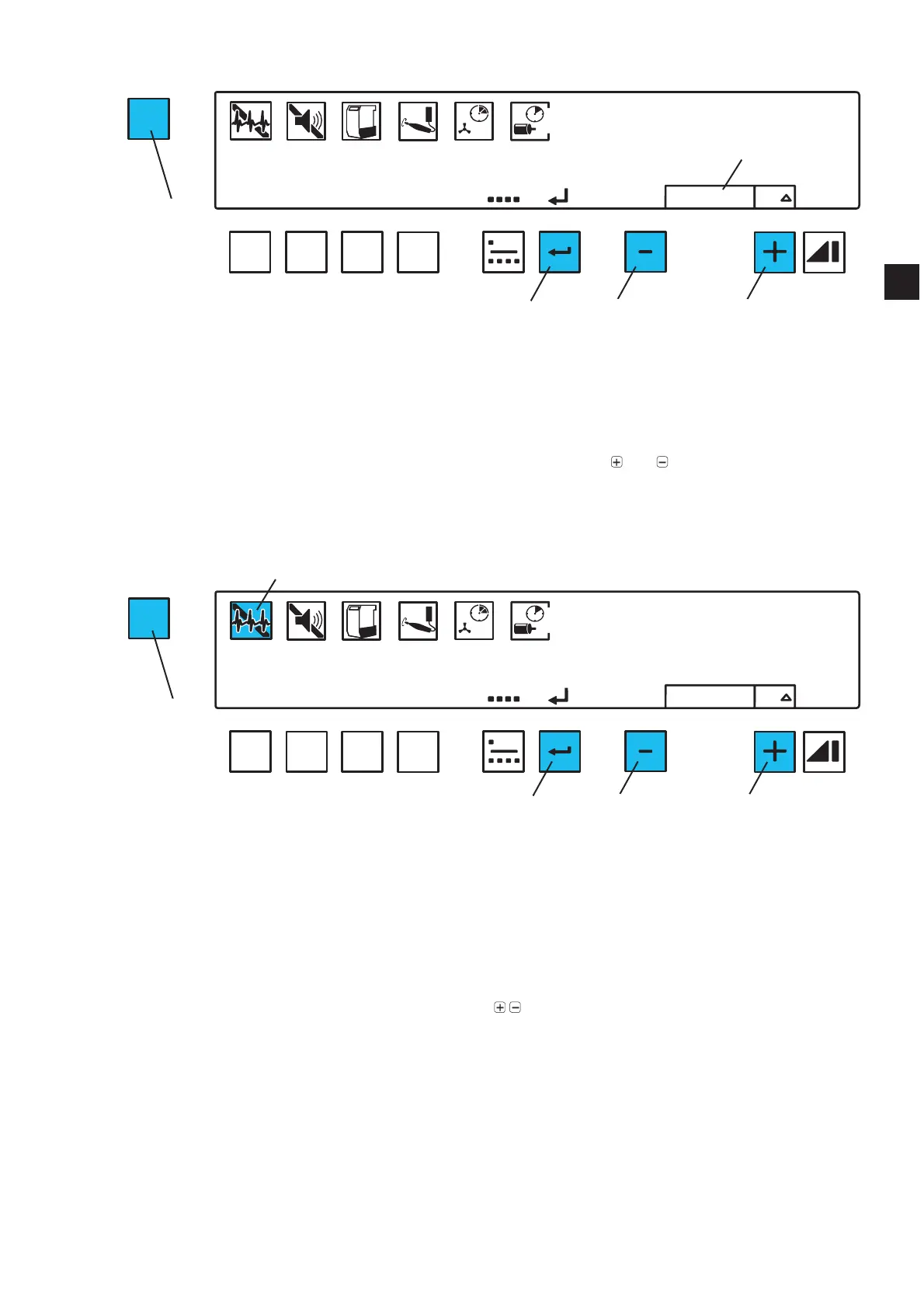
The menu function enables various extractor settings to be preset and saved.
In order to set different parameter, press the menu key (30) repeatedly.
7RFRQ¿UPDQGVDYHWKHDGMXVWHGVHWWLQJVSUHVVWKHHQWHUEXWWRQ$QDXGLEOHVLJQDOFRQ¿UPVWKDW
the settings have been successfully saved.
If you do not wish to save the adjustments, press the menu key again (30) and the programming will be
aborted.
If the word “default” is shown in the display (47) press the buttons
and (46, 48) together to revert
to the standard factory settings (see table in section 6.4).
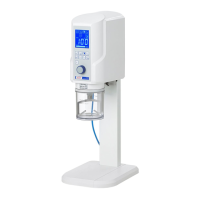
5.6.1 Self Diagnosis
7KHGLDJQRVLVV\PEROVKRZVZKHWKHUWKHVHOIGLDJQRVLVKDVEHHQDFWLYDWHGRUQRW
When activated, the extraction unit carries out a self diagnosis immediately after having been switched
on.
The suction turbine is switched on and each suction channel is opened individually in order to remove
possible deposits from the suction tubes.
This process takes approximately 30 seconds.
If a fault is discovered during the self diagnosis, then this will be signalized with an error code (see
section 7.1). Please continue as described in section 7.1.
Press menu key (30) 1 x.
Ƈ The diagnosis symbol (31) blinks.
Switch the self diagnosis ON or OFF using the
/ buttons (46, 48).
Press the enter button (45).
MENU
A
B
C
D
OFF
ON
total
reset
ON
resetdefault
Fig. 1
30
45
46 48
47
MENU
A
B
C
D
OFF
ON
total
reset
ON
resetdefault
Fig. 1
31
30
45
46 48
EN


 To Next Page