- 17 -
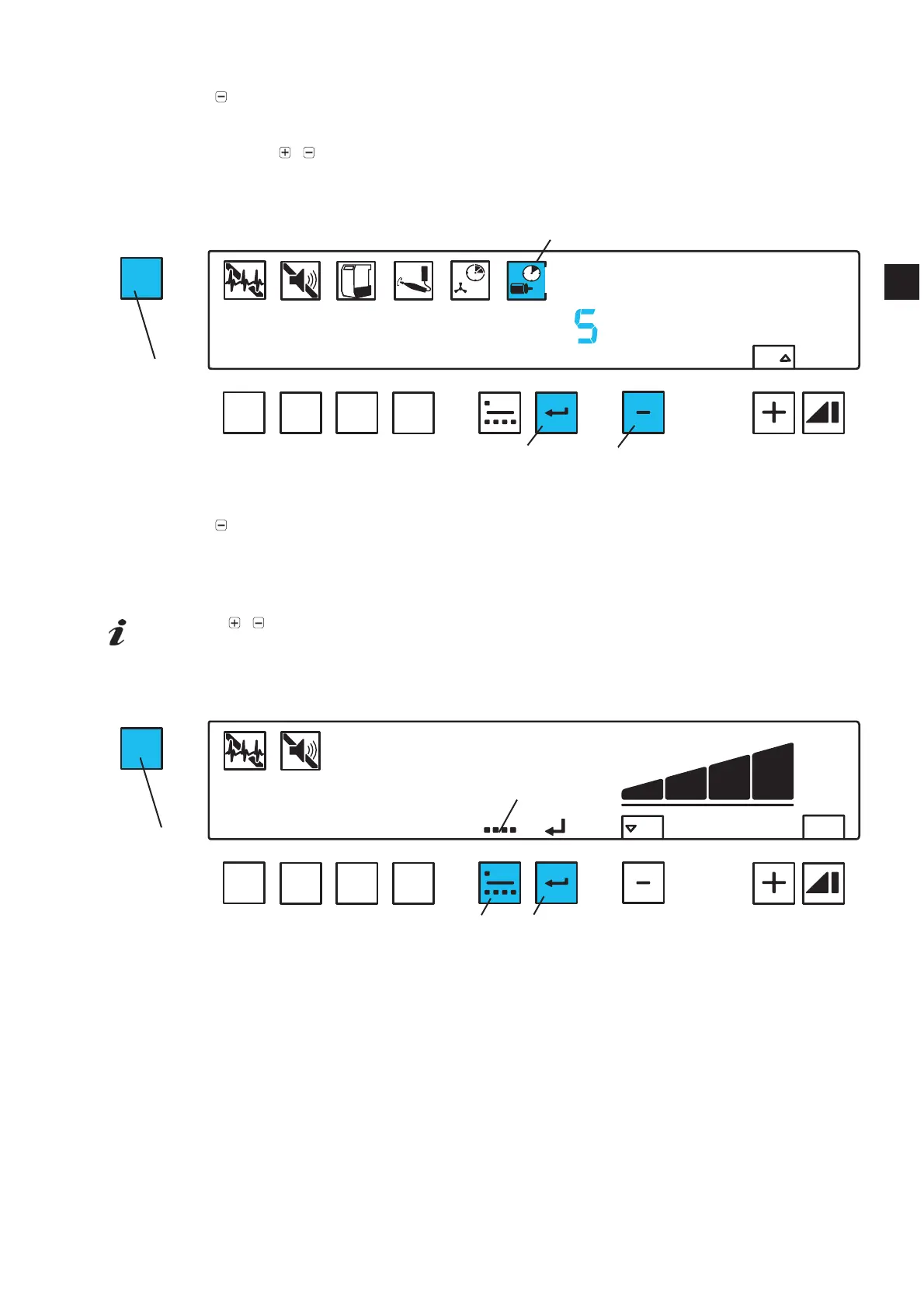
Press menu key (30) 6 x.
Ƈ The operating hours symbol (36) blinks.
Press
key (46).
Ƈ “Reset” is shown (36).
Ƈ The number of operating hours since the last reset is shown.
Press and hold
/ keys (46, 48) at the same time until the operating hours are reset to zero.
Ƈ The digit “zero” blinks.
To leave this mode press key (30) or press the enter key (45).
Read the number of resets:
Press menu key (30) 6 x.
Ƈ The operating hours symbol (36) blinks.
Press
key (46) 2 x.
Ƈ “Reset” is displayed.
Ƈ The display shows “no” (= number) and how often the operating hours counter has been reset.
To leave this mode press key (30) or press the enter key (45).
Using the / keys it is possible to alternate between the functions “read total operating
hours” / “reset operating hours” / “see number of resets” without leaving this menu item.
5.6.7 Single / Multi Use
This menu item determines which operating mode will be activated after the unit is switched on.
Press menu key (30) 7 x.
Ƈ Either the single use symbol (51, Fig. 10), or the multi use symbol (52) will blink.
Press the operating mode key (44) many times until the required operating mode is set.
Press the enter key (45).
MENU
A
B
C
D
OFF
ON
reset
Fig. 2
30
36
45
MENU
A
B
C
D
ONOFF
Fig. 2
52
44
45
30
46
EN


 To Next Page