62
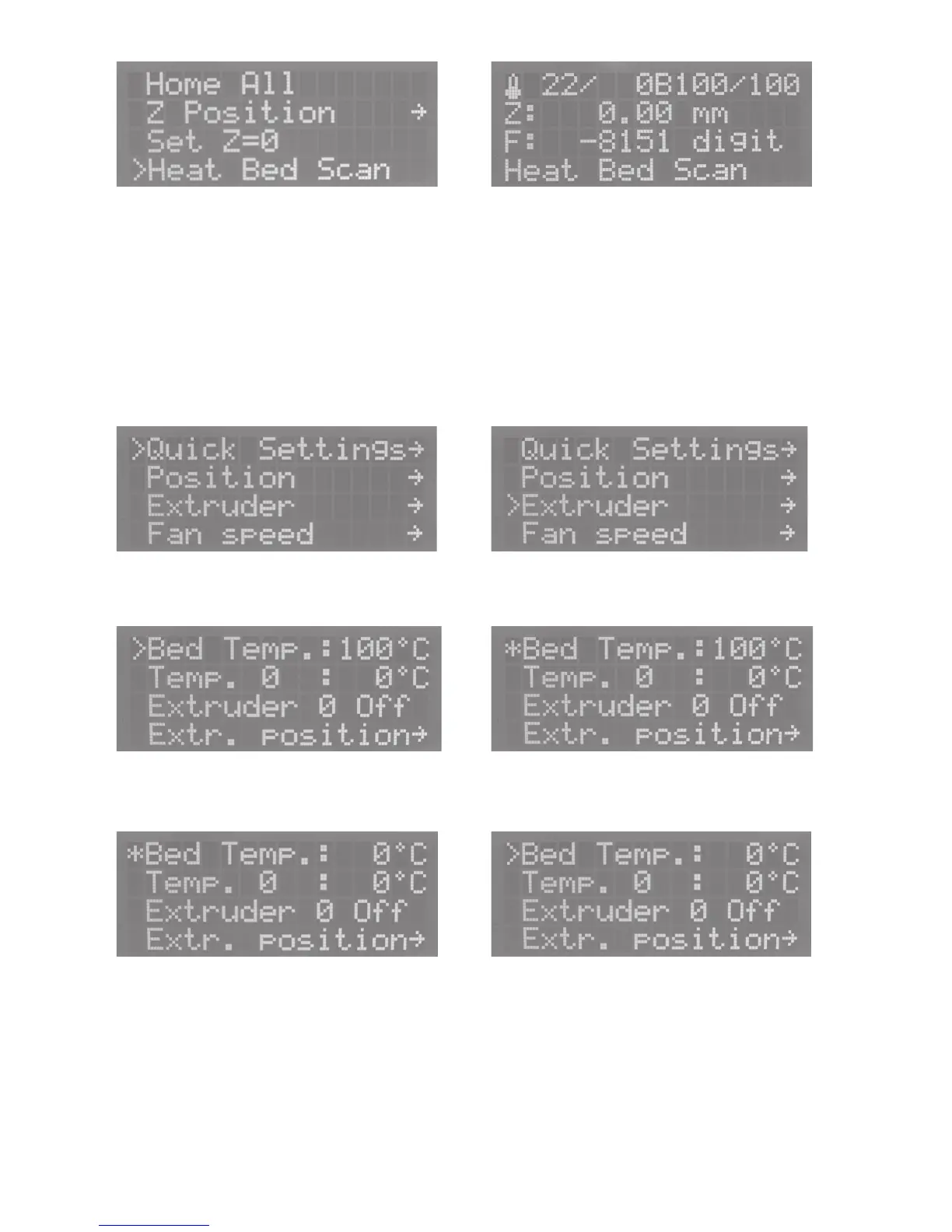
Push OK, select „Heat Bed Scan“ with the direction buttons
and confirm with OK.
Push the direction button „left“ 2x to return to the main menu.
The status display of the main menu shows „Heat Bed Scan“.
The geometry of the heating plate is now measured automati-
cally. This process will take a while.
After measurement, the heating plate returns to the home posi-
tion and the display shows „Scan completed“.
If the display shows „Scan aborted“, this means that
measurement has been aborted. In this case, repeat
the basic setting of the limit switch for the Z-direction
(see chapter „Final Work“ earlier in these instructions).
Push OK Select „Extruder“ with the direction buttons.
Push OK and select „Bed Temp“ with the direction buttons. Push OK
Set „0 °C“ with the direction buttons. Push OK



 To Next Page