Check that the battery connections are properly connected to the
battery terminals of the charge controller. Make sure there is no
short along the line. Reboot the controller. If problem continues,
reset the controller.
Device Considerations
Warning Indicator
The red LED on the tracer will turn on where there is an issue. Check the Failure
Information Log first. The following are possible reasons for the warning indicator
1. One battery could be disconnected, over voltage, or open circuit. Check
connections. Disconnect and reconnect.
2. The remote temperature sensor probe is malfunctioning. Check the sensor probe.
Disconnect and reconnect.
3. The system is experiencing overcharging current. Check connections, disconnect
and reconnect
4. Solar PV is short circuited. Check connections, disconnect and reconnect.
Telecommunication Port
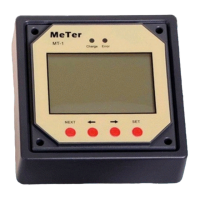
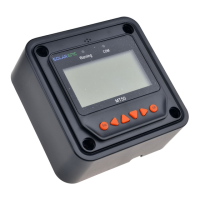
When the meter running on individual power or the communication is cut off, the MT-50 will
display graphical symbols abnormally. Press any key to stop the display and resume normal
activity. If problem persists, disconnect the port and connect it again. Normal behavior is when
the meter updates every 20 seconds.
NOTE: Errors could occur in the telecommunication port if the connection is not properly
secured. Also, too long of a cable may cause some inconsistencies.
Battery Level Flashing
The meter measures battery capacity by the voltage it is experiencing. When batteries are
charging, they will not necessarily match the accurate battery capacity.
Battery capacity AH
AH is the accumulation of charging, each one minute will count. The data is not accurate while
the charge current is too small. The min. is 1AH, means 1 amps charging for 1 hour, Ah comes
to show.


 To Next Page