7
NOTE: To customize charge parameters, Battery Type must be set to USER, under 4. CONTROL
PARAMETERS
NOTE: The values found in your controller are default values and will not necessarily match the
ones listed. The values on this table are to show the user what the different screens are used for.
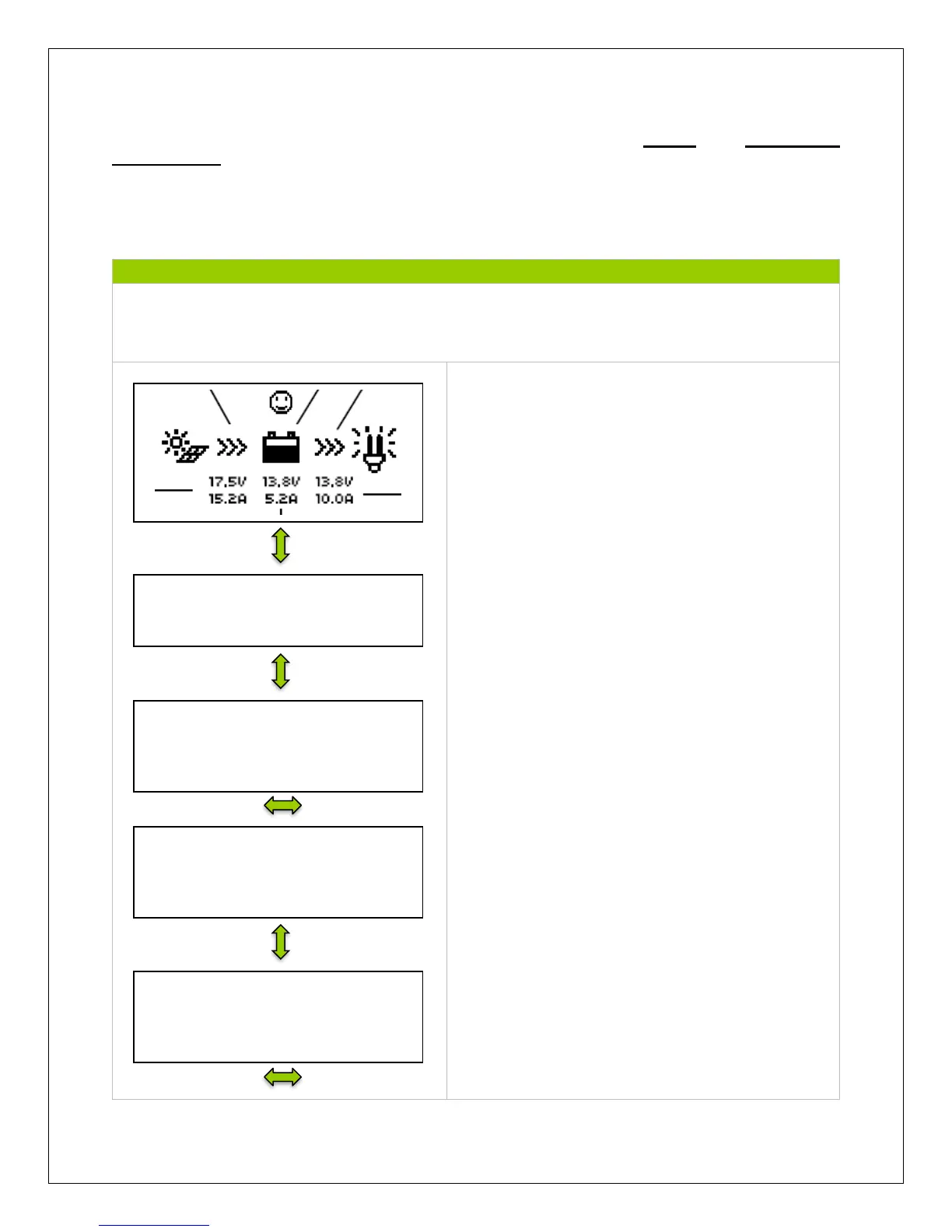
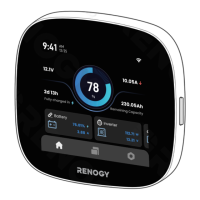
The Default Screen displays information regarding
the PV module, Battery, and Load. The PV module
indicator will have a sun or a moon depending on
the time of day. The face will indicate normal
system behavior in terms of the battery.
The screen displays the Charge Controller Model
Number, followed by the Date and Time.
The kilowatt hours accumulated in a day, Month,
and total since the controller has been turned on
NOTE: Once the battery is disconnected, the values
are reset to 0 unless there is an external battery
installed on the controller face
Same as above but regarding discharged energy
Demonstrates the battery’s Voltage, Amperage,
and State of Charge (SOC).
NOTE: The Battery SOC% is an estimation
based on the charging voltage.


 To Next Page