18
Troubleshooting
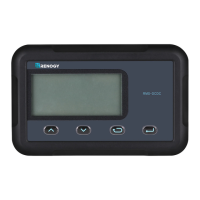
MT-50 has no display
• Verify the charge controller is powered on and that it is securely connected to the MT-50.
LCD display is dim
• Check the system battery voltage. The MT-50 needs a minimum of 8 V to operate.
• Verify that the temperature is within range of the LCD operating parameters.
MT-50 turns on, but shows no data
• MT-50 is potentially damaged or the cable is damaged. Replace the cable by contacting
the manufacturer.
MT-50 display does not match product manual
• Our products undergo manual revisions from time to time. Please check our website at
Renogy-store.com > downloads for latest documentation.
Buttons do not work
• Disconnect the MT-50 and clean the faceplate to remove any potential buildup of residue
• Reconnect MT-50
Technical Specifications


 To Next Page